It’s the 3rd week of the month. You check your bank account. And somehow — somewhere, you’ve already spent your entire month’s budget.
On what? You have no idea.
If that sounds familiar, you’re not alone. A 2025 survey by Bankrate found that nearly 73% of Gen Z say they feel anxious about money at least once a week. Students, especially — juggling tuition, rent, food, subscriptions, and the occasional late-night food delivery — are some of the worst hit.
But here’s the good news.
AI has entered the budgeting world. And it’s actually helping people save money, spend smarter, and finally understand where their cash is going.
Today, we’re breaking down the 6 best AI budgeting apps for students in 2026 — YNAB, Cleo, Plum, Copilot Money, Monarch Money, and Emma — tested and compared so you can pick the one that fits your life.
Let’s get started…
Quick Comparison Table
| App | Best For | Free Plan? | Starting Price | Student Discount? | Platform |
|---|---|---|---|---|---|
| YNAB | Full budget control | ❌ (34-day trial) | $14.99/month | ✅ Free for 1 year | iOS, Android, Web |
| Cleo | Fun & motivation | ✅ | $5.99/month | ❌ | iOS, Android |
| Plum | Passive saving | ✅ | £2.99/month | ❌ | iOS, Android (UK/EU) |
| Copilot | Design + automation | ❌ (2-month trial) | $13/month | ❌ | iOS, macOS only |
| Monarch | Full financial picture | ❌ (7-day trial) | $14.99/month | ❌ | iOS, Android, Web |
| Emma | UK students | ✅ | £4.99/month | ❌ | iOS, Android (UK-focus) |
Why Regular Budgeting Apps Fail Students?
Before we get to the apps, let’s talk about why most students give up on budgeting.
Traditional budgeting apps make you do all the work. You manually categorize transactions. You set complicated rules. You get overwhelmed after day three and never open the app again.
AI budgeting apps are different.
Instead of you telling the app what to do, the app figures things out for you. It reads your spending patterns, spots wasteful habits, warns you before you overspend, and even suggests smarter ways to save — all automatically.
Think of it like having a personal finance assistant in your pocket. Except it doesn’t judge you for that 11 PM pizza order. (Well… Cleo might. More on that later.)
The 6 Best AI Budgeting Apps For Students in 2026
APP #1 — YNAB (You Need A Budget)
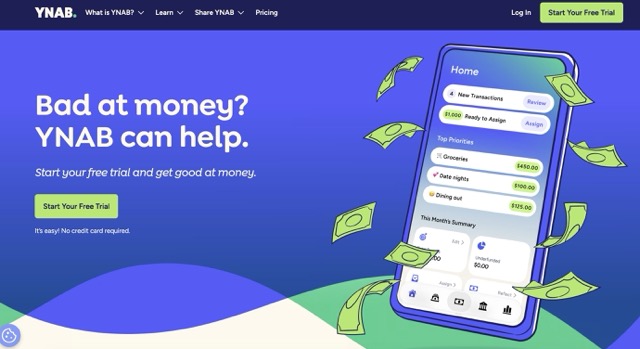
Best for: Students who want full control over every rupee/dollar
What Is YNAB?
YNAB has been around since 2004, but in 2026, it’s smarter than ever. The app is built on a simple but powerful idea: give every dollar a job. Before you spend anything, you assign it a purpose — rent, groceries, fun money, emergency fund.
The AI layer added in recent updates now predicts upcoming expenses, flags subscriptions you might have forgotten about, and suggests how to reallocate money when you overspend in one area.
Key Features
- Zero-based budgeting — Every dollar is assigned a purpose before the month begins
- AI spending predictions — Learns your patterns and forecasts next month’s expenses
- Goal tracking — Set savings goals (like a new laptop or travel fund) and watch your progress
- Real-time sync — Links to thousands of banks globally
- Debt paydown tools — Perfect if you’re managing student loans
- Multi-device access — Works on iOS, Android, and web
Pricing
- Free trial: 34 days (no credit card needed)
- Paid plan: ~$14.99/month or ~$99/year
- Student discount: Free for 12 months with a valid university email ✅
Who Should Use It?
YNAB is ideal if you’re serious about budgeting and want a structured system. It has a slight learning curve — give it about a week to fully understand the method — but once it clicks, users report saving an average of $600 in their first two months, according to YNAB’s own data.
Pros & Cons
- ✅ Incredibly detailed control over finances
- ✅ Best-in-class student discount (free for a year)
- ✅ Strong community and free workshops
- ❌ Learning curve is steeper than other apps
- ❌ Paid after the free trial (unless student verified)
APP #2 — CLEO
Best for: Students who want budgeting with a sense of humour
What Is Cleo?
Cleo is unlike any budgeting app you’ve ever seen.
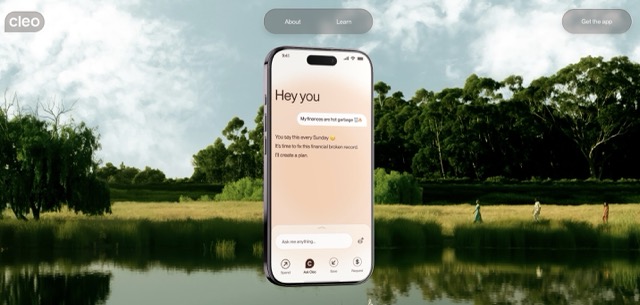
It’s built as an AI chatbot that you talk to like a friend. Ask Cleo, “How much did I spend on food this week?“ and it tells you — sometimes with a roast. Ask it to help you save, and it sets up automatic saving rules. Ask it how you’re doing on your budget, and it gives you a brutally honest (and often funny) answer.
Cleo went viral on TikTok in 2024 and has since become one of the most downloaded finance apps among 18–25-year-olds.
Key Features
- AI chat interface — Ask questions in plain English, get instant answers
- Roast mode — Cleo literally roasts you for bad spending habits (it’s oddly motivating)
- Hype mode — Cleo celebrates you when you’re doing well
- Autosave — Set rules and let Cleo automatically move money to savings
- Spending breakdowns — Weekly and monthly visual summaries
- Budget builder — Cleo suggests budgets based on your income and past spending
Pricing
- Free plan available (basic features)
- Cleo Plus: ~$5.99/month
- Cleo Builder (credit building): ~$14.99/month
Who Should Use It?
Cleo is perfect for students who hate the word “budgeting” but love their phone. If you need gentle (or not-so-gentle) nudges to keep your spending in check, Cleo’s personality-driven approach actually makes you want to open the app.
Pros & Cons
- ✅ Most entertaining budgeting app on the market
- ✅ Very easy to set up — under 3 minutes
- ✅ Great free tier for basic use
- ❌ Less detailed than YNAB for serious budgeters
- ❌ Some AI features are locked behind a paid plan
APP #3 — PLUM
Best for: Students who want to save without thinking about it
What Is Plum?
Plum’s whole philosophy is “save money without even trying.”
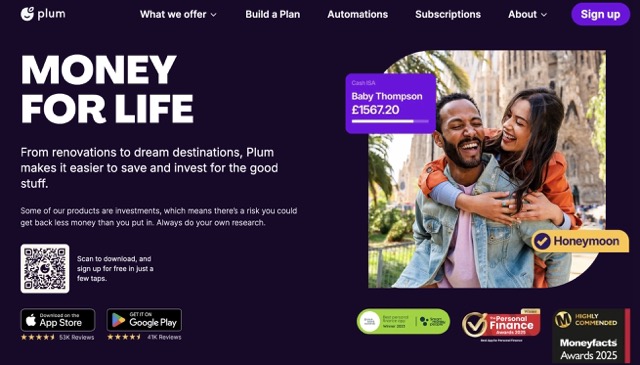
Using AI, Plum analyzes your income and spending, then quietly moves small amounts of money into a savings account — amounts so small you barely notice them leaving. Over time, those tiny amounts stack up into real savings.
It’s like having a sneaky savings robot working behind the scenes.
Plum is especially popular in the UK and has expanded significantly across Europe and parts of Asia by 2026.
Key Features
- AI autosave — Plum calculates what you can afford to save and moves it automatically
- Save moods — Adjust how aggressively Plum saves (from “Shy” to “Beast Mode”)
- Round-ups — Every purchase is rounded up, and the spare change goes to savings
- Bill switching — Plum can help you find cheaper energy or phone plans
- Investment options — Save into stocks, funds, or cash interest accounts (Plus plan)
- Spending insights — See where your money is going in clear, visual categories
Pricing
- Free plan available
- Plum Plus: ~£2.99/month (~$3.75 USD)
- Plum Pro: ~£4.99/month (~$6.25 USD)
Who Should Use It?
Plum is the app for students who want to save but can’t find the discipline to do it manually. The “set it and forget it” approach is genuinely powerful. If you’re in the UK, it’s a no-brainer — one of the best-value apps available.
Pros & Cons
- ✅ Completely passive saving — ideal for beginners
- ✅ Round-up feature builds savings effortlessly
- ✅ Very affordable pricing
- ❌ Less robust budgeting tools compared to YNAB or Monarch
- ❌ Best features available mainly in the UK/EU regions
APP #4 — COPILOT MONEY
Best for: Students who love clean design and smart automation (Apple users)
What Is Copilot Money?
If you’re an iPhone user who loves beautifully designed apps, Copilot Money might just be the most satisfying finance app you’ve ever used.
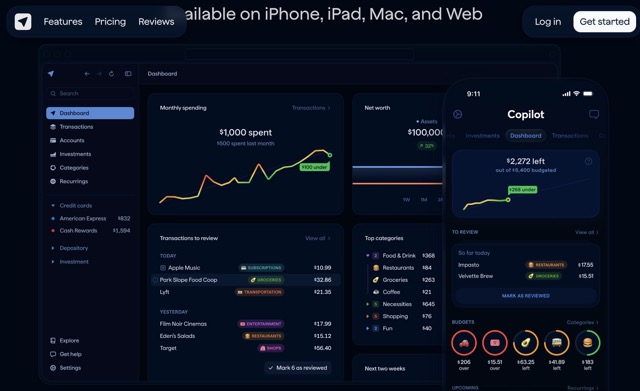
Copilot combines smart AI categorization with a gorgeous interface. It automatically sorts your transactions into categories, learns from your corrections, and gives you a complete picture of your financial life in one place.
It’s often called “the Apple of budgeting apps” — premium, polished, and deeply thought-through.
Key Features
- AI transaction categorization — Automatically labels every purchase (and learns when you correct it)
- Smart budgets — Budgets adapt based on your actual spending patterns, not rigid limits
- Net worth tracking — Track assets, investments, and debt in one dashboard
- Subscription tracker — See every recurring charge and get alerts before renewals
- Rollover budgeting — Unspent budget from one month rolls into the next
- Apple Watch support — Check spending from your wrist
Pricing
- Free trial: 2 months free
- Paid plan: ~$13/month or ~$95/year
Who Should Use It?
Copilot is ideal for Apple ecosystem users (iPhone + Mac) who want a premium, polished experience. The AI categorization is genuinely best-in-class — it gets smarter the longer you use it. Note: It’s iOS and macOS only.
Pros & Cons
- ✅ Stunning, easy-to-navigate design
- ✅ AI categorization is incredibly accurate over time
- ✅ Great for tracking net worth alongside daily spending
- ❌ Apple only — no Android support
- ❌ No free permanent plan; price is higher than alternatives
APP #5 — MONARCH MONEY
Best for: Students in relationships or shared living situations, or those wanting a full financial dashboard
What Is Monarch Money?
Monarch Money is built for people who want the big picture.
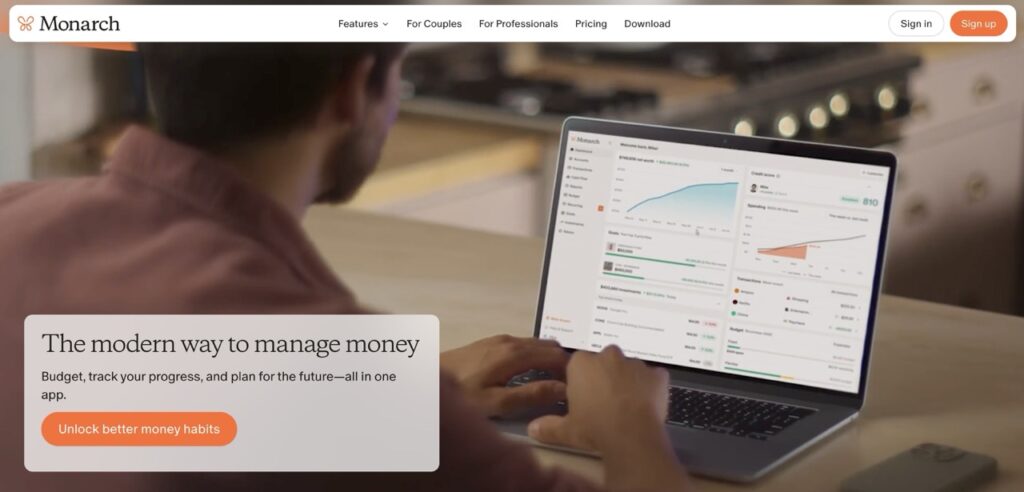
Where most apps focus on day-to-day spending, Monarch gives you a complete view of your entire financial life — income, spending, savings, investments, and net worth — all in one clean dashboard. The AI provides insights across all these areas simultaneously.
It became particularly popular in 2025 after Mint (a major competitor) shut down, and many Mint users migrated to Monarch.
Key Features
- Complete financial dashboard — All accounts, all assets, all in one place
- AI financial advisor — Ask questions like “Am I on track to save $1,000 by June?”
- Shared finances — Link with a partner or roommate and manage joint budgets
- Cash flow forecasting — See upcoming bills and predict your end-of-month balance
- Custom reports — Build your own financial reports and charts
- Multi-account support — Banks, credit cards, investments, crypto — all synced
Pricing
- Free trial: 7 days
- Paid plan: ~$14.99/month or ~$99/year
Who Should Use It?
Monarch is perfect for students who want to grow into financial literacy — not just track today’s spending, but genuinely plan for the future. It’s also great for couples sharing expenses or roommates splitting bills.
Pros & Cons
- ✅ Most comprehensive financial dashboard available
- ✅ Excellent shared budget features
- ✅ Strong AI insights across all financial areas
- ❌ Higher learning curve for complete beginners
- ❌ Slightly pricier; no permanent free tier
APP #6 — EMMA
Best for: Students in the UK who want a smart all-in-one money app
What Is Emma?
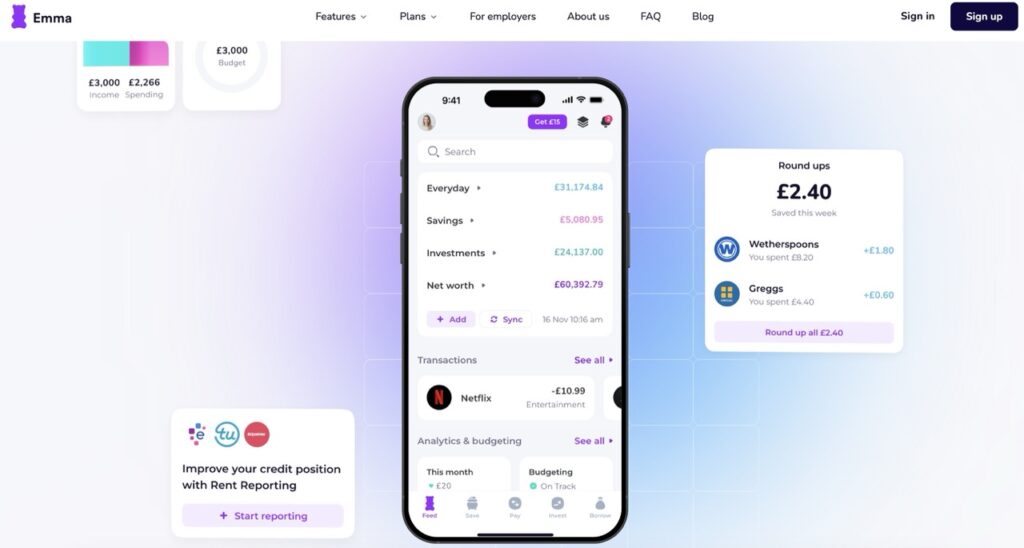
Emma is a UK-based AI budgeting app that has quietly become one of the most feature-packed options for students on a tight budget.
Emma connects to all your bank accounts, credit cards, and even crypto wallets, giving you a 360-degree view of your finances. Its AI identifies wasteful subscriptions, cancels unwanted ones on your behalf, and helps you find better deals — all from inside the app.
Key Features
- Multi-bank connection — See all your accounts in one place via Open Banking
- Subscription scanner — Finds and cancels wasteful subscriptions automatically
- Smart analytics — AI-powered breakdowns of spending by merchant, category, and time
- Emma Network — Cashback and offers from partner brands
- Budget setting — Set spending limits by category with real-time alerts
- Payday feature — Set your payday, & Emma helps you plan the whole month around it
Pricing
- Free plan available (great features included)
- Emma Plus: ~£4.99/month
- Emma Pro: ~£9.99/month
- Emma Ultimate: ~£14.99/month
Who Should Use It?
Emma is a brilliant choice for UK-based students. The free plan alone is remarkably powerful — subscription scanning and multi-bank sync don’t even require a paid upgrade. If you’re outside the UK, some features may be limited.
Pros & Cons
- ✅ Excellent free plan — best free tier on this list
- ✅ Subscription cancellation is genuinely useful and saves money
- ✅ Clean, intuitive interface
- ❌ Best features are UK-focused
- ❌ Investment tracking not as deep as Monarch or Copilot
How To Choose The Right App For You?

Here’s a simple decision guide:
If you’re completely new to budgeting → Start with Cleo (it’s fun and forgiving) or Emma (powerful free plan)
If you’re in the UK → Emma or Plum are your best bets
If you’re serious about saving and budgeting from scratch → YNAB (especially with the student discount — it’s free for a year!)
If you use an iPhone and love great design → Copilot Money
If you share finances with a partner or roommates → Monarch Money
If you want to save passively without thinking → Plum
>>> Write Better Assignments with Paperpal AI.
5 Golden Money Tips For Students in 2026
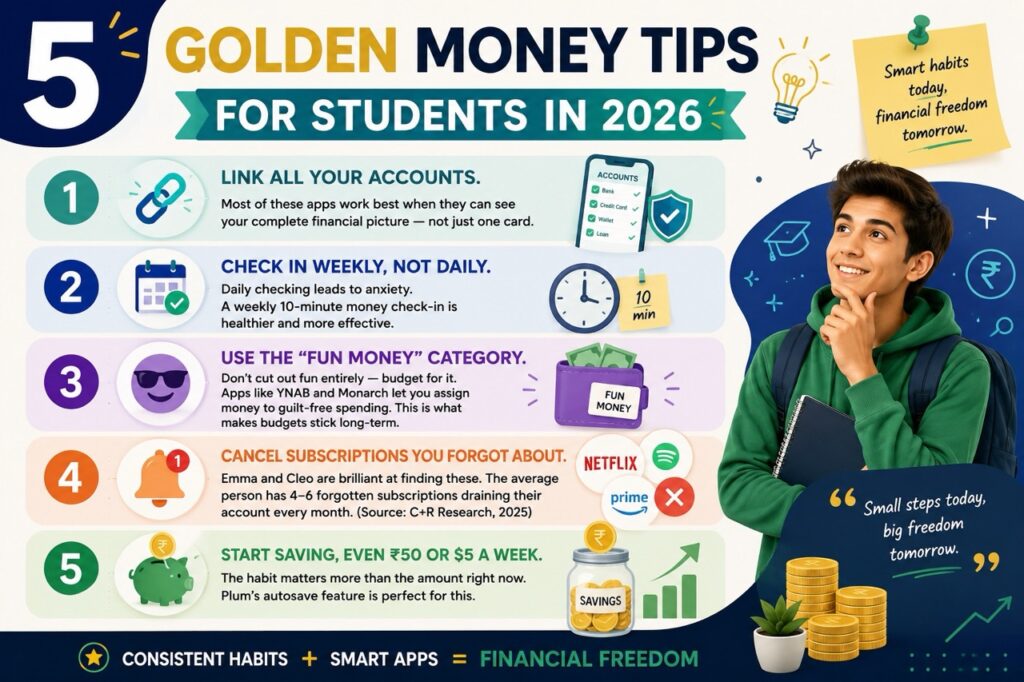
No matter which app you choose, these habits will supercharge your results:
- Link all your accounts. Most of these apps work best when they can see your complete financial picture — not just one card.
- Check in weekly, not daily. Daily checking leads to anxiety. A weekly 10-minute money check-in is healthier and more effective.
- Use the “fun money” category. Don’t cut out fun entirely — budget for it. Apps like YNAB and Monarch let you assign money to guilt-free spending. This is what makes budgets stick long-term.
- Cancel subscriptions you forgot about. Emma and Cleo are brilliant at finding these. The average person has 4–6 forgotten subscriptions draining their account every month. (Source: C+R Research, 2025)
- Start saving, even ₹50 or $5 a week. The habit matters more than the amount right now. Plum’s autosave feature is perfect for this.
Before You Go
Here’s the truth: budgeting isn’t about being boring. It’s about buying yourself freedom — freedom from money stress, freedom to travel, freedom to invest in your future.
And the best part? In 2026, you don’t have to do it alone. These AI apps genuinely think for you, nudge you in the right direction, and make managing money feel less like a chore and more like a game.
So pick one. Download it today. Give it 30 days.
Your future self will thank you.
If you found this helpful, share it with a student friend who needs it. And if you’ve tried any of these apps, drop your honest review in the comments — we’d love to hear which one worked best for you!
WHY TRUST US
We tested 10 AI Budgeting apps and select the 6 Best AI budgeting apps for students in 2026 based on;
Pricing – Free vs paid tiers, student discounts, and value for money
AI Features – How smart the budgeting advice actually is
Ease of Use – Can a complete beginner figure it out in under 5 minutes?
Speed – How fast does it sync transactions and give insights?
Output Quality – Are the tips, nudges, and reports genuinely useful?
FAQs
Are AI budgeting apps safe?
Short answer? Yes — if you choose a reputable one.
Here’s what you need to know. All six apps we covered — YNAB, Cleo, Plum, Copilot Money, Monarch Money, and Emma — use bank-level 256-bit encryption. That’s the same level of security your actual bank uses to protect your money online.
But here’s the important part: these apps do not move your money (unless you specifically turn on a savings feature like Plum’s autosave or Cleo’s save rules). They connect to your bank account in read-only mode — meaning they can see your transactions, but they can’t log into your bank and transfer funds without your permission.
Q2. Which budgeting app is best for college students?
Honestly? It depends on what kind of student you are.
If you want something free and fun → Go with Cleo. It’s the most student-friendly app on the market. It talks to you like a friend, roasts you when you overspend, and hypes you up when you’re crushing your goals. Setup takes less than 3 minutes.
If you’re in the UK → Emma is your best friend. The free plan alone is powerful enough — it scans your subscriptions, connects all your banks, and gives you smart spending breakdowns without charging you a penny.
If you’re dead serious about getting control of your finances → YNAB wins, no competition. And here’s the kicker — it’s free for a full year if you’re a verified student. That’s a $99 value for £0. More on that in the next question.
If you want to save without thinking → Plum does the heavy lifting for you. It quietly moves small amounts into savings so you barely notice — until you check your balance and realize you’ve saved $200 without even trying.
There’s no single “best” — but for most college students starting from zero, Cleo or Emma is the easiest and most enjoyable place to begin.
Is YNAB really free for students?
Yes — and it’s one of the best-kept secrets in student finance.
YNAB offers a free 12-month subscription to any college or university student with a valid .edu email address (or equivalent institutional email, depending on your country). No credit card needed for the student plan. No hidden catches.
Here’s how to get it:
> Go to ynab.com/college
> Sign up with your university email
> Submit proof of enrollment (a screenshot of your student portal works)
> Get 12 months free — instantly
After 12 months, it goes to the standard price of ~$14.99/month or ~$99/year. But honestly? If you use YNAB properly for one full year, most students report saving far more than the eventual subscription cost.
YNAB’s own data says new users save an average of $600 in their first two months. Even if that number is optimistic for your situation, saving even half of that easily justifies the price later.
Which budgeting app works internationally?
Great question, especially if you’re a student studying abroad, sending money home, or managing finances across multiple countries.
Here’s the honest breakdown:
YNAB > US, UK, Canada, Australia > Strong — works in most countries via manual import
Cleo > US, UK > Moderate — best in US and UK
Plum > UK, EU > Limited — mainly UK and Europe
Copilot Money > US only > Weak — US-focused, Apple devices only
Monarch Money > US > Moderate — US primary, limited abroad
Emma > UK, EU, US (limited) > Good for UK/EU students
For the widest international reach, YNAB is your best bet. Even in countries where direct bank syncing isn’t supported, you can manually import transactions — it’s a bit more effort, but the budgeting system works anywhere in the world.
If you’re a student in India, Southeast Asia, or other emerging markets, none of these apps offers full native support yet. In that case, pairing YNAB’s manual tracking with a local app (like Walnut or Money Manager) gives you the best of both worlds.
What’s the best free budgeting app in 2026?
If you want powerful features without spending a single rupee or dollar, Emma takes the crown.
Emma’s free plan includes:
> Multi-bank connection via Open Banking
> Automatic transaction categorization
> Subscription scanner (finds charges you forgot about)
> Weekly and monthly spending reports
Budget setting with real-time alerts
That’s genuinely impressive for a £0/month plan.
Cleo is a close second — the free tier lets you chat with the AI, see spending breakdowns, and set up basic budgets. You only need to upgrade if you want the automated savings features.
Do budgeting apps connect to bank accounts securely?
Yes — and the technology behind it is more robust than most people realize.
When you connect a budgeting app to your bank, you’re not giving the app your banking password. Instead, these apps use a secure, encrypted API connection — a technical bridge — to pull your transaction data. You authenticate directly with your bank, and the app only receives a read-only data feed.
Can AI budgeting apps help save money automatically?
Yes — and this is honestly where AI budgeting apps shine the brightest.
The old way of saving? You had to transfer money to a savings account every month manually. Most people forgot. Or spent it first. Or convinced themselves they’d do it “next month.”
AI budgeting apps kill that habit entirely by making saving automatic and invisible.
Here’s how each app handles it:
Plum — Analyzes your income and spending, then quietly moves money you “won’t miss” into a savings pot. You can set a “save mode” from Shy (saves very little) to Beast Mode (saves aggressively). Most users don’t even feel the difference in their daily spending.
Cleo — Lets you set “save rules” — for example, save £5 every time you eat out, or automatically save 10% of any income deposit. It nudges you into saving without making it feel like a chore.
YNAB — Doesn’t automate the transfer itself, but makes saving intentional. You assign money to a “savings goal” at the start of the month before you can spend it. The result? You actually keep the money you planned to save.
Emma & Monarch — Both offer round-up savings features, where every purchase is rounded up to the nearest pound/dollar, and the difference goes straight into savings.
Copilot Money — Tracks savings goals visually so you can see your progress in real time, making you more motivated to contribute.
YNAB vs Cleo vs Plum 2026 — Quick Comparison
YNAB — Best for students who want full control over their budget. You tell every dollar where to go before you spend it.
Cleo — Best for students who want fun + motivation. It’s a chatbot that jokes, roasts, and cheers you on while tracking your money.
Plum — Best for students who want to save without thinking. It quietly moves small amounts into savings automatically.
🔹 Which one is the cheapest?
Plum wins — starts at just £2.99/month (~$3.75)
Cleo comes second — $5.99/month
YNAB is the priciest — $14.99/month (but free for 1 year with a student email ✅)
🔹 Which has the best free plan?
Cleo and Plum both offer decent free plans. YNAB has no permanent free plan — only a 34-day trial (or 1 year free for students).
🔹 Which is easiest to set up?
Cleo — under 3 minutes, no learning curve at all. Plum — also very simple, especially for saving. YNAB — takes about a week to fully understand the system.

About Naseeb Akhter
The founder of BotBunch, where he researches, tests, and reviews the latest AI tools, automation software, and SaaS platforms. Along with the BotBunch editorial team, he helps creators, students, professionals, and businesses discover the best AI solutions through hands-on testing, honest reviews, detailed comparisons, and easy-to-follow guides.
Join us via email and social channels to get the latest updates straight to your inbox.