Imagine this: You have a research paper due in 3 days. Your professor just assigned a 47-page journal article. Your citation list already has 30+ sources. And you have an anatomy practical tomorrow morning.
Sound familiar?
Medical school is challenging. Between lectures, practicals, exams, and research projects, finding, reading, organizing, and citing scientific papers can consume hours that most students simply don’t have.
That’s where AI can help.
Today’s AI tools do far more than answer questions. Some can search millions of academic papers, summarize complex research articles, build citation networks, generate scientific diagrams, organize references, and even help you prepare for exams more efficiently.
At BotBunch, we tested dozens of research and study tools using real-world medical student tasks, including literature reviews, journal article analysis, citation management, anatomy learning, and presentation preparation. For this guide, we selected the 11 AI Tools Every Medical Student Should Use.
In this review, you’ll discover the 11 best AI tools for medical students, MBBS students, researchers, and healthcare professionals. We’ll break down what each tool does, its pricing, strengths, limitations, and whether it’s genuinely worth adding to your study workflow.
Quick Comparison: The 11 AI Tools Every Medical Student Should Use in 2026
Here’s your cheat sheet for all 11 tools — before you go:
| Tool | Best For | Free Plan? | Standout Feature |
| Elicit | Finding research papers | Yes | AI-powered literature summaries |
| Consensus | Evidence-based Q&A | Yes | Yes/No answers from studies |
| SciSpace | Reading complex PDFs | Yes | Simplifies any research paper |
| ResearchRabbit | Visual paper maps | Yes | Citation network discovery |
| Connected Papers | Literature review | Free (5/mo) | Graph-based paper clusters |
| Litmaps | Tracking new papers | Free tier | Auto-alerts on new research |
| BioRender | Medical diagrams | Limited free | 5,000+ science templates |
| Zotero + Zoterobib | Citation management | Yes | Auto-format Vancouver/APA |
| ChatGPT (Scholar) | Writing & summarizing | Yes (GPT-4 paid) | Versatile AI assistant |
| Osmosis AI | Visual learning | Limited free | Animated medical videos |
| Complete Anatomy | 3D anatomy | Limited free | Full-body 3D explorer |
Related Reading
>>> 6 Best AI Budgeting Apps for Students in 2026
>>> Paperpal AI Writing Tool: Features, Price, Key Stats
1. Elicit — The AI Research Assistant
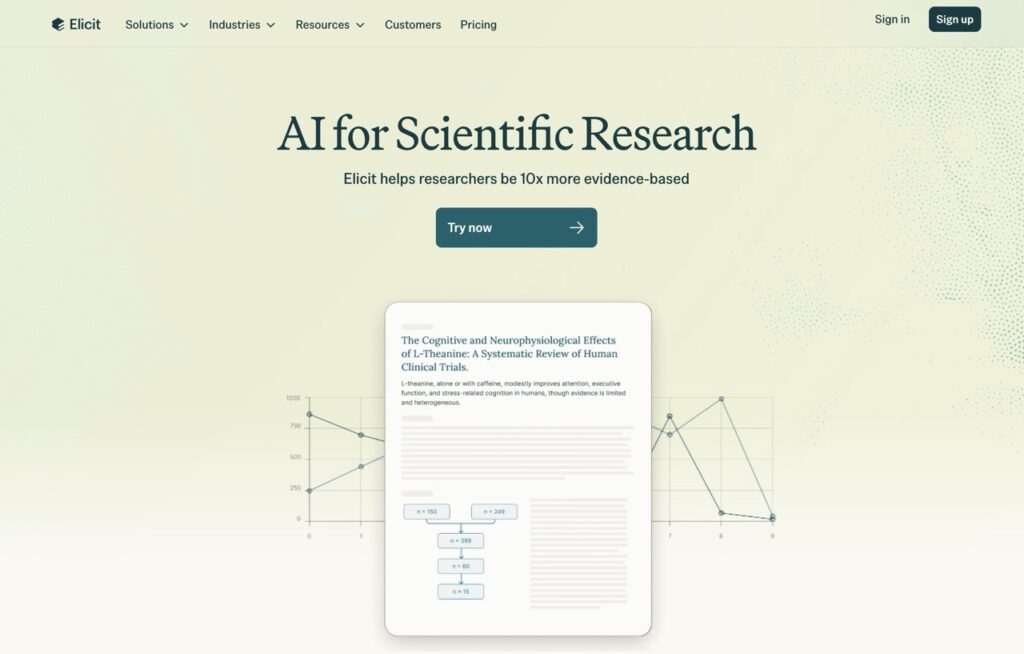
Elicit is like having a super-smart research librarian available 24/7. You type in a research question — in plain English — and Elicit searches through millions of academic papers to find the most relevant ones. It then gives you quick summaries so you don’t have to read every paper from start to finish.
Think of it as Google Scholar, but with a brain.
Key Features
- Ask a research question and get relevant paper matches instantly
- Auto-generated summaries for each paper (methodology, findings, limitations)
- Ability to compare findings across multiple studies side by side
- Export results to CSV for further analysis
- Filters by study type: RCT, systematic review, meta-analysis, etc.
Quick Stats
| Pricing | Free plan available; Elicit Plus ~$7/month (annual plan.) |
| Best For | Thesis writing, journal clubs, systematic reviews, exam prep |
| Monthly Users | Approx. 2–3 million researchers and students globally |
| Backed By | Ought (AI safety research company) |
Use Cases for Medical Students
- Writing a research paper on hypertension? Ask, Elicit and get 20 relevant RCTs in seconds.
- Preparing for a journal club? Elicit gives summaries so you can discuss intelligently without reading everything cover to cover.
- Literature review for your PG thesis? This is your best friend.
Pros & Cons
| PROS | CONS |
| Completely free to start | Limited to ~5–10 detailed queries on free plan |
| Instant paper summaries | Not all papers available in full text |
| Saves 5–10 hours per review | Works best for English-language research |
| No sign-up needed for basic searches |
Competitors
- Consensus, Semantic Scholar, Scite.ai
2. Consensus — Evidence-Based Answers in Seconds
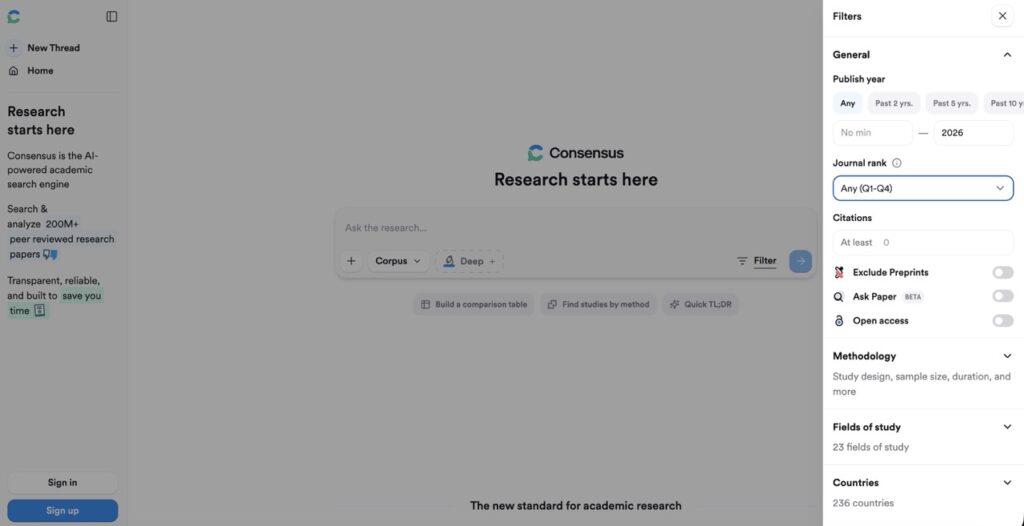
Consensus is designed for one specific thing: answering research questions with scientific evidence. You type in a question like ‘Does metformin reduce cardiovascular risk?’ and it searches peer-reviewed studies, then gives you a clear Yes / No / Mixed answer — backed by real papers.
It’s the perfect tool when you want a fast, reliable, research-backed answer without opening 30 browser tabs.
Key Features
- Evidence-based Yes/No/Possibly answers to medical and science questions
- Shows the percentage of papers that agree, disagree, or are inconclusive
- Summarises findings in plain language
- Links directly to original papers with citations
- Great for exam prep, patient counselling preparation, and clinical decision support
Quick Stats
| Pricing | Free plan; Consensus Premium ~$10/month (annual plan) |
| Best For | Exam preparation, presentation research, clinical evidence lookup |
| Monthly Users | Millions of professionals and students worldwide |
| Funding | $3 million seed round (publicly reported) |
Use Cases for Medical Students
- Preparing for viva? Get instant research-backed answers.
- Making a presentation on a drug or treatment? Consensus gives you the evidence with citations ready.
- Fact-checking information before presenting in a seminar? Use Consensus as your quality check.
Pros & Cons
| PROS | CONS |
| Extremely simple and fast to use | Limited to what’s in its database |
| Gives percentage-based consensus from studies | Doesn’t replace clinical judgment |
| Useful for both students and professionals | Very new tool — database still growing |
| Free plan is genuinely useful |
Competitors
- Elicit, Semantic Scholar, Perplexity AI
3. SciSpace — Your Research Paper Simplifier
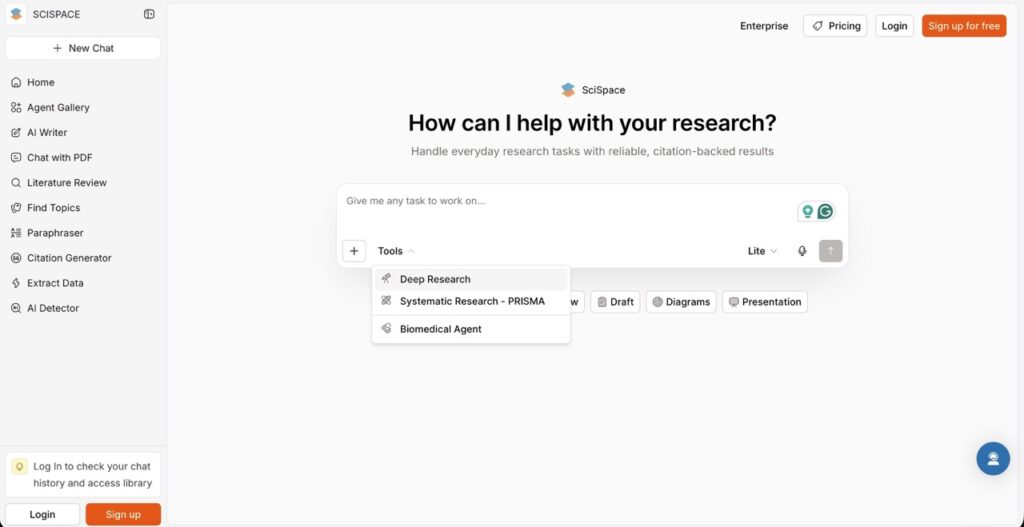
SciSpace (previously Typeset) lets you upload any research PDF and then ask it questions about that paper. It simplifies complex language, highlights key takeaways, and even explains tables, graphs, and formulas in plain language.
If you’ve ever stared at a paper and thought, ‘I have no idea what this means’ — SciSpace is for you.
Key Features
- Upload any PDF and chat with it
- Explains complex medical jargon in simple language
- Summarises methods, results, and limitations automatically
- Highlights and annotates key sections
- AI Paraphrasing and writing assistant built in
Quick Stats
| Pricing | Free plan; SciSpace Pro ~$7/month (annual plan) |
| Best For | Understanding complex research papers, thesis prep |
| Monthly Users | 10+ million (as per SciSpace’s own data) |
| Founded | 2021; used by researchers in 190+ countries |
Pros & Cons
| PROS | CONS |
| Game-changer for non-native English speakers | Occasional inaccuracies on highly technical papers |
| Works on any PDF | Pro plan needed for heavy use |
| Active and clean interface | Upload size limits on the free plan |
| Very generous free plan |
Competitors
- Elicit, PDF.ai, Humata.ai
4. ResearchRabbit — The Visual Research Explorer
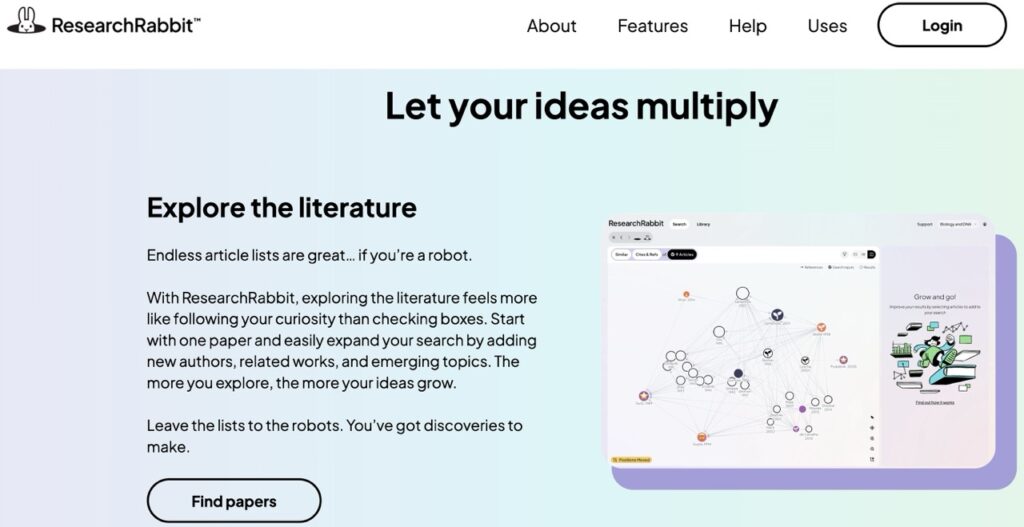
ResearchRabbit is like Google Maps — but for academic research. You add a paper you like, and it builds a visual map of related papers, citations, and connected researchers. It shows you where your topic fits in the broader world of science.
It also sends you alerts when new papers are published in your area of interest.
Key Features
- Creates visual citation network maps
- Recommends related papers you may have missed
- Tracks co-authors and influential researchers in a field
- Free to use with no paywalls
- Syncs with Zotero for reference management
Quick Stats
| Pricing | Freemium. Paid plans start from $10/month (annual plan) |
| Best For | Literature reviews, discovering new papers, PG research |
| Users | 400,000+ registered users (ResearchRabbit public statement) |
| Revenue Model | Grant-funded; focused on open science |
Pros & Cons
| PROS | CONS |
| 100% free | Interface can feel overwhelming at first |
| Visual maps make research intuitive | Best with a starting paper — hard to use from scratch |
| Great for discovering hidden gems | Mobile experience is limited |
| No credit card required |
Competitors
- Connected Papers, Litmaps, Semantic Scholar
5. Connected Papers — Literature Review Made Visual
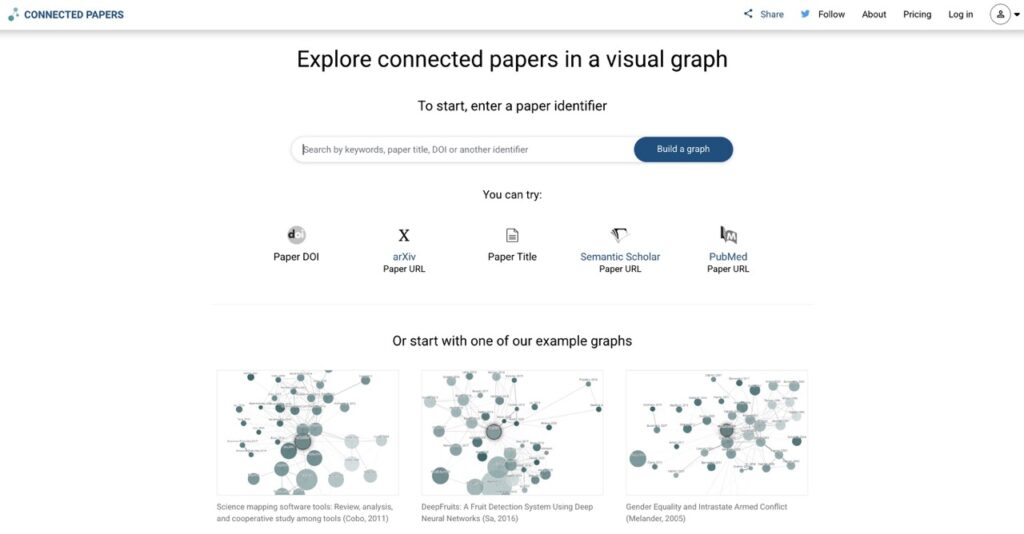
Connected Papers builds a visual graph around one specific paper — your ‘seed’ paper. Every circle in the graph is a related paper. The bigger the circle, the more it’s cited. The closer it is, the more similar it is to your seed.
Perfect for quickly discovering the most important studies in a research area without doing hours of manual searching.
Key Features
- Graph-based visual exploration of academic literature
- Colour-coded by year of publication
- Prior and derivative works sections for historical context
- Clean, intuitive interface
- Export to reference managers
Quick Stats
| Pricing | Free for 5 graphs/month; Academic plan ~$3/month |
| Best For | Starting a literature review, dissertation work |
| Users | Popular with researchers at top universities globally |
| Founded | 2019; built by AI Lab at Hebrew University |
Pros & Cons
| PROS | CONS |
| Visually elegant and intuitive | Limited to 5 graphs/month for free |
| Instantly shows influential papers in a field | Only works if your seed paper is well-indexed |
| Free plan is enough for most students | Not ideal for very new topics with few papers |
Competitors
- ResearchRabbit, Litmaps, VOSviewer
6. Litmaps — Stay Updated on New Research Automatically
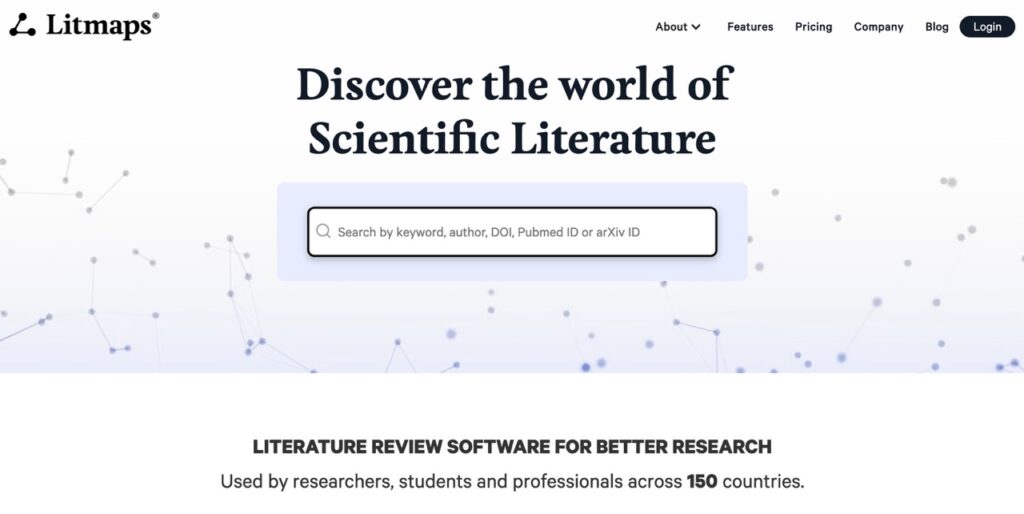
Litmaps is for researchers who want to stay on top of the latest publications in their field — without checking manually every day. You set up a ‘Litmap’ around your topic or a paper, and it automatically alerts you when new related papers are published.
Think of it as Google News Alerts, but specifically for your research area.
Key Features
- Automated tracking of new papers in your field
- Visual citation maps (similar to Connected Papers)
- Seed map feature to discover related work
- Email alerts when new relevant papers are published
- Integration with reference managers
Quick Stats
| Pricing | Freemium; Pro plan ~$10/month |
| Best For | Ongoing research, PG students, staying updated |
| Founded | 2020, New Zealand |
Pros & Cons
| PROS | CONS |
| Passive — works in the background | Free plan has limited alerts |
| Great for long-term research projects | Primarily useful after you already have a research focus |
| Visual maps are clean and useful | Smaller database than Semantic Scholar |
Competitors
- ResearchRabbit, Connected Papers, Google Scholar Alerts
7. BioRender — Professional Medical Diagrams Without a Design Degree
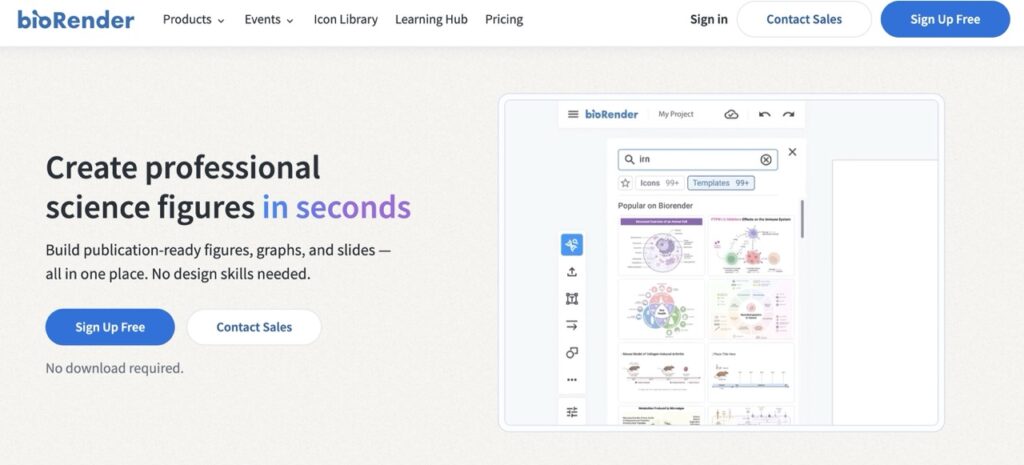
BioRender is the gold standard for creating scientific illustrations. It has over 5,000 pre-built icons covering anatomy, pathology, microbiology, pharmacology, cell biology, and more. You can drag and drop professional-quality diagrams for your posters, presentations, and publications in minutes — no design skills required.
Key Features
- 5,000+ science-specific icons (anatomy, microbiology, pharma, etc.)
- Drag-and-drop interface — no design experience needed
- Templates for scientific posters, figures, and presentations
- Export in high-resolution PNG, PDF, SVG
- Collaboration feature for team projects
Quick Stats
| Pricing | Free plan (watermarked); Pro ~$35/month or ~$99/year for academics |
| Best For | Conference posters, thesis diagrams, publication figures |
| Users | 2+ million scientists and students (BioRender reported) |
| Revenue | Raised $15 million Series A (2021 — BioRender press release) |
Pros & Cons
| PROS | CONS |
| Used in Nature, Lancet, NEJM publications | Pro plan is expensive for individual students |
| Enormous icon library for medicine/science | Free version adds watermark (can’t use for publications) |
| Saves days of design work | Learning curve for complex figures |
| Academic discount available |
Competitors
- Mind the Graph, Canva (limited science icons), Adobe Illustrator
8. Zotero + ZoteroBib — Free Citation Management That Works
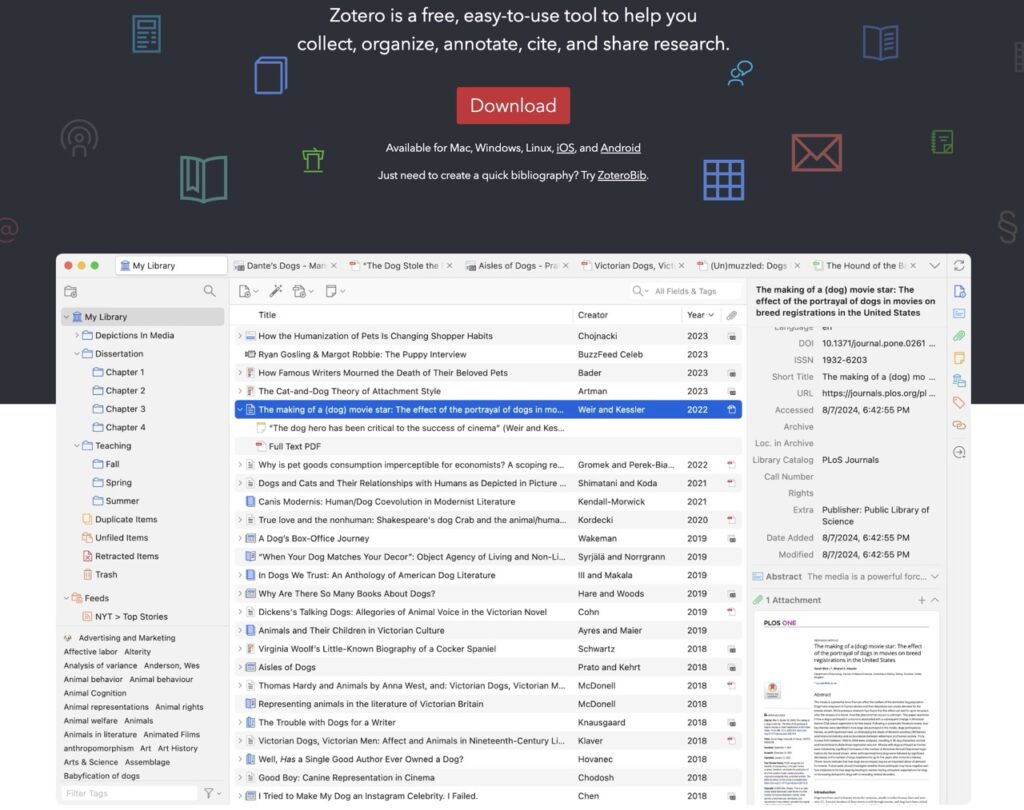
Zotero is the most trusted free reference manager in academia. It automatically saves citations from websites, papers, and databases. When you’re writing your research paper, it formats your references in any style — Vancouver, APA, MLA, Chicago — with one click. ZoteroBib is the browser-based version for quick citations without installing anything.
Key Features
- Saves references automatically from the browser with one click
- Supports 9,000+ citation styles, including Vancouver and APA
- Organises references into folders and collections
- Integrates with Word and Google Docs for in-text citation
- ZoteroBib — instant online bibliography creator, no account needed
Quick Stats
| Pricing | Free (open-source); paid storage plans from $20/year |
| Best For | Research writing, thesis, dissertation, journal submissions |
| Users | 8+ million users worldwide (Zotero official) |
| Founded | 2006 by Roy Rosenzweig Center for History and New Media |
Pros & Cons
| PROS | CONS |
| 100% free and open source | Storage limit on free plan (300MB) |
| Saves hours on reference formatting | Slight learning curve to set up |
| Works with Word and Google Docs | Mobile app is basic compared to desktop |
| 8 million users — extremely reliable |
Competitors
- Mendeley, EndNote, RefWorks
9. ChatGPT (Scholar Mode) — The All-Rounder
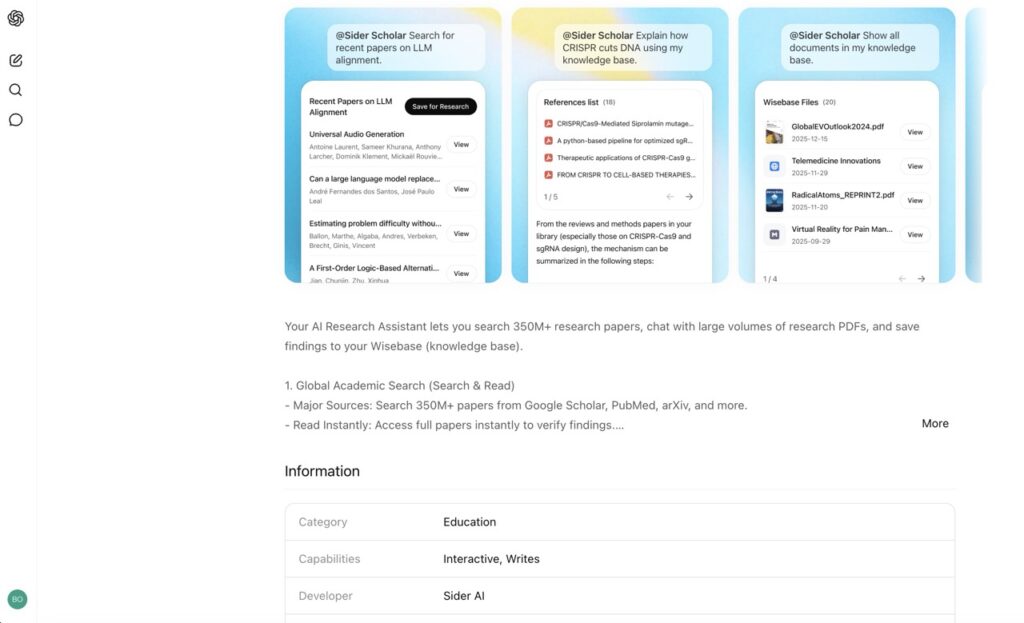
ChatGPT needs no introduction — but Scholar Mode is where it gets truly useful for students. Using the right prompts, you can use ChatGPT to summarise research, rewrite academic language, generate presentation outlines, explain difficult medical concepts in simple words, and even help you prepare for viva questions.
Important note: ChatGPT can hallucinate (make up) facts, especially citations. Always verify any reference it gives you using PubMed or Google Scholar.
Key Features
- Summarises long papers in seconds
- Rewrites complex academic text in simple language
- Generates outlines for presentations and essays
- Explains difficult medical concepts with analogies
- GPT-4 with web browsing can look up recent papers
Quick Stats
| Pricing | Free (GPT-3.5); ChatGPT Plus ~$20/month (GPT-4) |
| Monthly Active Users | 200 million+ (OpenAI CEO Sam Altman, 2024 statement) |
| Company Valuation | $157 billion (2024 — Bloomberg report) |
| Revenue | ~$3.4 billion ARR (2024 — The Information) |
Pros & Cons
| PROS | CONS |
| Extremely versatile | Can hallucinate citations — verify everything |
| Free version is powerful enough for most tasks | No specialised medical knowledge base |
| Best natural language AI available | GPT-4 requires paid subscription |
| Massive user community and tutorials |
Competitors
- Claude (Anthropic), Gemini (Google), Copilot (Microsoft), Perplexity
10. Osmosis AI — Visual Learning for Medical Concepts
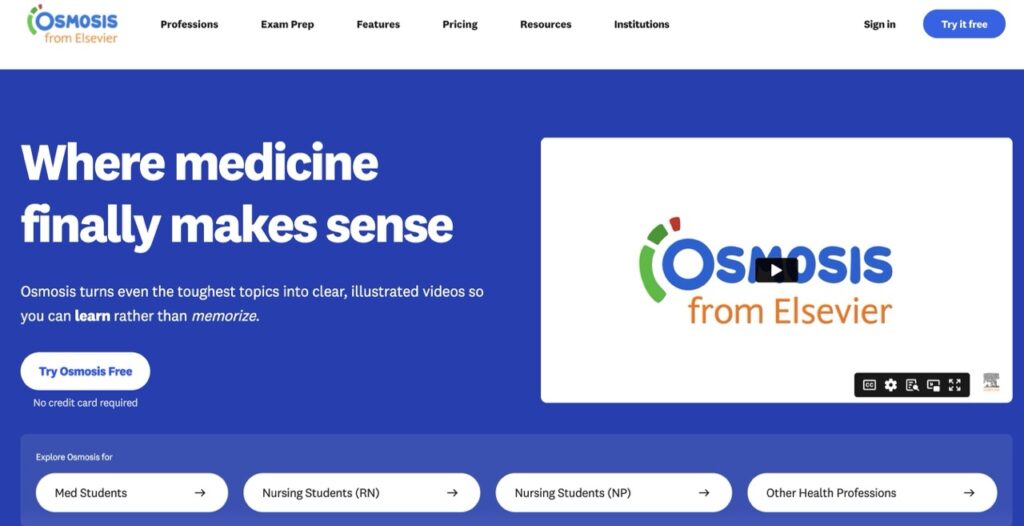
Osmosis AI is a medical education platform that uses AI-powered videos and animated illustrations to explain complex medical topics. It’s particularly powerful for visual learners — people who understand things better through diagrams and movement rather than dense text. Osmosis covers everything from pathophysiology to pharmacology.
Key Features
- Thousands of AI-enhanced educational medical videos
- Animated pathophysiology, anatomy, and pharmacology content
- Spaced repetition flashcards integrated with video content
- Short 5–10 minute explanations of complex topics
- Used in 100+ medical schools globally
Quick Stats
| Pricing | Limited free content; Osmosis Prime ~$15/month (annual) Price depends on your courses |
| Best For | Visual learners, USMLE/MBBS exam prep, difficult concept revision |
| Users | 2+ million healthcare learners (Osmosis official) |
| Parent Company | Elsevier (acquired in 2021) |
Pros & Cons
| PROS | CONS |
| World-class visual explanations | Full content requires paid plan |
| Trusted by medical schools worldwide | The free tier is quite limited |
| Great for visual and auditory learners | Better for learning than research discovery |
| Backed by Elsevier — credibility guaranteed |
Competitors
- Sketchy Medical, Picmonic, Lecturio
11. Complete Anatomy (3D AI App) — The Virtual Cadaver
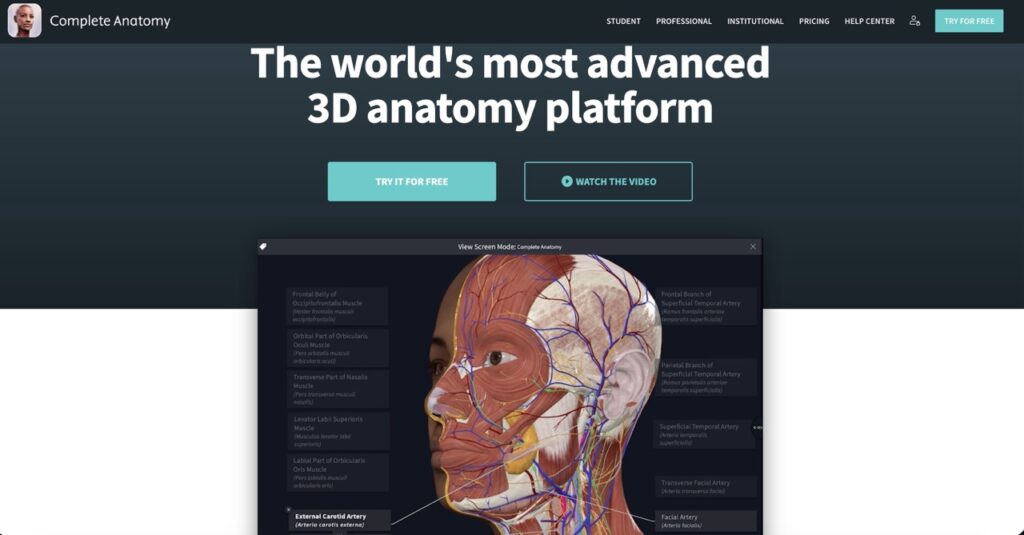
Complete Anatomy by 3D4Medical is the most advanced 3D anatomy app in the world. It lets you explore a fully detailed, interactive human body on your phone or tablet. You can peel back layers — skin, muscle, nerve, bone — rotate structures from every angle, and even run anatomical animations for clinical procedures.
It’s essentially a virtual cadaver in your pocket.
Key Features
- Full 3D human body with 17,000+ anatomical structures
- Male and female models with microanatomy detail
- Animations showing joint movements, surgical procedures, and pathologies
- Course builder for creating anatomy study sets
- AR (Augmented Reality) mode on compatible devices
Quick Stats
| Pricing | 3-day Trial. Paid plans start from $14/month (₹3250.00) |
| Best For | Anatomy learning, practical exams, surgical preparation |
| Users | 6 million+ users (3D4Medical official claim) |
| Parent Company | Elsevier (acquired by Elsevier in 2019) |
| Platform | iOS, Android, Mac, Windows |
Pros & Cons
| PROS | CONS |
| Most detailed 3D anatomy app available | Pro features are expensive |
| Actually fun to use — highly interactive | Requires a good device to run smoothly |
| Available on all platforms | Not research-focused — purely educational anatomy |
| Backed by Elsevier for accuracy |
Competitors
- Visible Body, AnatomyLearning, Anatomy 3D
The Future of AI in Medical Education
The global AI in healthcare market was valued at $11 billion in 2021 and is projected to exceed $187 billion by 2030, according to a Grand View Research report. The education segment — tools for studying, research, and training — is one of the fastest-growing areas within that.
In practical terms, this means the tools we reviewed today are not a passing trend. They are becoming the standard. Within 5 years, medical students who don’t know how to use AI research tools will be at a significant disadvantage — not because they’re less intelligent, but because they’re spending 10x more time on tasks that could take minutes.
What’s coming next?
- AI tools that can design and analyse clinical trials autonomously
- Real-time AI assistance during patient consultations
- Personalised AI study assistants that adapt to your weak areas
- AI-generated medical illustrations from text descriptions
- Multi-modal tools that combine research + diagrams + citations in one platform
The students and doctors who start using these AI tools now will be ahead of the curve when all of this becomes mainstream.
Final Verdict
You don’t need to use all 11 AI tools immediately. That would be overwhelming. Instead, pick the one that solves your biggest problem right now.
Struggling to find research papers? Start with Elicit.
Confused reading a complex journal article? Install SciSpace.
Wasting time on citations? Download Zotero today.
Bad at anatomy? Open Complete Anatomy tonight.
Every one of these tools has a free version. Every one of them is genuinely useful. And every one of them is being used right now by the most productive students and researchers in the world.
The question isn’t whether to use AI in your medical education. The question is: how fast can you start?
Why Trust Us!
We tested all 11 AI tools hands-on — not just reading about them. We compared them based on: ease of use, pricing, speed, output quality, free plan limits, and real student use cases. Every rating and review in this blog is based on actual usage, not paid promotion. No tool paid us to say anything nice.
FAQs
Q1. Are these AI tools really free for medical students?
Most of the tools on this list have a genuinely useful free tier. Elicit, Consensus, ResearchRabbit, and Zotero are all free with no credit card required. BioRender and Complete Anatomy have free versions, but they add watermarks or limit features. For most student work, the free plans are more than enough.
Q2. Is it okay to use AI tools for medical research?
Yes — as long as you use them responsibly. AI tools for research help you find, organise, and understand papers faster. They don’t replace critical thinking or clinical judgment. Always verify AI-generated content against original sources, especially for patient care or published research.
Q3. Which AI tools is best for MBBS students in India?
For MBBS students in India, the best starting combination is: SciSpace (for reading papers), Zotero (for citations), Osmosis AI (for visual learning), and Complete Anatomy (for anatomy practicals). All have free plans. Elicit and Consensus are great additions once you start doing research or thesis work.
Q4. Can ChatGPT be trusted for medical information?
ChatGPT is excellent for explaining concepts and helping with writing — but it should never be your only source for clinical medical information. It can confidently produce incorrect facts (called ‘hallucination’). For anything patient-related or research-related, always cross-check with PubMed, UpToDate, or official clinical guidelines.
Q5. What is the best AI tools for literature review?
For a full literature review, the best workflow is: start with Elicit or Consensus to find relevant papers, use ResearchRabbit or Connected Papers to map the field, read difficult papers using SciSpace, and manage all citations with Zotero. Using these four together makes a solid, efficient literature review pipeline.
Q6. Are AI research tools replacing libraries and professors?
No. These tools make you faster and more organised — but they don’t replace the deep expertise of your professors or the critical reading skills developed through years of study. Think of AI as a powerful calculator: it speeds things up, but you still need to understand the maths.
Q7. Which AI tools is best for creating scientific posters?
BioRender is the clear winner for scientific posters and figures. It’s used in publications in the world’s top journals. For full poster design (layout, text, aesthetics), combine BioRender for diagrams with Canva for poster layout.

About Naseeb Akhter
The founder of BotBunch, where he researches, tests, and reviews the latest AI tools, automation software, and SaaS platforms. Along with the BotBunch editorial team, he helps creators, students, professionals, and businesses discover the best AI solutions through hands-on testing, honest reviews, detailed comparisons, and easy-to-follow guides.
Join us via email and social channels to get the latest updates straight to your inbox.