Before Start:
Why Users Are Exploring ChatGPT Alternatives in 2026
Why One AI Tool Is No Longer Enough in 2026
ChatGPT changed the world when it launched in late 2022. For millions of people, it was their first real experience with artificial intelligence — and it felt like magic. But that was then.
In 2026, the AI landscape looks very different. Competition has exploded. Google, Anthropic, xAI, Microsoft, Meta, and dozens of startups have launched models that beat ChatGPT at specific tasks — sometimes by a wide margin.
And users have grown smarter. They no longer just want a chatbot that “sounds smart.” They want an AI that actually helps them write better, code faster, research accurately, and stay within their budget.
So the big question is no longer “Should I use ChatGPT?” — it has become “Which AI is actually best for what I need to do?“
The honest answer? There is no single “best” AI in 2026. The right tool depends entirely on your use case. A student writing essays has different needs from a startup founder, and a software developer has different needs from a content creator.
This guide, “Best AI Alternatives to ChatGPT in 2026”, covers everything you need to know to make the right choice. We have personally tested all the major ChatGPT alternatives and compared them using 2026 benchmarks.
TL;DR — Quick Recommendations
- Use Claude (Anthropic) if you want the best overall writing, coding, and long-document assistant.
- Use Google Gemini if you are inside the Google ecosystem (Gmail, Docs, Drive) or need multimodal AI.
- Use Perplexity AI if you need real-time research with proper source citations.
- Use Microsoft Copilot if your work revolves around Microsoft Office or enterprise productivity.
- Use Grok (xAI) if you want real-time trending information or a more casual, opinionated AI.
- Use DeepSeek if you need a powerful coding/reasoning tool on a very tight budget.
Quick Comparison Table: Best AI Alternatives to ChatGPT in 2026
Use this table to get a quick snapshot of the top AI tools. Scroll right if needed.
| Tool / Model | Best For | Context Window | Pricing (Free + Paid) | Key Strengths | Score /10 |
| Claude (Anthropic) | Writing, Coding, Long Docs | 200K+ tokens | Free; Pro ~$20/mo | Natural writing, low hallucination, safety-focused | 9.2 |
| Google Gemini 3.5 | Google users, Multimodal | 1M tokens | Free; AI Plus ~$8/mo | Google Workspace integration, real-time data, images/video | 8.9 |
| Perplexity AI | Research, Fact-Checking | ~32K tokens | Free; Pro ~$20/mo | Web citations, real-time search, accurate references | 8.6 |
| Microsoft Copilot | Microsoft 365, Business | ~128K tokens | Free; M365 ~$10+/mo | Office app integration, enterprise workflows | 8.2 |
| Grok (xAI) 3 | Real-time info, Trends | ~128K tokens | Free limited; X Premium | Live X data, personality, image generation | 7.9 |
| DeepSeek V3 | Coding, Technical Work | ~64K tokens | Free / Very low cost | Strong coding, open weights, budget-friendly | 7.7 |
| Meta AI (Llama 4) | Casual Use, Social | ~128K tokens | Free | Easy to use, good image gen, social integration | 7.3 |
Note: Pricing and context window specs are based on information available as of June 2026. Always check official websites for the latest pricing.
In-Depth Reviews of Top ChatGPT Alternatives
1. Claude by Anthropic — Best Overall ChatGPT Alternative in 2026
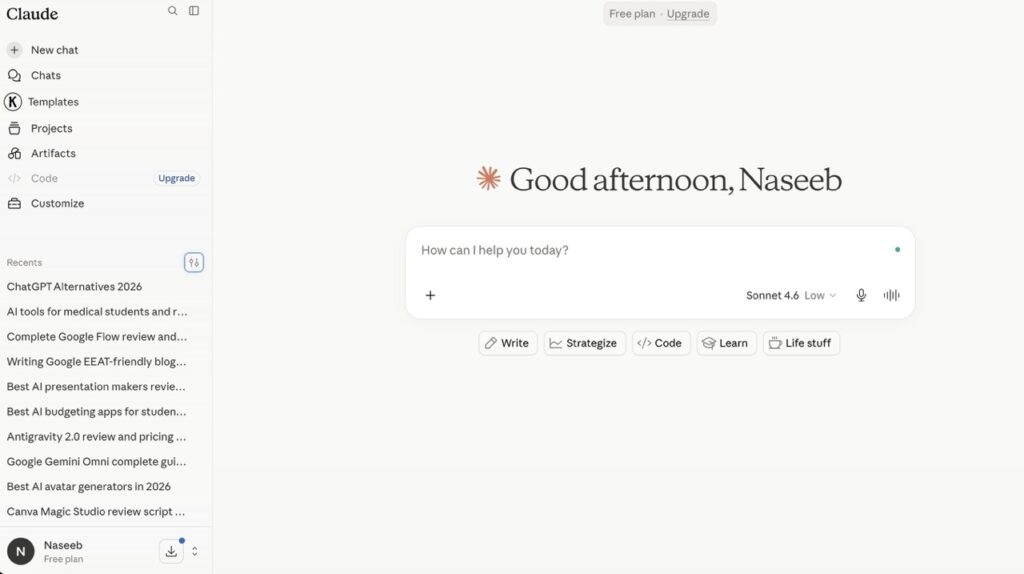
If you’re looking for the single closest replacement for ChatGPT — and in many ways an upgrade — Claude is it. Built by Anthropic, a company founded by former OpenAI researchers, Claude has become the go-to AI for writers, coders, researchers, and business professionals in 2026.
Latest Version: Claude Sonnet 4 and Claude Opus 4 (as of mid-2026). Opus 4 is the most powerful model; Sonnet 4 is the best value for everyday tasks.
What Makes Claude Special
- Huge context window: Claude can read up to 200,000 tokens — that is roughly 150,000 words — in a single conversation. You can paste an entire book, a long legal contract, or a big codebase, and Claude will understand and respond to all of it.
- Exceptional writing quality: In side-by-side tests, Claude consistently produces more natural, nuanced, and well-structured text than most competitors. It follows instructions closely and doesn’t pad responses with filler.
- Lower hallucinations: Claude is trained with a strong focus on safety and honesty. It’s more likely to say “I’m not sure” than to confidently invent a wrong answer.
- Great at coding: Claude performs well on SWE-bench, a coding benchmark that tests real software engineering problems — not just toy examples.
- Safety-focused: Anthropic’s Constitutional AI training approach means Claude is designed to be helpful, harmless, and honest.
Claude Pricing (2026)
- Free Tier: Available at claude.ai with daily usage limits.
- Claude Pro: Approximately $20/month. Unlocks Claude Opus 4, higher usage limits, and priority access.
- Claude API: Pay-per-token pricing for developers and businesses.
Claude Weaknesses
- Fewer native integrations compared to Google Gemini (no built-in Docs/Gmail connection by default).
- The free tier has tighter usage limits than some competitors.
- Does not have a built-in real-time internet search in the standard chat interface (though tools can add this).
Who Should Use Claude
Writers, Bloggers, students, developers, business owners, researchers, and anyone who wants a reliable, high-quality AI assistant for daily work. Claude is especially valuable if you regularly work with long documents or need consistent, high-quality writing output. Claude AI Review: Stats, Pricing, Revenue in 2026
BotBunch Score: 9.2 / 10
2. Google Gemini 3.5 Pro — Best for Google Users & Multimodal Tasks
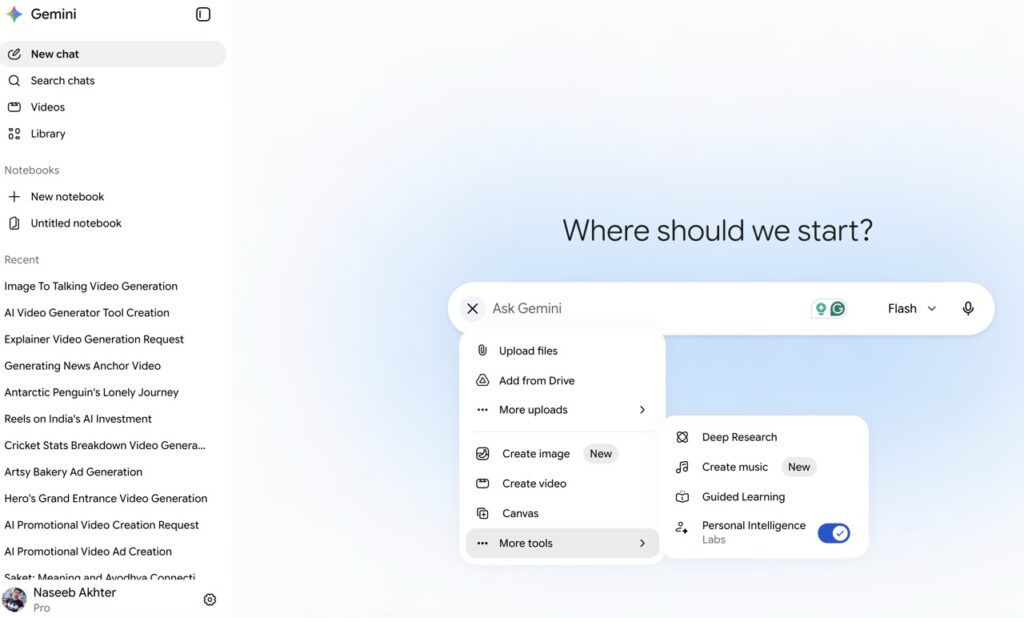
Google’s Gemini has come a long way since its rocky launch. In 2026, Gemini 3.5 Pro is a genuinely impressive AI for advanced mathematics and coding, and it leads the field in one major area: deep integration with Google’s ecosystem.
Latest Version: Gemini 3.5 Pro (2026). Also available: Gemini Flash for faster, lighter tasks.
What Makes Gemini Special
- Industry-leading context window: Gemini 3.5 Pro supports up to 1 million tokens — the largest among major commercial models. You can feed it an entire dataset or a collection of lengthy research papers.
- Deep Google integration: If you use Google Docs, Gmail, Google Drive, or Google Calendar, Gemini integrates directly with them. It can read your emails, summarize your documents, and draft responses — all within the tools you already use.
- Multimodal by nature: Gemini was built from the ground up to understand text, images, video, and audio. This makes it the leader for tasks that mix different types of content.
- Real-time data access: Gemini can access up-to-date information via Google Search, which is a significant advantage over models with a fixed knowledge cutoff.
- Excellent free tier: The Gemini free tier is very generous compared to most competitors.
Gemini Pricing (2026)
- Free Tier: Very generous — includes Gemini 3.5 Flash model access.
- Google One AI Premium (Google AI Plus): Approximately INR 399/month (India), $8/month (US). Includes Gemini 3.5 Pro, Workspace integration, and more storage.
Gemini Weaknesses
- Can be overly cautious or “safe” in creative writing tasks — sometimes refuses requests that other tools handle fine.
- Writing style can feel a little corporate or rigid compared to Claude in long-form creative tasks.
- Gemini’s quality can vary significantly between the free Flash model and the Pro tier.
Who Should Use Gemini
Google Workspace power users, students who use Google Docs, researchers who need real-time information, and anyone who works with images, PDFs, or video content. Also great for budget-conscious users who want a premium AI at a low monthly price.
Related Reading
> Google Gemini AI Chatbot: Features, Stats, Price & Revenue in 2026
> Google’s Gemini Omni: The AI That Edits Videos by Simply Chatting With You (2026 Guide)
> Google Antigravity Review 2026: The AI Coding Platform That Wants to Replace Your Entire Dev Team
> Google Flow Review 2026: Features, Pricing, Pros & Cons (Tested)
BotBunch Score: 8.9 / 10
3. Perplexity AI — Best for Research & Fact-Checking
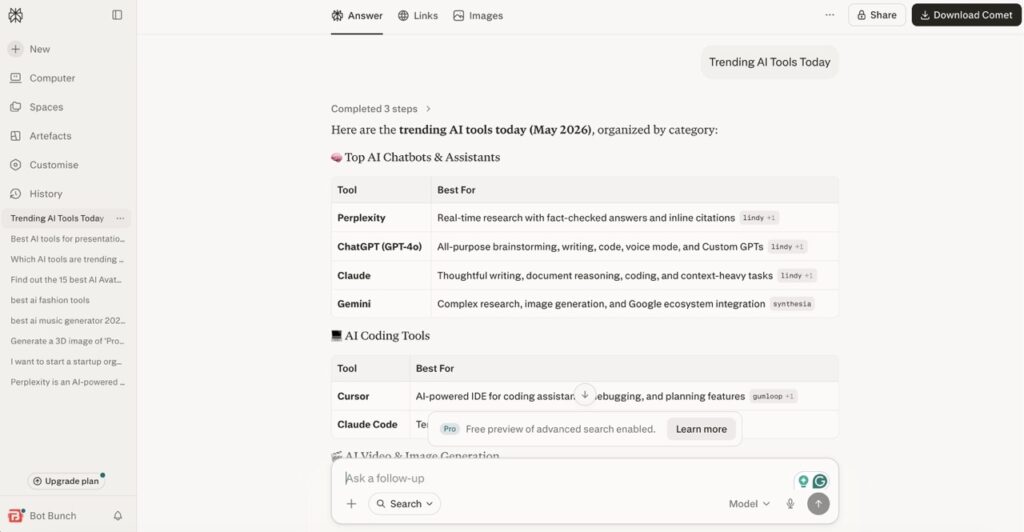
Perplexity AI is not trying to be a general-purpose chatbot. It’s trying to be the world’s best research assistant — and in 2026, it’s doing an excellent job of that.
Think of Perplexity as Google Search + AI summarizer, but smarter. Instead of giving you a list of links, it actually reads those links, synthesizes the information, and gives you a cited, structured answer.
What Makes Perplexity Special
- Every answer comes with sources: Perplexity always shows you where it got its information. You can verify claims in seconds.
- Real-time web access: Perplexity searches the live internet for every query, meaning its answers are always up to date.
- Great for deep dives: Ask a complex research question, and Perplexity will pull from multiple sources, cross-reference them, and give you a thorough answer.
- Focus mode: You can restrict searches to specific sources — like academic papers, Reddit, YouTube, or news — depending on what you need.
- Clean, readable interface: The output is well-organized and easy to scan.
Perplexity Pricing (2026)
- Free Tier: Fully functional with limited Pro Search queries per day.
- Perplexity Pro: Approximately $20/month. Unlimited Pro searches, access to advanced models (GPT-4o, Claude, Sonar), and file uploads.
Perplexity Weaknesses
- Not ideal for long-form creative writing — it’s built for research, not storytelling.
- Context window is smaller than Claude or Gemini.
- The free tier limits how many “deep” searches you can do per day.
Who Should Use Perplexity
Students doing research, journalists, analysts, bloggers, and anyone whose work requires accurate, up-to-date, sourced information. Perplexity is the tool you pair with Claude or Gemini — use Perplexity to research, use Claude to write. Read The Complete Review of Perplexity AI
BotBunch Score: 8.6 / 10
4. Microsoft Copilot — Best for Microsoft 365 & Business Productivity
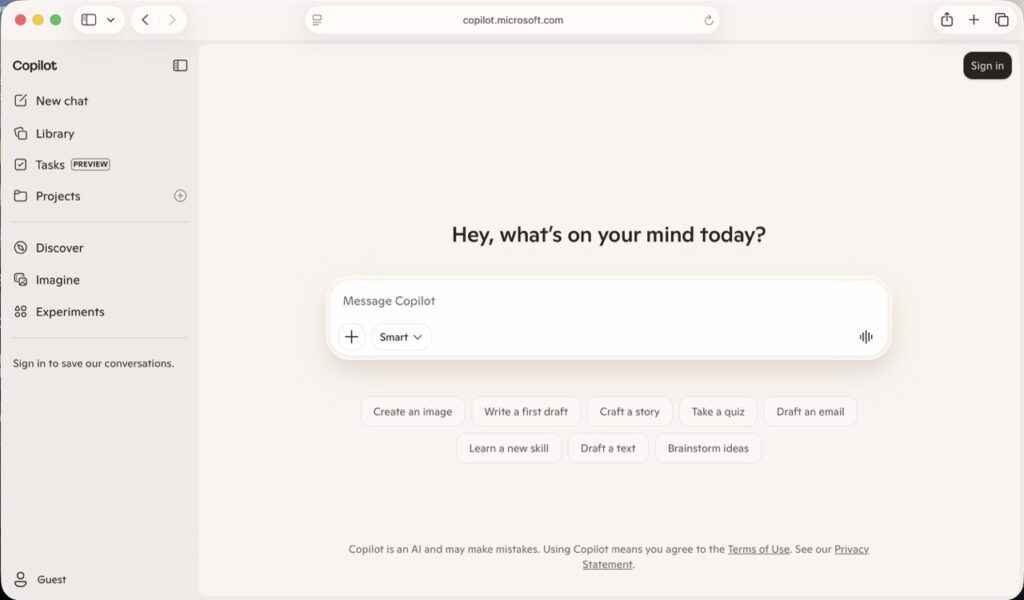
Microsoft Copilot is the AI assistant built into the Microsoft 365 suite. If your daily work involves Word, Excel, PowerPoint, Outlook, or Teams, Copilot is the most seamlessly integrated AI option available.
What Makes Copilot Special
- Native Office integration: Copilot works directly inside Word, Excel, PowerPoint, and Outlook. Ask it to draft an email, create a presentation from notes, or analyze spreadsheet data — all without leaving your app.
- Powered by GPT-4 class models: Microsoft’s partnership with OpenAI means Copilot runs on top-tier AI technology.
- Enterprise security: For business users, Copilot respects Microsoft’s enterprise-grade privacy and security standards — your company’s data stays protected.
- Teams integration: Copilot can summarize meeting transcripts, create action items from calls, and help manage collaborative workflows.
- Free version via Edge browser: A basic version of Copilot is available for free through Microsoft Edge and Windows.
Copilot Pricing (2026)
- Free Tier: Available via Microsoft Edge and Bing with limited features.
- Microsoft 365 Copilot: Approximately $30/month per user for enterprise. Consumer plans start from $10/month.
Copilot Weaknesses
- Not as natural or friendly for everyday use and creative projects.
- Less flexible outside the Microsoft ecosystem — limited value if you don’t use Office apps.
- The enterprise version is relatively expensive for small teams or solo users.
Who Should Use Copilot
Business professionals, corporate teams, office workers, project managers, and anyone whose workflow is built around Microsoft 365. Also great for enterprise customers who need AI with proper data governance and compliance. Read Complete Review
BotBunch Score: 8.2 / 10
5. Grok by xAI — Best for Real-Time Information & Trending Topics
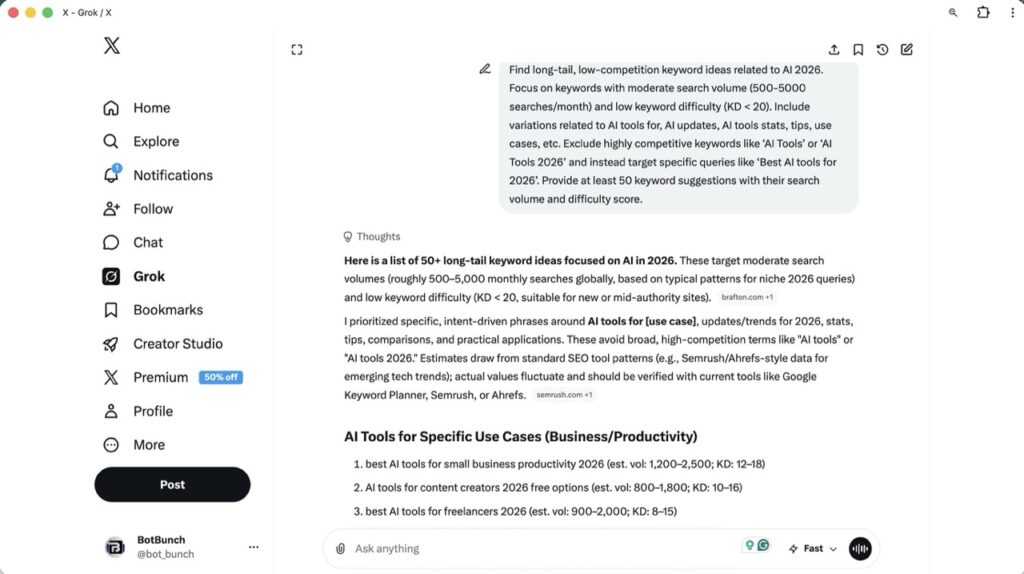
Grok is Elon Musk’s AI, built by xAI. It has one major superpower that none of the other tools on this list can match: it has direct, live access to the entire X (formerly Twitter) platform. If something is trending right now, Grok knows about it.
What Makes Grok Special
- Live X data: Grok can search and analyze real-time posts from X, making it unbeatable for tracking news, public sentiment, trending topics, and live events.
- Personality and humour: Grok often responds in a more relaxed and humorous way than other AI tools. Some people find this fun, while others find it distracting.
- Strong image generation: Grok includes advanced image generation capabilities built in.
- Good coding benchmarks: Grok 3 performs surprisingly well on coding tasks in independent benchmarks.
- Aurora image model: Grok includes its own text-to-image model for generating visuals.
Grok Pricing (2026)
- Free Tier: Limited free access with usage caps.
- X Premium or X Premium+: It offers ₹213.50/month ($4.50) for the first 2 months.
- Grok API: Available for developers at separate token-based pricing.
Grok Weaknesses
- Usage limits on the free tier are strict.
- Can be verbose — sometimes gives longer answers than necessary.
- Since Grok relies heavily on X, some of its responses may be influenced by discussions happening on social media.
- Not as strong as Claude or Gemini for long-form writing or complex document tasks.
Who Should Use Grok
Bloggers, Journalists, social media managers, marketers tracking trends, researchers monitoring public discourse, and anyone who wants real-time information about what’s happening in the world right now. Also good for users who want an AI with a more casual, personality-driven conversational style. Complete review of its features, price, stats & revenue in 2026
BotBunch Score: 7.9 / 10
6. DeepSeek V4 Series — Best Budget Option for Coding & Technical Work
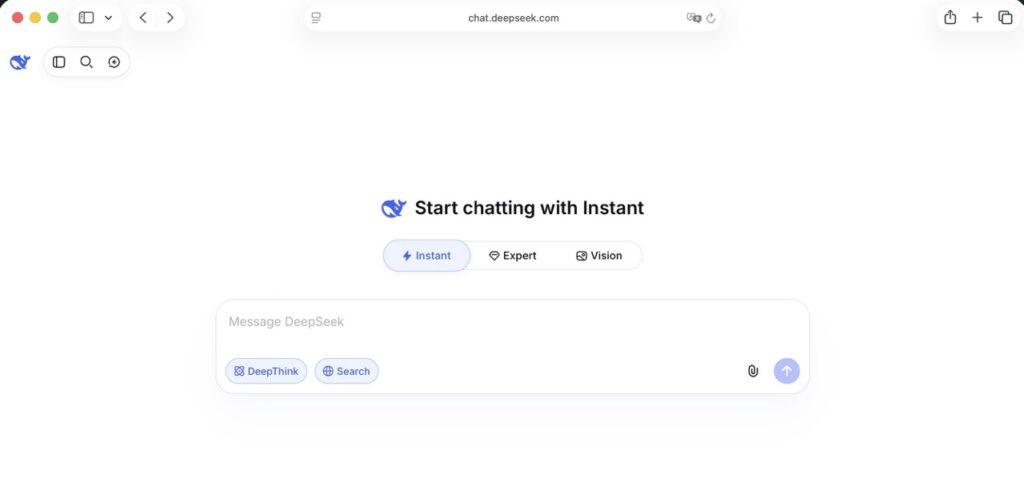
DeepSeek surprised the entire AI industry in early 2024 when it demonstrated that a model built for a fraction of the cost of GPT-4 could still compete at the highest level — especially in coding and technical reasoning. It offers a more natural, human-like conversation style and is generally better at brainstorming and content creation.
What Makes DeepSeek Special
- Outstanding value: DeepSeek is either free or extremely cheap to use through its API, making it the most budget-friendly high-performance option on this list.
- Strong at coding: DeepSeek consistently ranks near the top on coding benchmarks like HumanEval and SWE-bench. Many developers prefer it for debugging and code generation.
- Open weights available: DeepSeek releases open-weight versions of some models, meaning developers and researchers can run them locally on their own hardware.
- Strong reasoning: DeepSeek’s R-series reasoning models (like DeepSeek-R2) excel at step-by-step logical problems, math, and scientific reasoning.
DeepSeek Pricing (2026)
- Free Tier: DeepSeek Chat is free to use at chat.deepseek.com with generous limits.
- API pricing: Extremely low — often 95% cheaper than GPT-4 class models per token.
- Self-hosted: Open-weight models can be run locally at no ongoing cost (hardware required).
DeepSeek Weaknesses
- The chat interface and user experience are less polished than Claude, Gemini, or Perplexity.
- Limited multimodal features compared to Gemini or GPT-4o.
- As a Chinese company, some users have raised data privacy concerns — particularly for sensitive business or personal data.
- Inconsistent performance on open-ended creative tasks.
Who Should Use DeepSeek
Developers, students studying computer science, researchers, and anyone who needs a powerful AI for coding or technical tasks but is on a tight budget. Also ideal for people who want to run an AI model locally on their own infrastructure. Read DeepSeek AI Assistant: Features, Stats, Price & Revenue in 2026
BotBunch Score: 7.7 / 10
7. Meta AI & Open Source Options — Best for Free Access & Privacy
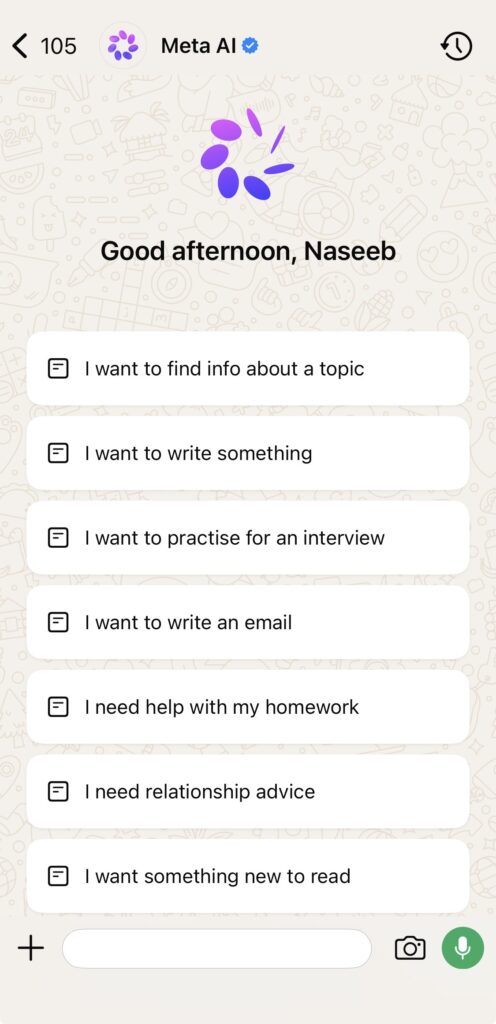
Meta AI (powered by Llama 4) is available for free across WhatsApp, Instagram, Messenger, and Facebook — making it the most accessible AI on this list. It’s especially useful if you already live inside Meta’s apps and want quick AI assistance without switching platforms.
On the open-source side, models like Llama 4 (Meta), Mistral, and Phi-3 (Microsoft) can be run locally using tools like Ollama or Open WebUI. This gives technically savvy users complete privacy — your data never leaves your device.
Who Should Use These Options
- Meta AI: Casual users, social media users, students who want a free and easy-to-access tool inside apps they already use.
- Open-source / self-hosted (Ollama + Llama): Developers, privacy-conscious users, researchers, and anyone who needs full control over their AI without subscription fees.
BotBunch Score: 7.3/10
Best ChatGPT Alternatives AI by Use Case in 2026
Not sure which tool to pick? Use this section to find the best AI for your specific situation.
| Use Case | Winner | Why |
| Writing & Long-Form Content | Claude (Anthropic) | Natural writing style, strong instruction-following, massive context window for long documents |
| Coding & Development | Claude / DeepSeek | Claude leads overall; DeepSeek is best budget option for developers |
| Research & Fact-Checking | Perplexity AI | Real-time web search with proper source citations — built specifically for research |
| Multimodal (Images/Video/Audio) | Google Gemini 2.5 Pro | Native multimodal design, handles images, PDFs, and video clips seamlessly |
| Business / Microsoft Ecosystem | Microsoft Copilot | Deep Office integration — Word, Excel, PowerPoint, Outlook, Teams all supported |
| Real-Time Info & Social Trends | Grok (xAI) | Live X platform data, trending topic tracking, real-time event coverage |
| Free / Budget Users | DeepSeek or Gemini Free | Both offer generous free tiers with strong performance |
| Privacy / Self-Hosted / Open-Source | Llama via Ollama | Run locally, zero data sent to external servers, completely private |
| Automation & AI Agents | Claude API / Gemini API | Both have robust APIs and tool-use features for building AI-powered workflows |
Head-to-Head Comparisons
Claude vs ChatGPT 2026
This is the comparison most people are searching for. How does Claude stack up against the AI that started it all?
| Claude | ChatGPT (GPT-4o) |
| Writing Quality | ✅ Claude leads — more natural, less robotic |
| Context Window | ✅ Claude wins — 200K tokens vs ~128K for GPT-4o |
| Coding Performance | 🔁 Roughly equal — both excellent on SWE-bench |
| Real-Time Web Search | ❌ Neither by default (ChatGPT has browsing; Claude has tools) |
| Image Understanding | 🔁 Both handle images; GPT-4o slightly more integrated |
| Hallucination Rate | ✅ Claude is more honest about uncertainty |
| Pricing | 🔁 Both around $20/month for Pro tiers |
| Personality / Tone | ✅ Claude feels more natural; GPT can feel formulaic |
| Integrations / Plugins | ✅ ChatGPT has more third-party plugins currently |
| Overall Winner | ✅ Claude for writing/docs; GPT-4o for integrations |
Gemini vs ChatGPT 2026
| Google Gemini 2.5 | ChatGPT (GPT-4o) |
| Google Workspace Integration | ✅ Gemini wins easily — deep Docs, Gmail, Drive support |
| Multimodal Handling | ✅ Gemini built natively multimodal |
| Context Window | ✅ Gemini 2.5 Pro: 1M tokens vs ~128K |
| Creative Writing | ✅ ChatGPT is generally more creative and flexible |
| Real-Time Information | ✅ Both have web access; Gemini via Google Search |
| Pricing (Value) | ✅ Gemini — INR 399/month (India), $8/month (US) for Pro vs $20/month for ChatGPT Plus |
| Plugins & Integrations | ✅ ChatGPT still has broader third-party plugin ecosystem |
| Overall Winner | ✅ Gemini for Google users; ChatGPT for breadth |
Perplexity AI vs ChatGPT for Research
| Perplexity AI | ChatGPT (GPT-4o) |
| Source Citations | ✅ Perplexity always shows sources; ChatGPT inconsistent |
| Real-Time Accuracy | ✅ Perplexity searches live web every time |
| Answer Depth (Research) | ✅ Perplexity synthesizes multiple sources better |
| Creative Writing | ✅ ChatGPT is far better for creative tasks |
| Long-Form Generation | ✅ ChatGPT — Perplexity isn’t built for this |
| Price | 🔁 Both ~$20/month for Pro |
| Overall Winner | ✅ Perplexity for research; ChatGPT for writing |
Microsoft Copilot vs ChatGPT 2026
Microsoft Copilot and ChatGPT might both run on OpenAI’s technology under the hood, but they serve very different audiences. Here is how they compare in practice.
| Microsoft Copilot | ChatGPT (GPT-4o) |
| Microsoft 365 Integration | ✅ Copilot wins — native Word, Excel, PowerPoint, Outlook, Teams |
| Standalone Chat Experience | ✅ ChatGPT is far more flexible and polished as a standalone tool |
| Enterprise Security & Compliance | ✅ Copilot — built to Microsoft’s enterprise data governance standards |
| Creative Writing | ✅ ChatGPT is much stronger for open-ended creative tasks |
| Business Workflow Automation | ✅ Copilot — can summarise meetings, draft reports, manage Teams tasks |
| Pricing for Individuals | ✅ ChatGPT Plus ($20/mo) is simpler; Copilot enterprise is ~$30/user/mo |
| Context Window | 🔁 Both support ~128K tokens in their standard modes |
| Ease of Use (Non-Office Users) | ✅ ChatGPT — much lower barrier to entry for casual users |
| Plugin / Third-Party Integrations | ✅ ChatGPT has a broader third-party plugin ecosystem |
| Real-Time Web Search | ✅ Both support web search; Copilot via Bing, ChatGPT via browsing mode |
| Overall Winner | ✅ Copilot for Microsoft 365 power users; ChatGPT for everyone else |
Verdict: If your entire workday revolves around Microsoft Office apps, Copilot is genuinely transformative — it meets you inside the tools you already use. But if you want a flexible, creative, general-purpose AI assistant, ChatGPT (or Claude) is the stronger pick.
DeepSeek vs ChatGPT 2026
| DeepSeek V3 | ChatGPT (GPT-4o) |
| Coding Performance | ✅ DeepSeek V3 is competitive with GPT-4o on HumanEval & SWE-bench |
| Pricing / Cost | ✅ DeepSeek wins by a mile — free chat tier + API up to 95% cheaper |
| Open-Weight / Self-Hosting | ✅ DeepSeek — open weights available; ChatGPT is fully closed |
| Creative Writing | ✅ ChatGPT is significantly stronger for creative and long-form writing |
| Multimodal (Images / Vision) | ✅ ChatGPT (GPT-4o) — far more capable with images and vision tasks |
| User Interface & Polish | ✅ ChatGPT — much more refined, user-friendly experience |
| Real-Time Web Search | ✅ ChatGPT — DeepSeek’s chat has limited live search capability |
| Reasoning / Math / Science | ✅ DeepSeek-R2 (reasoning model) rivals o1 on complex STEM problems |
| Data Privacy | ✅ ChatGPT / self-hosted DeepSeek — cloud DeepSeek raises some privacy concerns |
| Plugin & Integration Ecosystem | ✅ ChatGPT has a far larger third-party ecosystem |
| Third-Party App Support | ✅ ChatGPT — DeepSeek is primarily a standalone tool and API |
| Overall Winner | ✅ DeepSeek for coding on a budget; ChatGPT for all-round versatility |
Verdict: If you are a developer who needs powerful coding and reasoning capabilities without spending $20/month — or you want to self-host an AI on your own hardware — DeepSeek is an exceptional value. For everything else, ChatGPT’s broader ecosystem and multimodal features give it the edge.
How to Choose the Right AI Alternative: A Simple Decision Framework
Still not sure which tool is right for you? Answer these three questions:
Question 1: What is your main use case?
- Writing, editing, long documents → Claude
- Research and fact-checking → Perplexity AI
- Google Workspace tasks → Google Gemini
- Microsoft Office tasks → Microsoft Copilot
- Coding and technical work (budget) → DeepSeek
- Real-time news and social trends → Grok
- Privacy, no subscription → Open-source Llama via Ollama
Question 2: What is your budget?
- Free only → Gemini Free, DeepSeek, Meta AI, or open-source
- Up to $10/month → Google AI Plus (Gemini 3.5 Pro)
- Up to $20/month → Claude Pro or Perplexity Pro
- Enterprise / team budget → Microsoft Copilot (M365)
Question 3: Are you a power user who needs more than one tool?
Most experienced AI users in 2026 don’t rely on a single tool. Here are the most effective combinations:
- Claude + Perplexity: Research with Perplexity, then write and refine with Claude. The ultimate content creation workflow.
- Gemini + Copilot: Google users who also need Microsoft integrations — common in large organizations.
- DeepSeek + Claude: Use DeepSeek for fast, cheap coding tasks; use Claude for documentation, planning, and complex reasoning.
Future Outlook: AI in 2026 and Beyond
The AI landscape is evolving faster than almost any other technology sector. Here is what to watch over the next 12–18 months:
1. Agents Will Change Everything
Right now, most AI tools respond to individual prompts. But “agentic AI” — models that can take a sequence of actions, use tools, browse the web, write and execute code, and complete multi-step tasks autonomously — is rapidly maturing. Claude, Gemini, and GPT-4o are all investing heavily in agent capabilities. Expect AI that can autonomously manage your inbox, conduct research, write reports, and take bookings on your behalf to become mainstream by 2027.
2. Context Windows Will Keep Growing
Gemini 3.5 Pro already handles 1 million tokens. The next frontier is models that can handle entire databases, codebases, or years of business documents in a single session. This will transform how businesses use AI for institutional knowledge management.
3. Multimodal Will Become the Default
Text-only AI is already becoming a baseline expectation. The leading models are all investing in seamless integration of text, images, audio, and video. By 2027, sending an AI a screenshot, a voice note, or a short video clip to analyze will feel as natural as typing a message.
4. Open-Source Will Remain Competitive
Meta’s Llama models and other open-weight alternatives continue to close the gap with closed models like GPT-4o and Claude. For developers and privacy-conscious organizations, this means increasingly powerful options that require no subscription and no data-sharing.
5. Pricing Will Get More Competitive
As DeepSeek demonstrated, powerful AI does not have to be expensive. Expect pricing pressure to continue across the board. Free tiers will become more capable, and paid plans will offer better value as competition intensifies.
Conclusion: Which AI Assistant Tool Should You Choose in 2026?
Let’s be honest: ChatGPT is still a great tool. But in 2026, it is no longer the only great tool — or even the best one for most specific use cases.
The AI industry now offers many powerful tools, each designed for different needs and use cases.
- Claude is the best overall ChatGPT replacement — especially for writing, coding, and long documents.
- Google Gemini offers the best value for Google users and multimodal tasks.
- Perplexity AI is the clear winner for research with citations.
- Microsoft Copilot is unbeatable for Microsoft 365 power users.
- Grok fills a unique niche for real-time social intelligence.
- DeepSeek is the budget champion for developers.
- Open-source options give privacy-conscious users real, powerful alternatives at no cost.
The smartest strategy in 2026 is not to find “the one perfect AI” — it’s to build a small stack of 2–3 tools that cover your main needs, using the free tiers wherever possible.
Our recommendation: Start with Claude for free at claude.ai and Gemini at gemini.google.com — both have strong free tiers and will cover 80% of what most people need. Add Perplexity Pro if your work involves serious research. Stack from there based on your specific workflow.
The AI world is moving fast. Bookmark this page — we update it every 8–12 weeks to reflect new model releases, pricing changes, and benchmark updates.
FAQs
Q: Is Claude better than ChatGPT for writing in 2026?
For most writing tasks — blog posts, essays, emails, reports, creative fiction — yes, Claude is considered the better writer by most users and in most benchmark evaluations. Claude produces more natural, human-sounding text and follows complex writing instructions more precisely. However, ChatGPT (GPT-4o) still has advantages in terms of third-party integrations and plug-in availability.
Q: Which is better: Gemini or ChatGPT?
It depends on your needs. Gemini wins if you are a Google Workspace user who wants seamless integration with Gmail, Docs, and Drive — and at INR 399/month (India) & $8/month (US), it’s also significantly cheaper than ChatGPT Plus. ChatGPT wins if you need a broader plugin ecosystem or prefer OpenAI’s creative writing style.
Q: What are the best free ChatGPT alternatives with no limits in 2026?
The most generous free options in 2026 are: Google Gemini Free (Gemini 2.5 Flash), DeepSeek Chat (free with very generous limits), Meta AI (free across WhatsApp/Instagram/Facebook), and open-source models via Ollama (truly unlimited if you run locally). None of the premium tiers (Claude Pro, Perplexity Pro) are fully unlimited, but their free tiers are usable for most basic needs.
Q: Grok vs Claude 2026 — which should I choose?
Choose Grok if you want real-time information from X/Twitter and enjoy a more personality-driven AI experience. Choose Claude if you want superior writing, coding, and long-document analysis. For most users, Claude is the stronger all-round tool, but Grok fills a unique niche that Claude cannot match: live social media intelligence.
Q: What is the best AI for coding in 2026?
Claude (Anthropic) and DeepSeek V3 are generally the top performers for coding tasks in 2026. Claude excels at writing complete, well-documented code and handling complex multi-file projects. DeepSeek is the best budget option, with similar coding capability at a fraction of the cost. For developers heavily invested in Microsoft tooling, GitHub Copilot (powered by OpenAI) remains a strong choice within VS Code and GitHub.
Q: Is Perplexity AI better than ChatGPT for research?
Yes, for research purposes specifically, Perplexity AI is the better tool. Every answer includes verifiable citations, and it searches the live internet for every query. ChatGPT with browsing enabled is competitive, but Perplexity’s core design philosophy is research accuracy with transparency — which gives it a structural advantage for fact-heavy work.
Q: What is the best multimodal AI alternative to ChatGPT in 2026?
Google Gemini 3.5 Pro leads in multimodal capabilities. It was designed from the ground up to handle text, images, video, and audio. GPT-4o is also excellent, but Gemini’s native architecture and its integration with Google’s data infrastructure give it an edge in complex multimodal workflows.
Q: What AI is best for long documents and large context windows?
Google Gemini 3.5 Pro has the largest context window at 1 million tokens — enough for multiple long books. Claude comes second at 200,000 tokens. Both are dramatically ahead of most competitors for long-document tasks. If you regularly work with very long contracts, research papers, or codebases, either of these should be your first choice.
Q: Are there any open-source ChatGPT alternatives in 2026?
Yes — several strong ones. Meta’s Llama 4, Mistral models, and Microsoft’s Phi-3 series are all open-weight models you can run locally. The easiest way to get started is with Ollama (a free desktop app) combined with Open WebUI (a browser-based chat interface). This gives you a completely private, offline AI assistant at no ongoing cost — though you need a reasonably powerful computer to run the larger models.
Q: How do the AI chatbot prices compare in 2026?
Here’s a quick price comparison for Pro/paid tiers: Google AI Plus (Gemini 3.5 Pro) = ~$8/month | Claude Pro = ~$20/month | Perplexity Pro = ~$20/month | Microsoft 365 Copilot = ~$10–30/month depending on plan | Grok via X Premium = ~$8–16/month | DeepSeek API = often 95%+ cheaper than GPT-4 class per token | Open-source via Ollama = Free (hardware costs only). Sources: Official pricing pages as of June 2026.
Q: Can I use multiple AI tools at the same time?
Absolutely — and many power users do exactly this. The most common strategy is to use Perplexity for research, Claude for writing and coding, and Gemini for Google Workspace tasks. Many of these have generous free tiers, so you can access multiple tools without paying for all of them.

About Naseeb Akhter
The founder of BotBunch, where he researches, tests, and reviews the latest AI tools, automation software, and SaaS platforms. Along with the BotBunch editorial team, he helps creators, students, professionals, and businesses discover the best AI solutions through hands-on testing, honest reviews, detailed comparisons, and easy-to-follow guides.
Join us via email and social channels to get the latest updates straight to your inbox.