
Imagine launching your fashion brand without booking a single model, renting a studio, or spending thousands on a photoshoot.
Just upload a photo of your clothes, click a button, and in seconds, you get a professional image of a model wearing your exact design. Real fabric texture. Real lighting. Real details.
That’s not a fantasy anymore. That is AI fashion technology in 2026.
Whether you’re a student building your portfolio, an entrepreneur launching your first clothing line, or a small business owner trying to cut costs, AI fashion tools can completely change how you work.
In this article, we’ve tested 6 of the best AI fashion model generators available right now and broken them down in simple & easy: “Which one should I actually use?”
Let’s Get Started…
QUICK OVERVIEW — What Are AI Fashion Model Generators?
Before we review each tool, here’s a quick explainer.
An AI fashion model generator is software that uses artificial intelligence to create images of clothing on models — without a real photoshoot. You simply:
- Upload a flat-lay photo of your garment (like it’s lying on a table)
- Choose a model, pose, and background
- The AI puts your clothes on that model in seconds
Some tools go further — creating videos, 3D previews, trend forecasts, and even virtual try-ons for shoppers.
The AI fashion market was valued at $2.92 billion in 2025 and is growing at over 40% per year. By the end of 2026, an estimated 40% of all online clothing listings will feature AI-generated images.
The 6 Best AI Fashion Model Generators in 2026
| Tool | Best For | Free Plan? | Starting Price | Skill Level |
|---|---|---|---|---|
| Uwear | High-volume catalog | ✅ Starter credits | $0.10/credit | Beginner–Pro |
| Botika | Shopify sellers | ✅ 8 free credits | ~$22/mo | Beginner |
| Claid.ai | Developers & API users | ✅ 50 free API credits | ~$19/mo | Intermediate |
| FASHN.ai | Accurate virtual try-on | ✅ Free tier | ~$0.075/gen | Intermediate |
| Modelia.ai | Brand consistency on Shopify | ✅ Generous free tier | $12 one-time | Beginner |
| Insmind | Quick & casual edits | ✅ Generous free tier | Free tier avail. | Beginner |
1. Uwear — Best for High-Volume Sellers
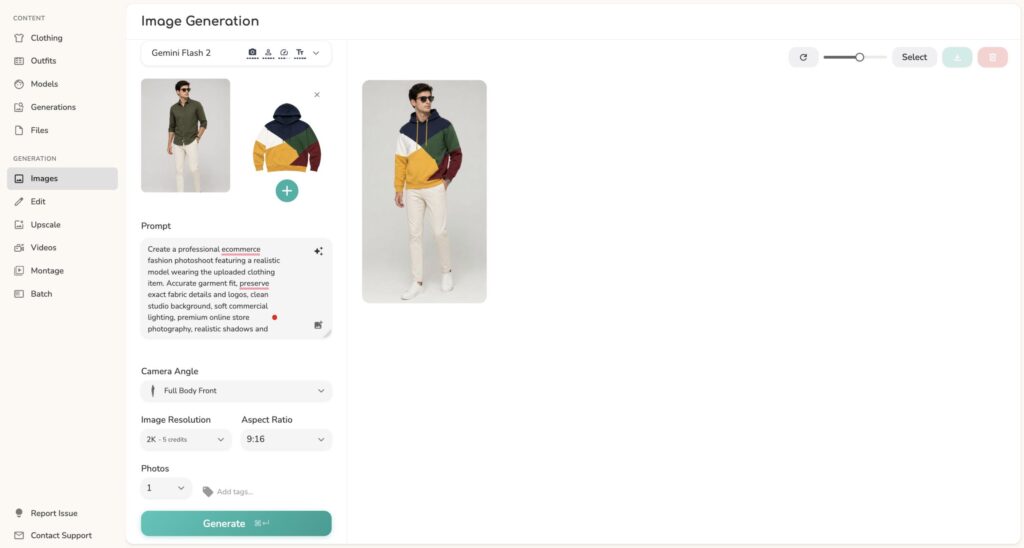
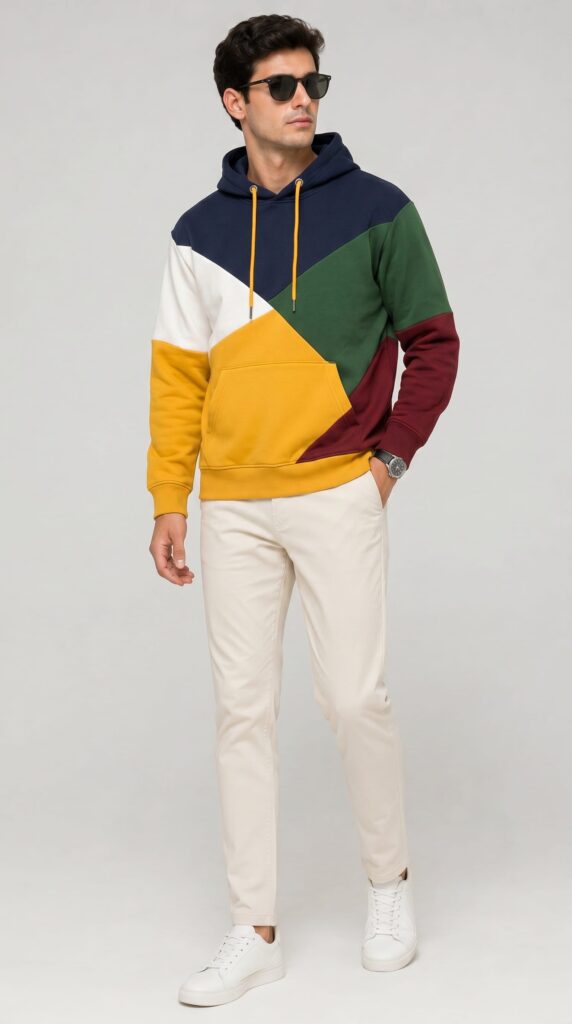
What it does: Uwear is built for businesses that need to create a lot of product images fast. It uses a special AI engine called “Drape” that doesn’t just paste clothes onto a model; it rebuilds the entire image from scratch. This means better lighting, shadows, and fabric detail.
Who it’s best for: Online stores with hundreds or thousands of products to list.
Standout feature: You can upload up to 10,000 garment images at once using a simple spreadsheet (CSV file). The AI processes your entire catalogue automatically.
Pricing: Pay-as-you-go at $0.10 per credit. No subscription needed. Credits never expire.
Free trial: Yes — starter credits available.
Also does: Video generation from fashion images, virtual “try-on” experience for shoppers.
What we loved: The garment accuracy is outstanding — prints, logos, and textures stay sharp and true to the original. For high-volume sellers, this is a game-changer.
One thing to note: No built-in marketplace integrations (like Amazon or Shopify) — you’d need to upload generated images manually.
2. Botika — Best for Shopify Store Owners
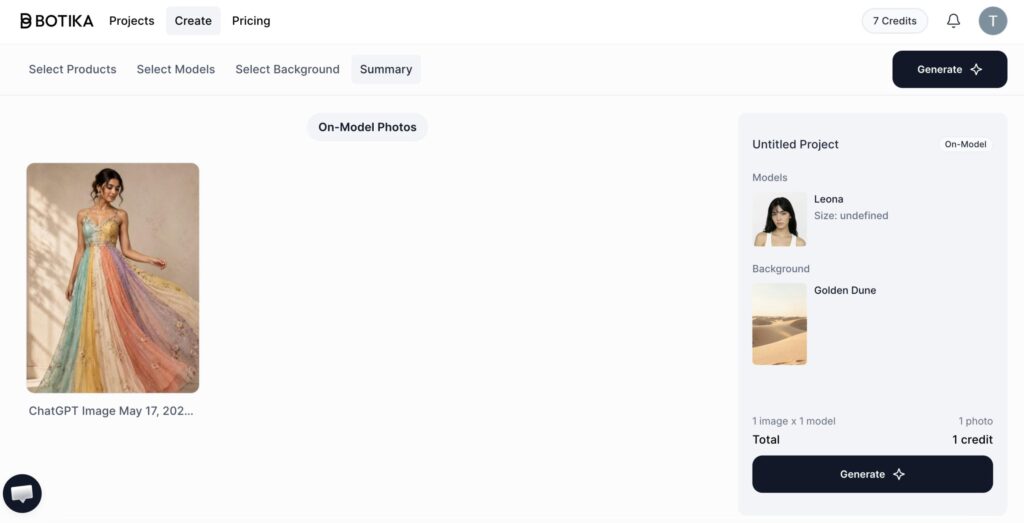
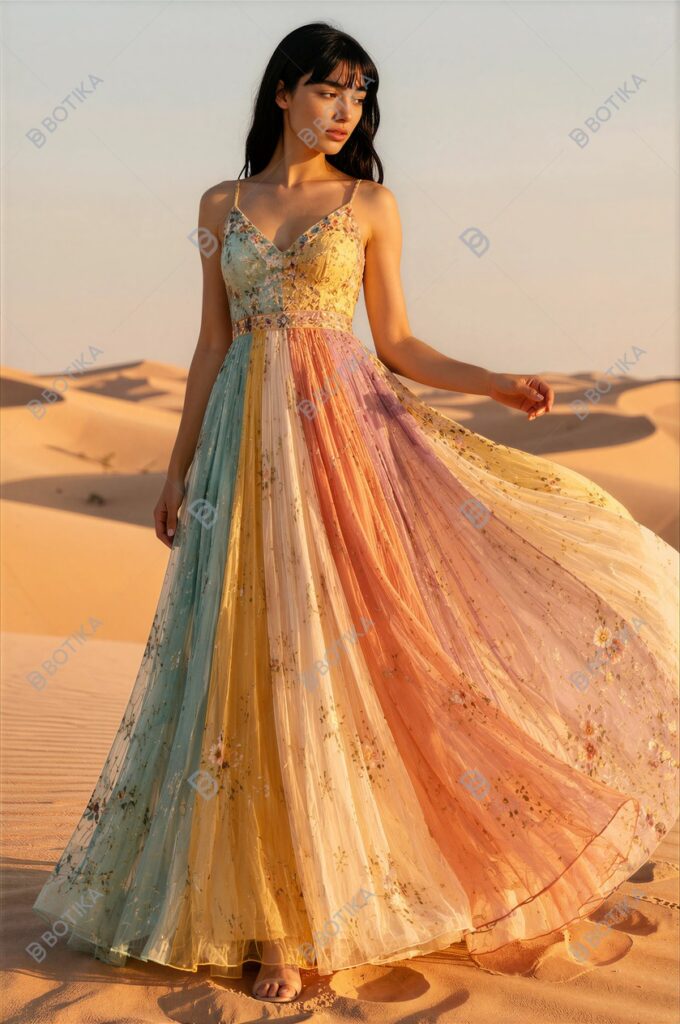
What it does: Botika turns basic clothing photos — even hanger shots or mannequin images — into professional, on-model photos and short fashion videos.
Who it’s best for: Shopify merchants who want AI model images without leaving their store dashboard.
Standout feature: Native Shopify integration and an iOS app. It also has a “review and fix” pipeline — if an image has a problem, Botika’s team (on the advanced plan) reviews and corrects it before delivery.
Pricing: Free trial with 8 welcome credits. Paid plans from $28/month (approx. 20 photos included).
Also does: Short fashion videos for social media and product pages.
What we loved: Very beginner-friendly. Upload clothes image, pick a model, select a background & generate. The quality checks on the advanced plan are a smart safety net for brands that care about every detail.
One thing to note: Some users have mentioned mixed experiences with output consistency — always check images before publishing.
3. Claid.ai — Best for Developers & API Users
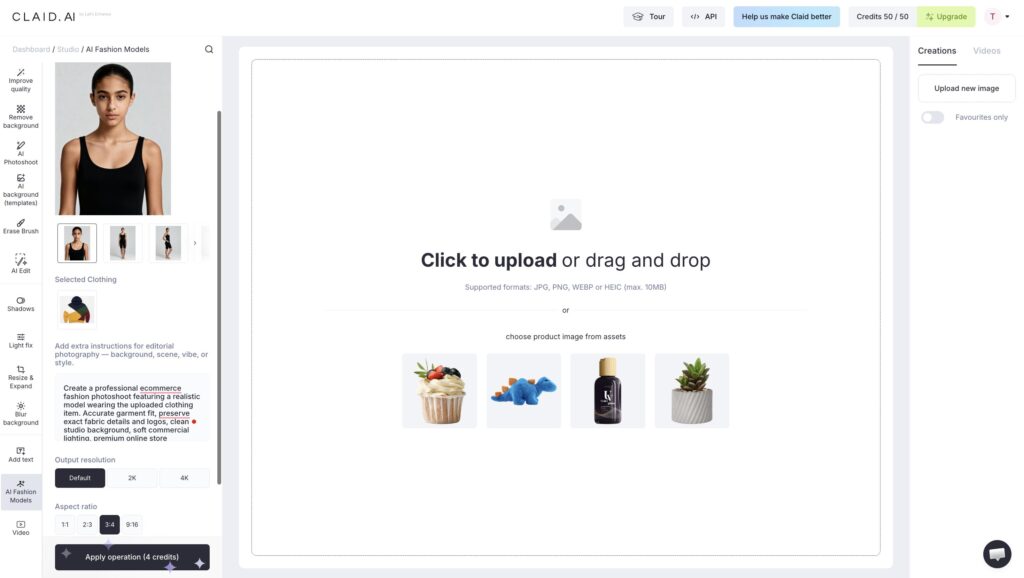
What it does: Claid.ai started as a background removal and image enhancement tool and has since expanded into AI fashion model generation. It produces images in up to 4K resolution.
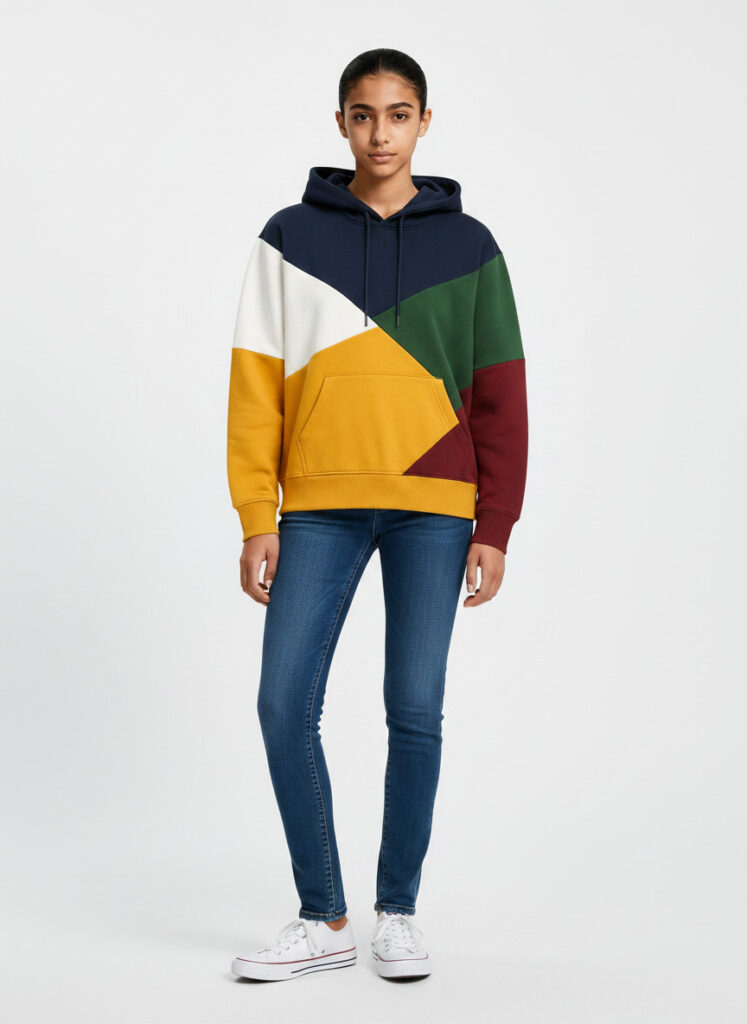
Who it’s best for: Developers, agencies, or larger teams who want to plug AI fashion generation into their existing workflow via API.
Standout feature: API-first design — meaning it’s built to connect with your existing tools and systems. Also covers background removal, image upscaling, and product photo enhancement on the same platform.
Pricing: Freemium (50 credits). Paid plans start from $9/month. Credit cost scales with resolution — standard, studio, or 4K.
What we loved: Great all-rounder if you need more than just model shots. The 4K output quality is impressive.
One thing to note: Better suited for technical users or teams than solo beginners.
4. FASHN.ai — Best for Realistic Virtual Try-On
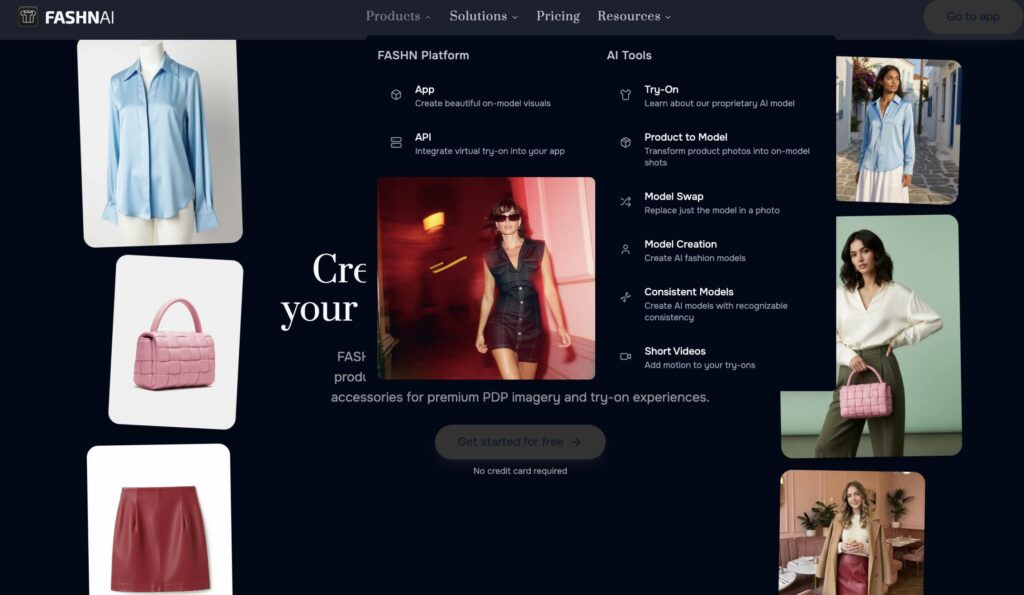
What it does: FASHN.ai offer features like product to model, change pose & background, edit model, make a video of the model and swap model. It’s known for extremely accurate garment-to-body rendering — especially drape and fit.
Who it’s best for: Brands wanting the most realistic garment fit results, virtual fitting rooms, and product page try-ons.
Standout feature: Dedicated fashion AI engine with 4K output and video generation options.
Pricing: Paid plans start around $16/month — one of the most developer-friendly pricing structures available.
What we loved: It features and it’s most accurate garment rendering tools tested. If the way a fabric wraps around a body matters to your brand, FASHN.ai is worth a serious look.
One thing to note: Less beginner-friendly than Botika or Modelia — better for users who are comfortable with APIs or more technical setups.
5. Modelia.ai — Best for Shopify + Consistent Brand Identity
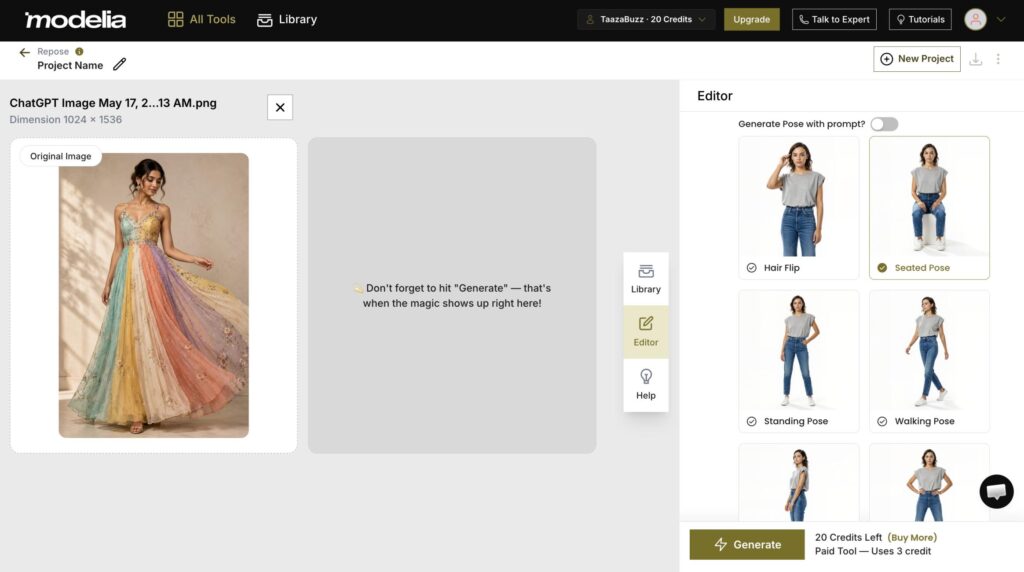
What it does: Modelia.ai lets you generate the same AI model across many different garments, different poses, and transform flat apparel images into high-quality model photos — same face, body, and style — so your entire product catalogue looks like it came from one coordinated shoot.
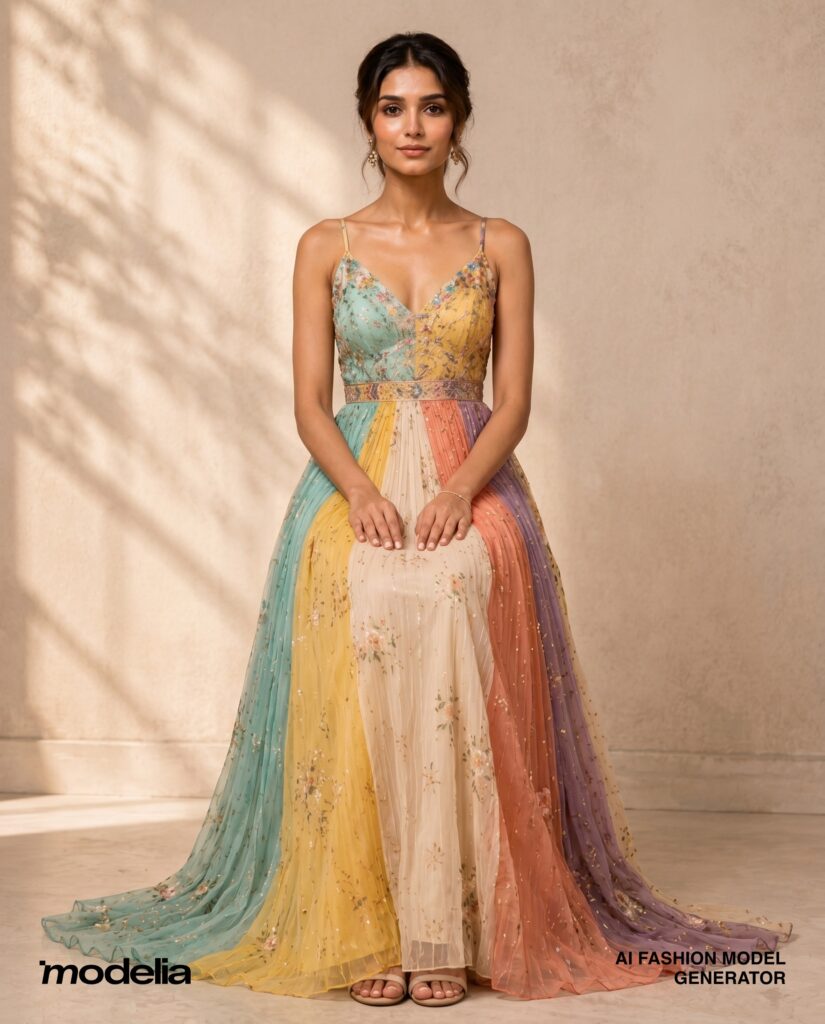
Who it’s best for: Fashion brands on Shopify who want a polished, consistent look across their whole store.
Standout feature: Consistent characters (same AI model across your whole catalogue) + AI video generation (5–10 second clips from model photos).
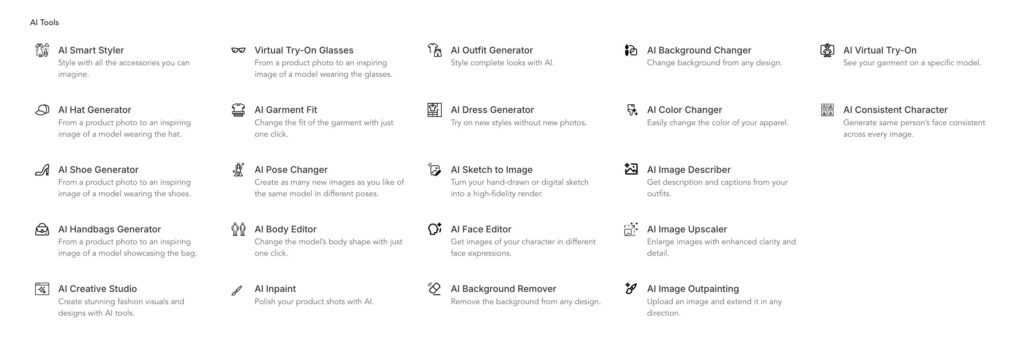
Pricing: Freemium (20 credits monthly). One-time project plan at $12 (50 credits). Monthly plans are also available ($28/month). Shopify app installs in one click.
Also does: Outfit combinations (tops + bottoms), AI reposing, garment fit adjustment, and background removal.
What we loved: The lowest-cost entry point on this list for paid use with commercial rights. The consistent character feature is fantastic for brand cohesion.
6. Insmind — Best Lightweight Option for Quick Edits
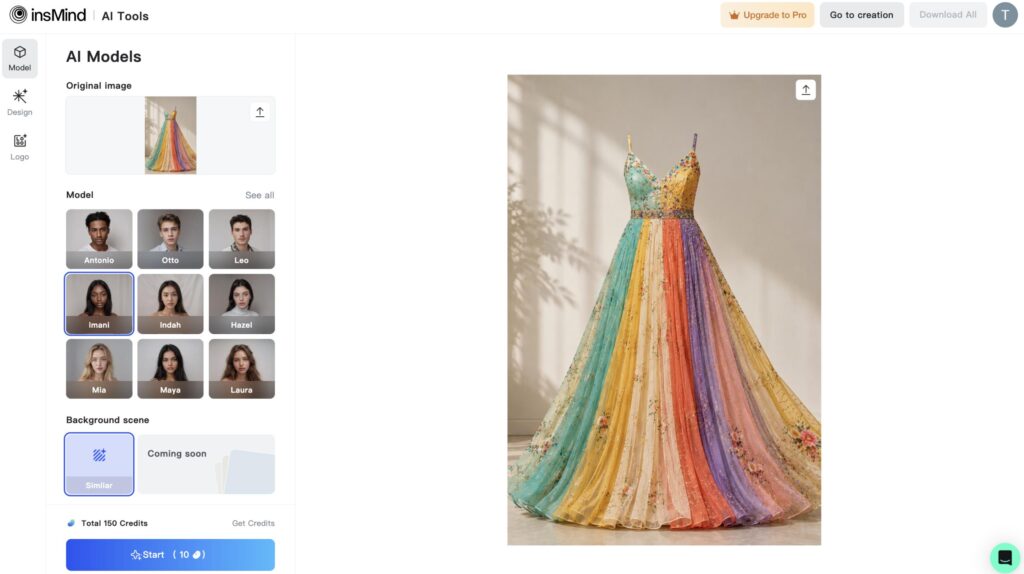
What it does: Insmind is a lightweight AI photo editing tool that includes fashion model generation features. It’s available on both web and mobile.
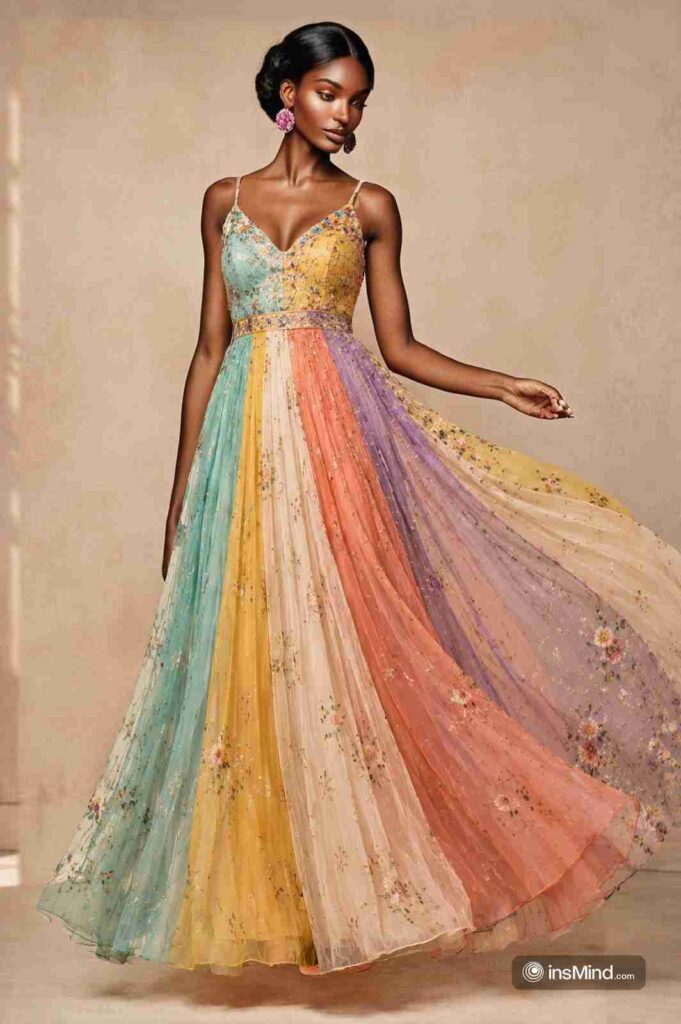
Who it’s best for: Solo creators, social media content creators, or anyone needing quick, casual AI fashion edits without heavy software.
Standout feature: Simple interface — very low learning curve. Works on mobile too.
Pricing: Freemium (50 credits). Paid plans start from $9.99/month.
What we loved: Great for someone just starting out who wants to dip their toes into AI fashion without committing to a full platform.
One thing to note: Less powerful than dedicated fashion platforms for serious e-commerce needs.
Which One Should You Choose?
Here’s a simple guide:
- Just starting? → Try Modelia.ai or Insmind (both free to start, very simple to use)
- Running a Shopify store? → Botika or Modelia.ai (native Shopify apps)
- Selling hundreds of products? → Uwear (batch processing up to 10,000 items)
- Building an app or API integration? → Claid.ai or FASHN.ai
💡 Pro Tips Before You Start
- Always start with a free trial. Most tools on this list offer free credits — use them before paying.
- Upload clean, well-lit flat-lay photos. The better your input, the better your output.
- Check image accuracy before publishing. Always compare the AI-generated image to the real product — especially logos and prints.
- Use virtual cards for subscriptions when testing new tools, in case cancellation is tricky.
- Don’t pick one tool forever. Many pros use one tool for catalogue images and another for creative campaigns.
Why Trust Us?
We didn’t just read reviews online. We actually signed up, uploaded garments, ran tests, and compared outputs across all 6 tools — looking at:
- 🖼️ Output quality — how realistic do the images look?
- ⚡ Speed — how fast do results come back?
- 💰 Pricing — is there a free plan? What do paid plans cost?
- 🧩 Features — what can it actually do?
- 🙋 Ease of use — can a complete beginner figure it out?
- 🔗 Integrations — does it connect with Shopify or other platforms?
So there you have it — 6 of the best AI fashion model generators in 2026, honestly tested and broken down so you know exactly which one fits your situation.
The fashion industry is changing faster than ever. But the good news is: you don’t need a big budget or a team of experts to create professional-looking fashion visuals anymore. These tools put that power in your hands.
If you found this helpful, drop a comment below and let us know: Which tool are you going to try first? — We cover AI tools for business, creators, productivity and more.
Ta! Da!

About Naseeb Akhter
The founder of BotBunch, where he researches, tests, and reviews the latest AI tools, automation software, and SaaS platforms. Along with the BotBunch editorial team, he helps creators, students, professionals, and businesses discover the best AI solutions through hands-on testing, honest reviews, detailed comparisons, and easy-to-follow guides.
Join us via email and social channels to get the latest updates straight to your inbox.