No music degree needed. We tested the top 5 Best AI music generators, so you know exactly which one to pick — whether you’re a student, a YouTuber, or just curious.
A few years ago, making a song meant learning an instrument for years, hiring a producer, or spending thousands of dollars in a studio. Today? You type a sentence like “upbeat hip-hop track for a gym ad” — and an AI spits out a complete song in under 60 seconds.
That’s the world we’re living in. The AI music market was valued at $1.98 billion in 2026 and is expected to hit $18 billion by 2035. In plain terms: this is no longer a tech experiment — it’s a creative revolution.
But with so many tools popping up, which one should YOU actually use? That’s what this guide is here to answer. Whether you’re a student making content, an entrepreneur looking for jingles, or just someone who loves music — we’ve got you covered.
Quick Comparison: All 5 Best AI Music Generators Tools
Here’s how all five tools stack up at a glance, so you can find your match fast.
| Tool | Best For | Free Plan | Vocals | Commercial Use | Skill Level |
|---|---|---|---|---|---|
| Suno | Everything / All-rounder | Yes | Yes (full songs) | Paid only | Beginner–Pro |
| Udio | Experimenting & iteration | Yes (100 credits) | Yes | Check terms | Intermediate |
| Mureka | Lyrics-first, developers | Yes (limited) | Yes + voice clone | Paid plans | Intermediate–Pro |
| MusicGPT | Beginners, mobile, app builders | Yes | Basic | Paid plans | Beginner |
| Beatoven | Video/podcast background music | Yes (limited) | No (instrumental) | Yes (all plans) | Beginner |
Suno – Best Overall Pick
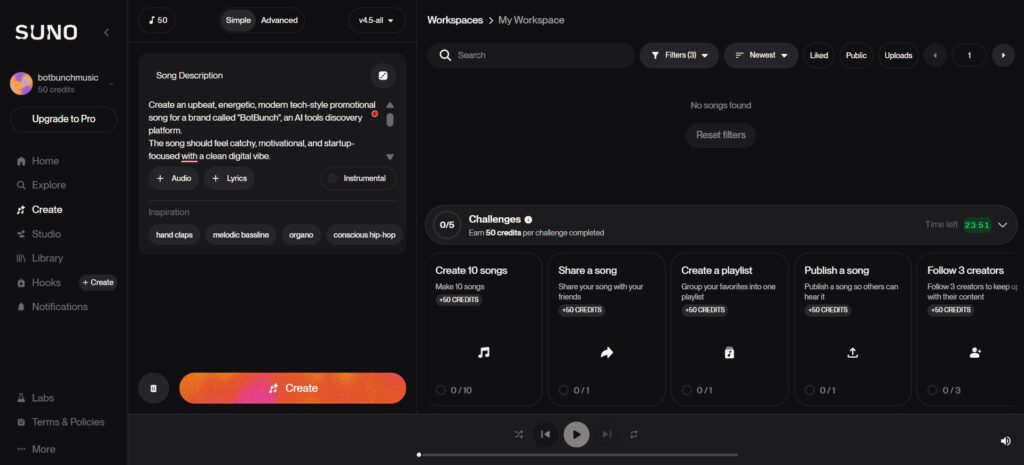
If AI music generation had a MVP, it would be Suno. Since exploding in popularity in 2024, Suno has become the go-to tool for everyone from curious beginners to reels creators building entire music libraries. Its latest version — Suno v5.5 — takes it to another level.
Here’s the magic: you describe a song in plain words (“a melancholic piano ballad about missing home”) and Suno delivers a complete track — with vocals, instruments, structure, and even lyrics — in under a minute. No musical knowledge required. Zero.
What sets Suno apart is the combination of speed + polish. Most AI tools give you something “listenable.” Suno gives you something that sounds shaped — like someone actually thought about the verse, chorus, and bridge. It also offers Suno Studio, where you can download individual stems (vocals, drums, bass), edit sections, and fine-tune your track like a mini-DAW.
| ✅ Pros | ❌ Cons |
|---|---|
| Insanely easy to get started — no learning curve | Free plan tracks are non-commercial |
| Full songs with vocals in under 60 seconds | Commercial rights only on paid plans |
| Stem downloads for advanced editing | Occasional odd lyrics in auto-generation mode |
| Generous free tier to test daily | Not ideal for pure background/instrumental-only music |
| Huge, supportive community on Reddit | |
| Covers nearly every genre imaginable |
Pricing: Freemium [50 credits renew daily (10 songs)]. Paid plans start from $10/month.
Best For: Beginners, students, YouTubers, and creators who want fast AI-generated songs.
Suno is the single best starting point for anyone new to AI music, and powerful enough for pros who want speed. If you only try one tool from this list, make it Suno.
Udio – Best for Iteration
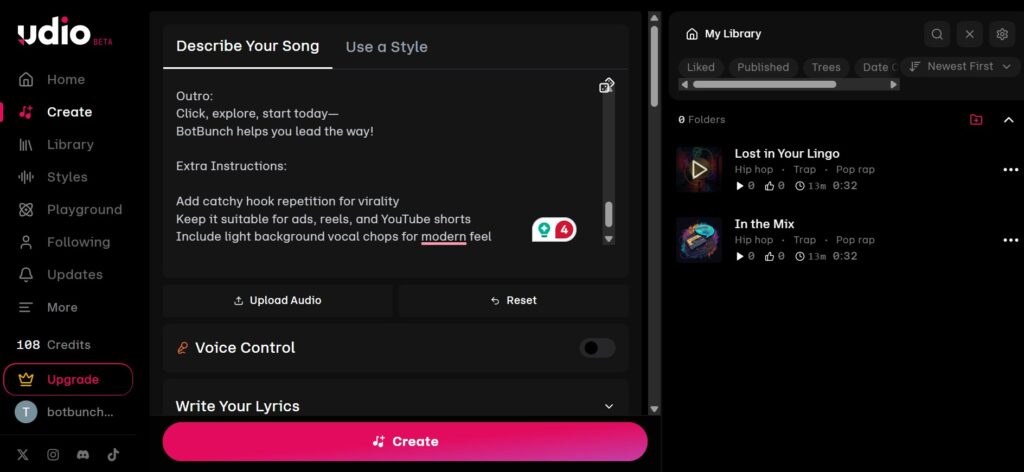
Udio was built by former researchers at Google DeepMind, and it shows. The platform is often called the “ChatGPT of music” because of how it handles conversation- you don’t just make a song once; you keep refining it. Generate, listen, tweak the prompt, generate again. Slowly, your song gets closer to the vision in your head.
Where Suno says “here’s your finished song,” Udio says “let’s build this together.” It has tools like Inpainting (replace a specific 10-second section without touching the rest), Extending (add more to a track while keeping the vibe), and Remixing (reinterpret the track in a different genre). For someone who loves experimenting, this is a playground.
One important heads-up though: as of 2026, Udio has limited sharing outside their platform. You can’t easily push your track to external platforms, which could be frustrating if distribution is your goal.
| ✅ Pros | ❌ Cons |
|---|---|
| Excellent refinement & iteration tools | Output quality is less consistent than Suno |
| Strong on niche and experimental genres | Sharing outside platform is restricted in 2026 |
| Inpainting lets you fix specific sections | Can feel overwhelming for absolute beginners |
| Great community hub to share creations | Needs more prompting to get great results |
| Free plan: 100 monthly credits | Sharing outside the platform is restricted in 2026 |
Pricing: Freemium: 100 credits/month. Paid plans start from $8/month.
Best For: Creative users, experimental musicians, and advanced AI music creators.
Udio rewards patience. If you enjoy the creative process of refining and iterating, you’ll love it. For quick one-prompt songs, Suno wins. For deep creative exploration, Udio is your partner.
Mureka – Best Lyrics-First Tool
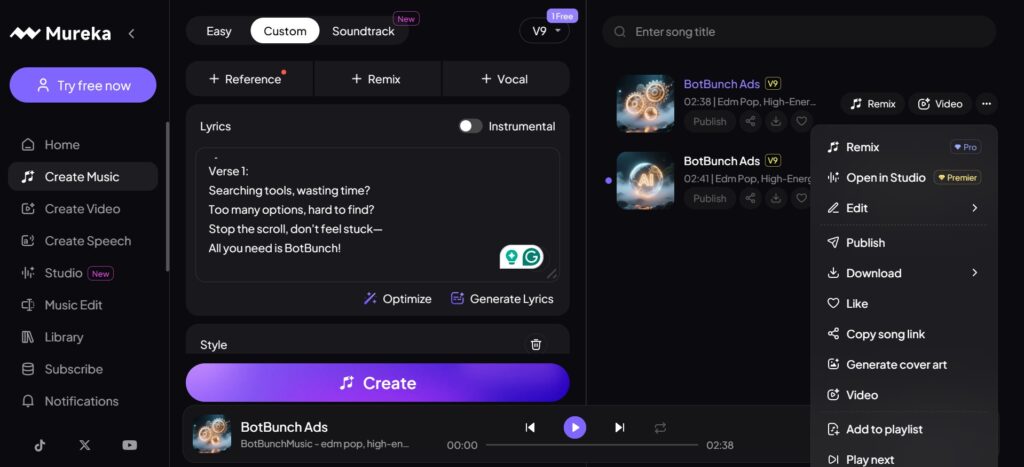
Mureka takes a different approach to AI music — it starts with your creative direction. If you’ve already written lyrics, or you have a specific voice style in mind, Mureka is built exactly for you.
Its secret weapon is MusiCoT (Music Chain-of-Thought) — a technology that plans a song’s full structure before it generates a single note.
Mureka also has features that go beyond song generation: Voice Cloning (clone your own voice or pick from pre-built AI vocalists), Stem Separation (pull out individual instruments), DAW Integration with Ableton, and even a Music Marketplace where you can buy or sell AI-generated tracks. It now has nearly 10 million users globally.
| ✅ Pros | ❌ Cons |
|---|---|
| Respects your own lyrics & structure | Steeper learning curve for beginners |
| Voice cloning is a standout feature | Vocal generation not as polished as Suno |
| Stem separation for professional editing | Advanced features cost more |
| DAW integration (Ableton-compatible) | Less ideal for spontaneous “just make a song” prompts |
| Supports 10+ languages for vocals | |
| Built-in music marketplace |
Pricing: Free plan available (limited). Paid plans start from $7/month.
Best For: Songwriters, musicians, and creators who want more customization.
Mureka is the most feature-rich tool on this list. If you’re a songwriter who wants AI to bring your lyrics to life, or a developer who needs an API — Mureka is the right call.
>>> 9 Best AI Voice Generator Tools in 2026: Complete Guide to Natural-Sounding AI Voices
MusicGPT – Best for Mobile Users
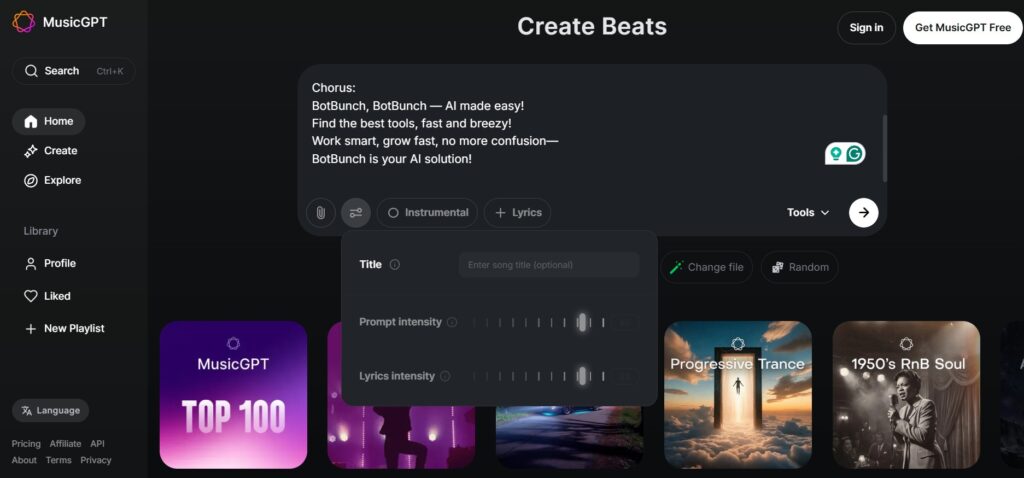
MusicGPT lives at the intersection of simplicity and flexibility. It’s designed from the ground up for people who don’t want to think too hard — just describe what you want and get music. It has a clean mobile app that feels intuitive from the first tap.
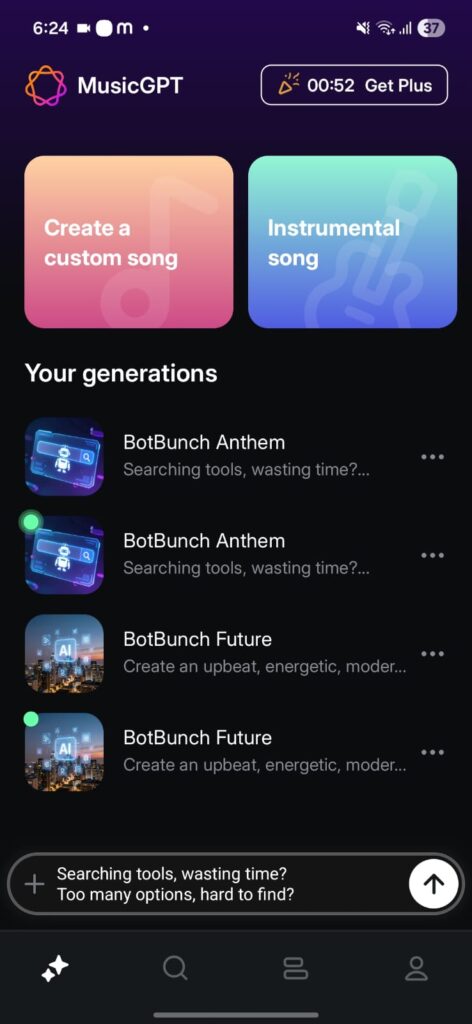
But don’t let its simplicity fool you — MusicGPT is also one of the most developer-friendly tools available. Its API support lets you plug music generation directly into apps, websites, and workflows. You could build a meditation app with AI-generated ambient music, or add a background score generator to your podcast tool.
It also has two unique features: Remix (change the style or lyrics of an existing song) and Replace (swap a specific section without redoing the whole track). For people who want to iterate on existing music rather than start from scratch, this is a genuinely useful toolbox.
| ✅ Pros | ❌ Cons |
|---|---|
| Very easy to use, even if you are completely new | Less control over production details |
| Excellent mobile app experience | Not ideal for full studio-quality tracks |
| API access for developers & app builders | Limited compared to Suno or Mureka for musicians |
| Remix & Replace tools are handy | |
| Great for plugging into workflows |
Pricing: Freemium – 500 credits/month. Paid plans start from $9.99/month.
Best For: Mobile users, beginners, and developers building AI-powered apps.
MusicGPT is perfect if you’re building something — an app, a workflow, or a side project — and you want music generation as a component. It’s also the friendliest tool for smartphone-first users.
Beatoven.ai – Best for Content Creators
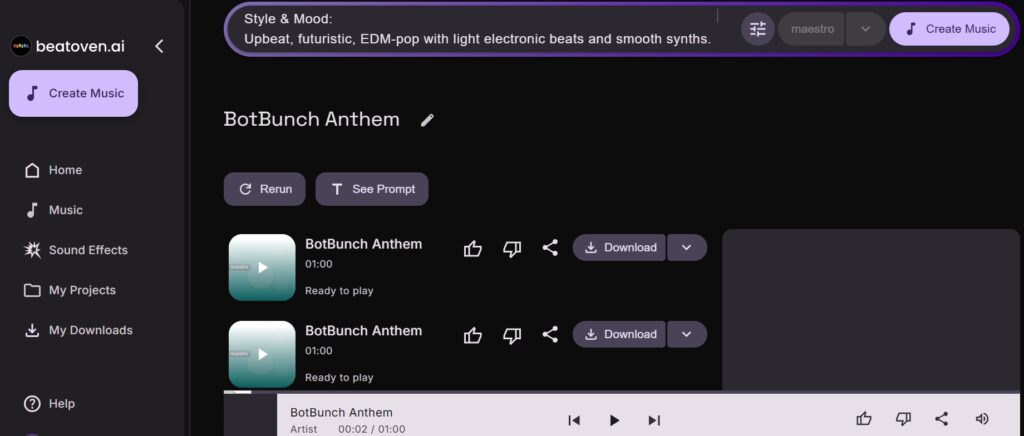
Beatoven.ai isn’t trying to be Suno. It’s not chasing full vocal songs with hooks and bridges. Instead, it does one thing exceptionally well: creating mood-based background music that fits perfectly under your videos, podcasts, or presentations.
The workflow is delightfully simple: choose an emotion (happy, tense, dreamy, melancholic), pick a genre, set your video length — and Beatoven generates music that feels tailor-made for that scene. It’s not just random background noise; it actually shifts instrumentation and energy to match the emotional arc you define.
The real kicker for content creators? Royalty-free licensing is baked in. No copyright strikes. No licensing fees. No crediting the artist. It’s built for real-world content workflows — especially for YouTubers and podcasters who need consistent, safe-to-use background music at a very low cost (as low as $2.50/month on annual billing).
| ✅ Pros | ❌ Cons |
|---|---|
| Royalty-free music — no copyright issues | Not suitable for vocal songs or full music production |
| Easy mood-based music generation | Limited creative control over music arrangement |
| Supports 16+ emotional moods | Free plan has limited features |
| Most affordable paid option on this list ($2.50/month) | |
| Trusted by over 1.5 million users with 6 million+ tracks created | |
| Supports WAV and MP3 stem exports |
Pricing: Free Trial · Paid plans start from $3/month.
Best For: YouTubers, podcasters, advertisers, and video creators.
>>> Best AI Tools For Creators
Beatoven is the best budget-friendly choice for content creators who just need clean, mood-matching, copyright-free music for their videos and podcasts. It doesn’t overpromise — and it delivers consistently.
Which Tool Should You Pick? (Our Recommendations)
Different people need different things. Here’s our honest one-liner recommendation for each type of user.
- 🎓Students: Start with Suno — free, fast, no learning curve.
- 📱Mobile-first users: Try MusicGPT — the best app experience on this list.
- 🎬YouTubers / Podcasters: Go with Beatoven — royalty-free and dirt cheap.
- ✍️ Songwriters: Use Mureka — the only tool that honours your lyrics first.
- 🧪 Creative Experimenters: Play with Udio — built for people who love to iterate.
- 💼 Entrepreneurs: Suno for speed, Beatoven for ad music, Mureka for API.
FAQs
Do I need any musical knowledge to use these tools?
Not at all! All five tools on this list are designed for people with zero music background. You just type what kind of music you want — like “chill lo-fi study beats” — and the AI does the rest. Suno and MusicGPT are especially beginner-friendly.
Can I use AI-generated music on YouTube or in ads?
Yes, but it depends on the tool and your plan. Beatoven includes royalty-free commercial licensing across all plans. Suno, Mureka, and Udio offer commercial rights only on paid plans. Always read the licensing terms before using music in a paid project.
Are these tools completely free?
All five have free tiers, but they come with limits — fewer song generations per day, lower audio quality, or no commercial rights. For casual use and experimentation, the free tiers work great. For regular content creation or commercial work, a paid plan is worth it.
Which AI music generator is the absolute best in 2026?
Based on our testing, Suno is the best all-around pick. It’s fast, produces polished full songs, is easy for beginners, and has great community support. That said, the “best” tool really depends on your use case — which is exactly why we broke this down by user type above.
What’s the difference between Suno and Udio?
Suno is optimized for speed and polish — you get a great song in one or two prompts. Udio is built for iteration — you generate a track, refine it, tweak it, and keep building until it matches what’s in your head. Suno is better for beginners; Udio for people who enjoy the creative process.
Is AI-generated music replacing human musicians?
No — and it’s not trying to. These tools are best used as creative assistants, not replacements. A human producer with decades of experience still creates music with emotion, cultural nuance, and storytelling depth that AI can’t fully replicate. Think of these tools as giving everyone a “musical sketchpad” to test ideas quickly.
⚠️ Disclaimer: Pricing, features, and licensing policies for AI tools change frequently. Always verify current plans on each tool’s official website before making purchasing decisions. The AI music market is evolving rapidly — some details in this guide may have been updated since publication.

About Naseeb Akhter
The founder of BotBunch, where he researches, tests, and reviews the latest AI tools, automation software, and SaaS platforms. Along with the BotBunch editorial team, he helps creators, students, professionals, and businesses discover the best AI solutions through hands-on testing, honest reviews, detailed comparisons, and easy-to-follow guides.
Join us via email and social channels to get the latest updates straight to your inbox.