Imagine opening your laptop/smartphone, typing one sentence, and watching a cinematic, professional-quality video appear in front of you in under a minute.
No camera. No crew. No editing software. No experience required.
That’s not science fiction. That’s AI video in 2026.
The technology has advanced so rapidly that beginners, students, entrepreneurs, and content creators are now producing polished video content without a single day of film school. But with dozens of tools competing for your attention, choosing the right one can feel overwhelming.
That’s why we did the work for you.
In this guide, we break down the 11 best AI video generators in 2026 — what each tool does, who it’s built for, how much it costs, and which one you should actually start with.
Quick Comparison – 11 Best AI Video Generators in 2026
| Tool | Best For | Free Plan | Starting Price |
| Google Veo | Highest cinematic quality | Limited credits | $19.99/mo |
| Runway Gen-4.5 | Full filmmaker workflow | Yes | $15/mo |
| LTX Studio | Shot-by-shot storyboarding | Yes | $15/mo |
| Adobe Firefly | Copyright-safe commercial video | 2 videos/mo | $9.99/mo |
| Kling AI | Photorealistic humans | Yes | $6.99/mo |
| InVideo AI | Beginner automation | Yes | ~$25/mo |
| Higgsfield AI | Multi-model creative platform | Yes | Varies |
| Pika | Experimental social media art | Yes | $10/mo |
| Minimax 2.3 | Cinematic director-style control | Yes | Free |
| Synthesia | Corporate & training videos | No | $18/mo |
| CapCut (AI) | Fast short-form content | Yes | $7.99/mo |
How AI Video Has Changed in 2026?
Before we dive into the tools, it helps to understand just how dramatically this space has evolved.
Two years ago, AI-generated video looked like a fever dream. Wobbly faces. Melting buildings. Hands with six fingers. Today, the leading tools can reliably produce atmospheric footage, product demo clips, corporate training videos, and short-form social content at genuinely professional quality.
But the most important shift isn’t just about quality — it’s about control.
The tools winning in 2026 aren’t just the ones that generate the prettiest video. They’re the ones that let you direct your video, scene by scene, like a filmmaker. That’s the new battleground, and it changes everything about which tool is right for you.
Let’s meet the Best AI video generators in 2026
1. Google Veo — Best Overall Quality
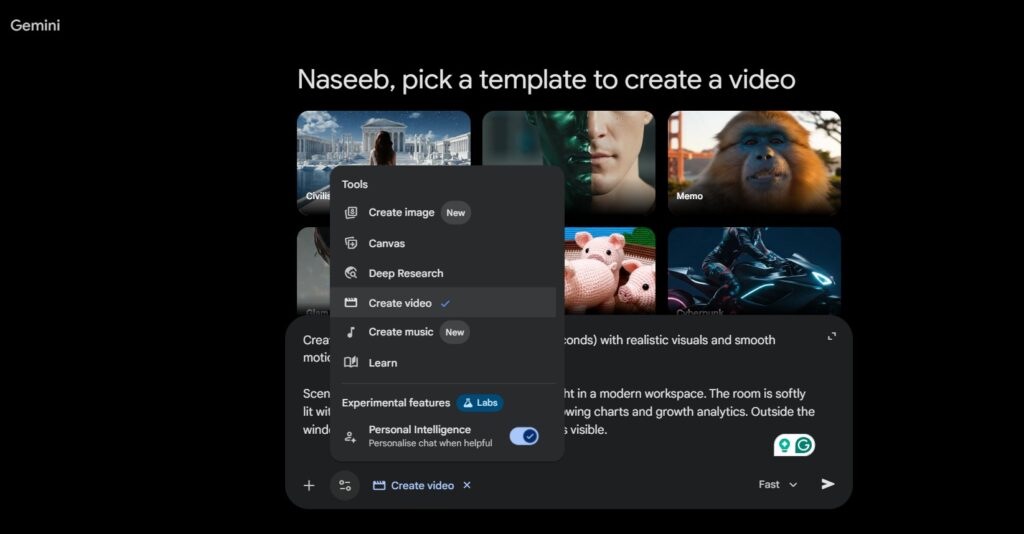
Google Veo is currently considered the best all-around AI video generator on the market, and it’s not hard to see why.
The feature that sets it apart from every other tool on this list is its native audio generation. While most AI video tools deliver silent clips that you have to pair with separate audio, Google Veo creates the video and the sound simultaneously — background music, sound effects, and even realistic dialogue, all perfectly in sync with the visuals.
It’s powered by Google DeepMind’s Veo 3.1 model, which supports up to 1080p output, image-to-video animation, and consistent character appearance across scenes.
- Best for: Creators who want the highest cinematic quality
- Pricing: Free credits available | Google AI Pro: $19.99/mo | Google AI Ultra: $249.99/mo
- Free plan: Limited free generations via Google Labs
If quality and audio integration are your top priorities and you live in the Google ecosystem, Veo is the clear frontrunner.
2. Runway Gen-4.5 — Best for Filmmakers & Professionals
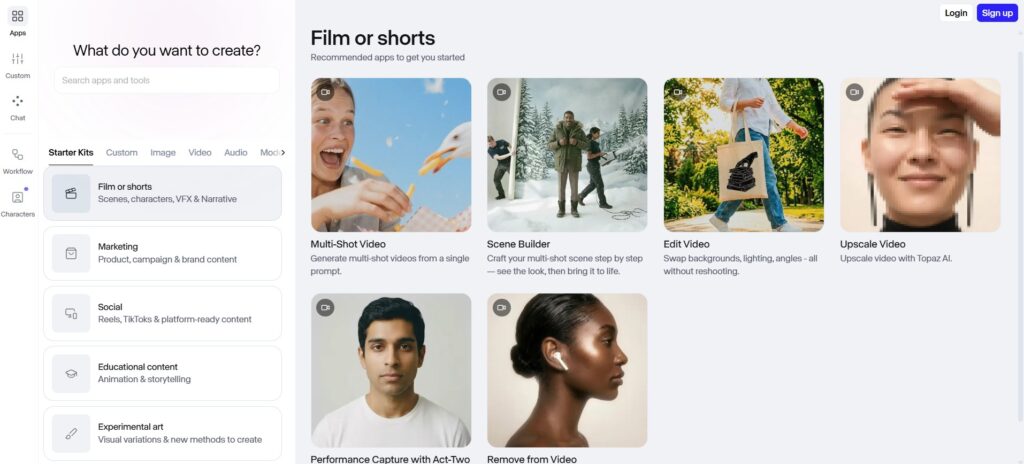
If Google Veo is the luxury car you admire from a distance, Runway is the car you actually drive every day.
Runway Gen-4.5 earned the #1 benchmark score among AI video tools in early 2026. But what really makes it stand out is that it’s not just a video generator; it’s a complete creative studio. Within one interface, you can:
- Write your script
- Generate video scenes
- Use “Motion Brush” to paint movement directly onto specific elements in your video
- Control camera paths with “Director Mode”
- Export directly into Adobe Premiere Pro
Runway is “the filmmaker’s studio tool — the only platform with a full workflow without leaving the interface.”
It’s the go-to choice for creators producing client work, ad campaigns, and content that needs to look genuinely professional.
- Best for: Entrepreneurs, freelancers, and creative professionals
- Pricing: Standard $15/mo | Pro $35/mo | Unlimited $95/mo
- Free plan: Yes (limited credits)
If creative control matters more than anything else, Runway is your tool.
3. LTX Studio — Best for Storyboard-Driven Control
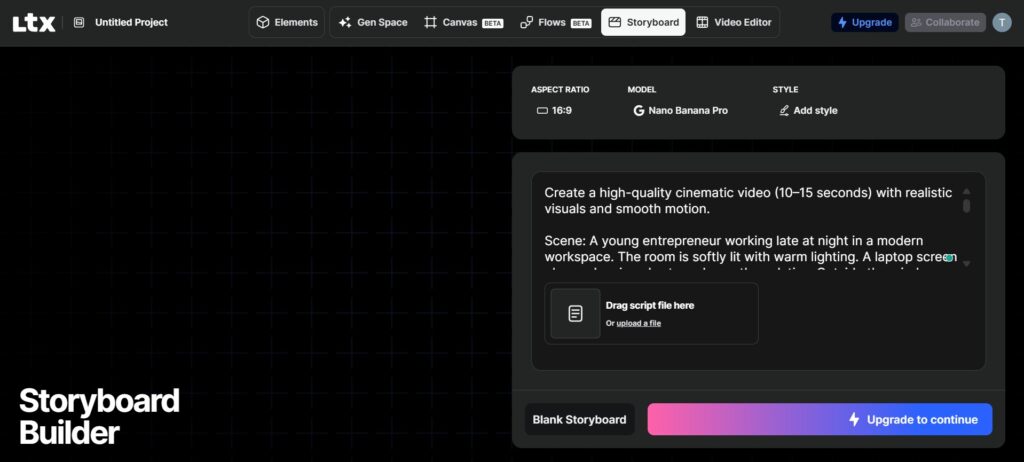
Most AI video tools work like a slot machine — you type a prompt, pull the lever, and hope for the best. LTX Studio takes a completely different approach.
Built by Lightricks, LTX Studio is a storyboard-first platform. Before a single frame is generated, you plan your video shot by shot: define characters, select camera angles, and control scene composition. Then the AI executes your vision.
It’s the tool for “people who need to control characters, camera angles, and scene composition so the final result follows their vision — not just vibes.”
It’s also powered by multiple models (including those from Google and Black Forest Labs), so you can choose which AI engine handles different parts of your video.
- Best for: Students, small businesses, and detail-oriented creators
- Pricing: Free plan available | Lite: $15/mo
- Free plan: Yes
If you hate the randomness of AI video generation and want your video to look like you planned it, LTX Studio is the answer.
4. Adobe Firefly — Best for Copyright-Safe Commercial Video
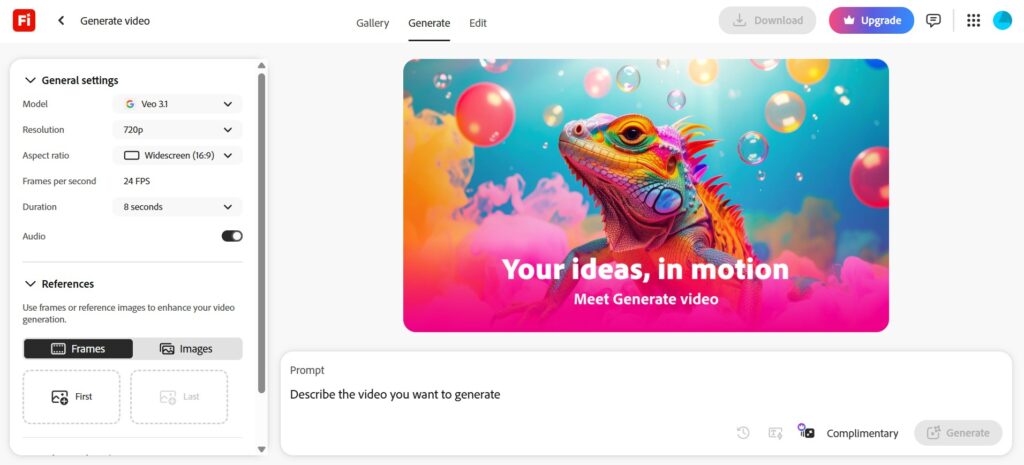
There’s a concern that keeps professional creators up at night: generating a video that looks suspiciously like a copyrighted image from a stock library. Adobe Firefly eliminates that risk entirely.
Every Firefly model is trained exclusively on licensed Adobe Stock content, openly licensed material, and public domain content — meaning everything you generate is cleared for commercial use, no asterisks needed.
And in April 2026, Adobe made Firefly significantly more powerful by integrating Kling 3.0 and Kling 3.0 Omni directly into the platform — adding some of the best AI video models in the world to its lineup, alongside Veo 3.1 and Runway Gen-4.5. You also get access to the Firefly Video Editor, a lightweight browser-based timeline editor that lets you combine generated clips and your own footage in one place.
- Best for: Businesses, agencies, and professional content creators
- Pricing: Standard: $9.99/mo | Included in Creative Cloud plans
- Free plan: 2 video generations per month
For any commercial project where copyright protection matters, Firefly is the responsible, professional choice.
5. Kling AI — Best Value for Money
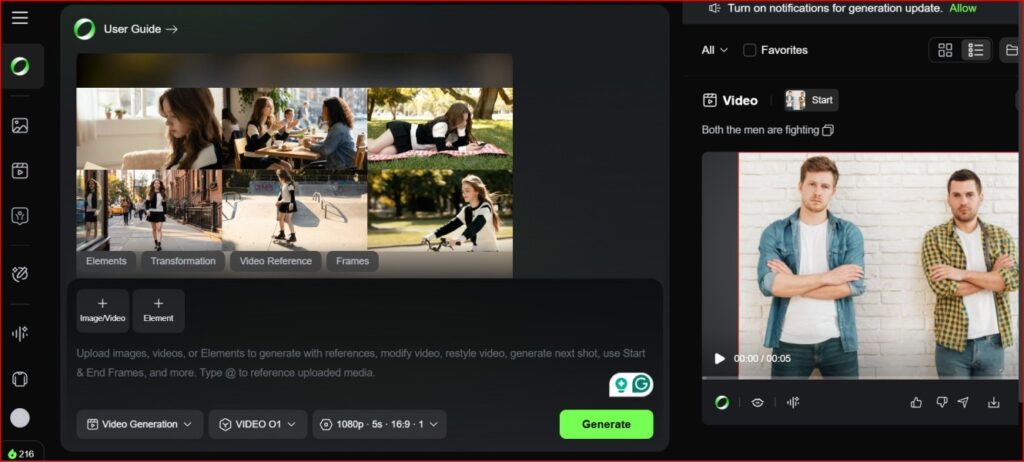
Here’s the one that makes everyone do a double-take when they see the price.
Kling AI holds the #1 position on ELO benchmarks for AI video quality in 2026 — and it starts at $6.99/month.
Kling AI’s human realism is “in a different league” from tools like Pika or Luma. Its proprietary architecture understands how bodies move through space, how fabric drapes, how light plays across skin — producing photorealistic human video that no other tool consistently matches at this price.
New in Kling 3.0: the ability to plan and execute multi-scene sequences with consistent characters and lighting across multiple shots. That’s a genuine step toward AI filmmaking, not just clip generation.
It also includes Avatar 2.0 — a talking head feature that lets you create a realistic AI avatar from a single photo, which speaks your script with accurate lip sync for up to five continuous minutes. It competes directly with Synthesia for corporate content at a fraction of the price.
The caveats: Kling is built by a Chinese company (Kuaishou), which raises data sovereignty questions for some users. Billing support has also been flagged as inconsistent.
- Best for: Social media creators, marketers, and developers
- Pricing: Standard: $6.99/mo | Free tier available
- Free plan: Yes (66 daily credits)
For sheer quality-to-price ratio, Kling AI is the most compelling offer on this list. Hard to ignore at $6.99/month. Kling AI Video Generator Complete Review
6. InVideo AI — Best for Beginners Who Want Everything Done
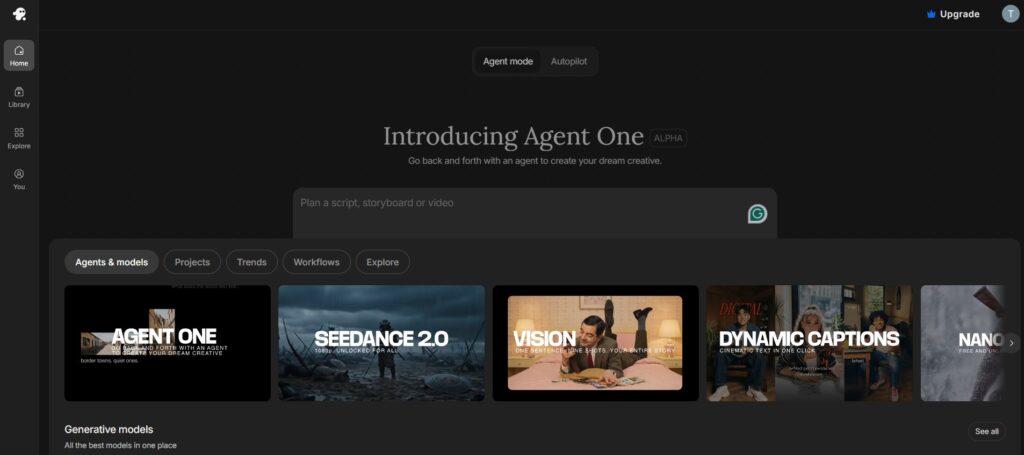
What if creating a complete, publish-ready video was as simple as sending a text message?
That’s InVideo AI’s promise — and in 2026, it largely delivers.
You describe your video in plain language — topic, tone, length, audience — and InVideo builds it from scratch. Script, footage (from a 16M+ stock library or generated via AI), voiceover in your chosen language, captions, background music, and transitions. All automatically.
The headline value here is model access. InVideo’s paid plans include both Sora 2 and Google Veo 3.1 — models that cost $200/month and $250/month, respectively, if accessed directly. InVideo offers both under one roof, starting at around $25/month.
It supports 50+ languages, includes voice cloning (upload a 30-second audio sample of your own voice), and handles conversational editing — type “replace scene 3 with a coffee shop”, and it does exactly that.
The honest limitation: When the AI misunderstands your prompt and burns credits on an unusable video, those credits don’t come back. Clear, specific prompts are essential.
- Best for: Content beginners, marketers, YouTubers, and social media managers
- Pricing: Free plan (permanent, 10 AI min/week) | Plus: ~$25/mo
- Free plan: Yes
For anyone who needs professional video fast and doesn’t want to learn complex tools, InVideo AI is the most practical all-in-one option on the market.
7. Higgsfield AI — Best Multi-Model Creative Platform
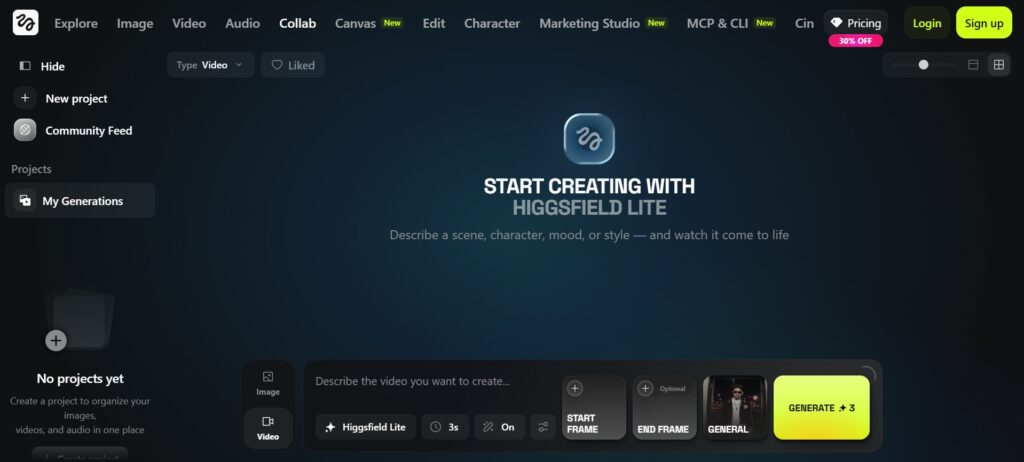
Higgsfield AI has evolved from a simple video generator into what it now calls a “professional studio for prosumers” — serious creators who don’t have Hollywood budgets but expect Hollywood flexibility.
Its key strength is that it doesn’t lock you into a single AI model. You can access multiple top-tier generation models and switch between them depending on the visual style you want for a given project. Its Cinema Studio mode gives you director-level controls over framing and camera movement, and it auto-formats your output for different platforms — the same video gets resized for TikTok, YouTube Shorts, and Instagram Reels without extra work.
- Best for: Freelancers and content creators who want creative variety
- Pricing: Varies by plan | Free tier available
- Free plan: Yes
If you’re a freelancer who regularly creates content across multiple styles and platforms, Higgsfield’s multi-model approach offers flexibility that single-model tools can’t match.
8. Pika — Best for Creative & Experimental Social Content
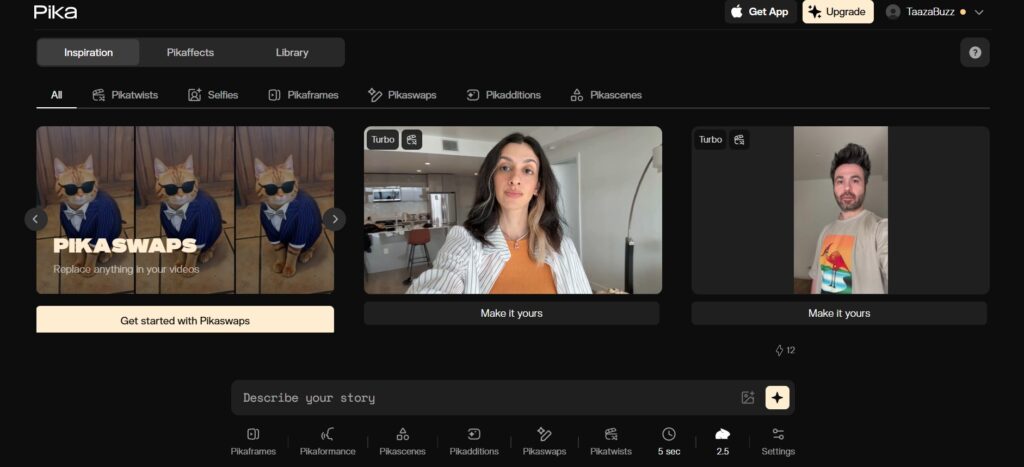
Pika is the rule-breaker of AI video.
While other tools compete on realism and cinematic quality, Pika wins on creativity and fun. Its signature features — Pikaframes, Pikaswaps, and Pikatwists — let you do things like transform a video into a completely different visual style, swap objects mid-scene, or apply surreal artistic effects that no other tool offers.
It’s not trying to generate the most believable video. It’s trying to generate the most unexpected one. And for TikTok creators, artists, and anyone whose goal is to make someone stop scrolling and say “Wait… how did they DO that?” — Pika is the tool.
- Best for: Artists, TikTok creators, and experimental creators
- Pricing: Free (80 credits/mo) | Paid from $10/mo
- Free plan: Yes
If you want to make content that’s genuinely surprising and shareable, Pika’s free tier is the best place to start experimenting.
9. Minimax 2.3 — Best Kept Secret for Cinematic Precision
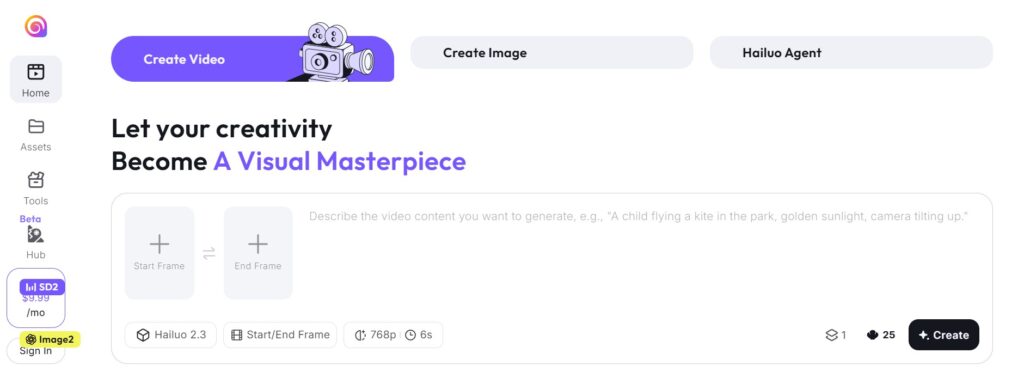
Minimax 2.3 is the tool professional filmmakers talk about quietly, because they’d rather keep it to themselves.
When you write prompts that work like shot directions — specifying the camera framing, the angle, the movement — Minimax follows your direction with remarkable precision. It produces clean, high-texture imagery without the “hallucination” problems that cause extra limbs and melting architecture in other tools.
It’s also one of the few quality tools with a genuinely free tier via Hailuo AI, making it accessible for beginners to test without spending anything.
- Best for: Intermediate to advanced creators who think like directors
- Pricing: Free tier via Hailuo AI
- Free plan: Yes
If you’re willing to learn to write prompts like a director, Minimax 2.3 rewards that skill better than almost any other free tool available.
10. Synthesia — Best for Business & Corporate Video
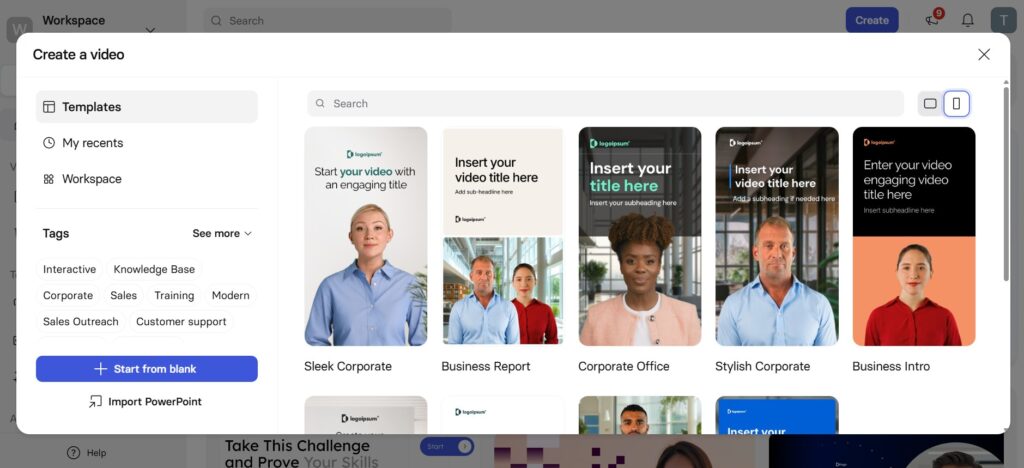
Synthesia isn’t trying to make movies. It’s trying to eliminate boring corporate slide decks — and it’s extremely good at that.
The platform generates professional AI avatar videos from a written script. Pick your avatar, type your content, and Synthesia produces a polished, presenter-led video complete with natural gestures. It supports over 140 languages for voiceover and script delivery — the broadest language coverage of any tool on this list, according to ALM Corp’s April 2026 review.
For HR departments, online course creators, internal communications teams, and customer-facing explainer videos, Synthesia removes the need for cameras, studios, actors, or post-production entirely.
- Best for: Entrepreneurs, HR teams, L&D professionals, and educators
- Pricing: From $18/mo (annual billing)
- Free plan: No (trial available)
For scalable, multilingual corporate video at professional quality, Synthesia is the industry standard — and nothing else comes close for this specific use case.
11. CapCut (AI-Enhanced) — Best Free Tool for Short-Form Content
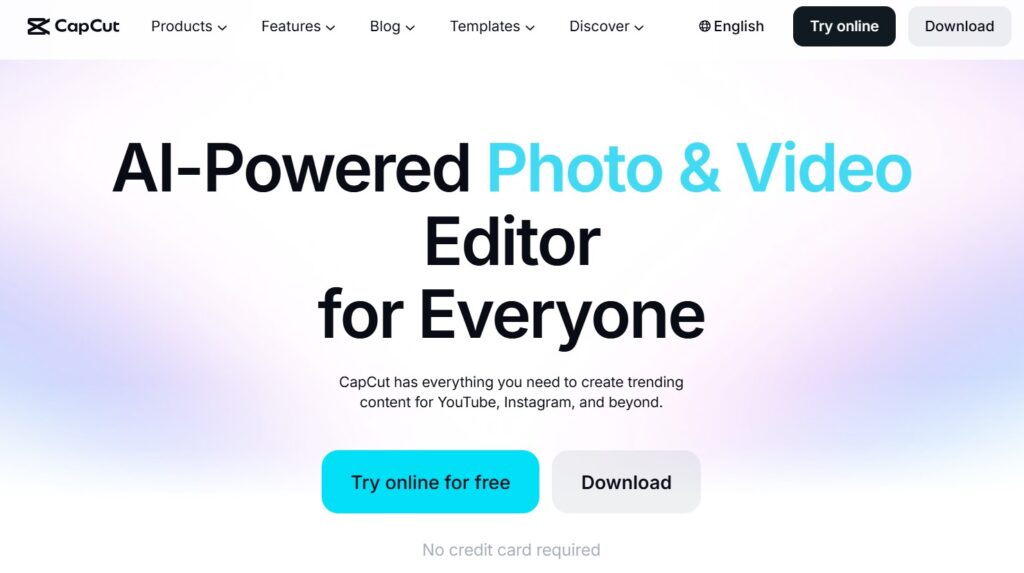
Don’t dismiss CapCut as just a Reels editing app — in 2026, it’s something significantly more powerful.
ByteDance has integrated both Sora 2 and Google Veo 3.1 directly into CapCut, meaning you can now generate AI video clips and immediately cut them into platform-ready short-form content, all inside one app. Its AI feature set includes:
- Auto-captions in 50+ languages
- Background removal without a green screen
- Beat syncing with trending audio
- AI styling and smart templates tuned for TikTok and Instagram Reels
- 4K export on the free plan for most projects
CapCut’s free plan is “exceptionally generous” compared to its competitors, with Pro at $7.99/month unlocking premium effects and cloud storage.
- Best for: Anyone creating short-form content for TikTok, Reels, or YouTube Shorts
- Pricing: Free | Pro: $7.99/mo
- Free plan: Yes (very generous)
For high-volume short-form content on a tight budget, CapCut is the most practical and accessible tool on this list. It should be on every content creator’s device in 2026.
Who Should Use Which Tool? (Our Recommendations)
Still not sure which one to pick? Here’s a simple decision guide:
🎓 Student on a tight budget: Start with CapCut (free) or Kling AI ($6.99/month). You get remarkable quality without spending much, and both have free tiers to experiment.
🚀 Entrepreneur launching a product or brand: Go with InVideo AI (~$25/month). It generates entire marketing videos from a single prompt, includes access to Sora 2 and Veo 3.1, and requires zero editing experience.
🎬 Aspiring filmmaker or creative professional: Runway Gen-4.5 gives you the most granular creative control of any tool on this list, plus professional integrations with Adobe’s suite.
💼 Business owner or HR professional: Synthesia is purpose-built for corporate video at scale. 140+ languages, professional avatars, and zero production overhead.
🖼️ Social media creator focused on short-form content: CapCut for everyday content. Pika when you want to make something weird and wonderful that stops the scroll.
⚖️ Agency or business with copyright concerns: Adobe Firefly — trained exclusively on licensed content, so every generation is cleared for commercial use.
🧪 Just curious and want to explore: Try Minimax 2.3 or Pika for free. Both have generous free tiers and will show you what AI video is genuinely capable of right now.
Final Thoughts
The truth about AI video in 2026 is simple: you no longer need money, equipment, or years of experience to create something that looks professional.
What you need is the right tool for your goals — and the willingness to start.
Every single tool on this list has a free tier or a trial. Pick one that fits your use case from the guide above, spend 20 minutes experimenting with a real prompt, and see what happens.
The technology has crossed a threshold this year. The gap between “AI video” and “real video” is closing faster than most people realize. The creators and businesses who start building this skill now are going to have a significant head start.
There’s no better time to begin than today.
FAQs
What is the best free AI video generator in 2026?
CapCut, Pika, Minimax 2.3, and LTX Studio all offer genuinely capable free tiers. CapCut is the most feature-rich free option for short-form social content. Minimax 2.3 (via Hailuo AI) is the best free option for cinematic-quality output.
Which AI video generator has the best quality in 2026?
Google Veo 3.1 and Runway Gen-4.5 lead on overall cinematic quality. Kling AI leads specifically on photorealistic human subjects. For atmospheric and environmental footage, Luma Dream Machine outperforms most competitors.
Is there an AI video generator that also creates audio?
Yes. Google Veo 3.1, and Kling AI all support native audio generation — meaning the video and its soundtrack (music, dialogue, sound effects) are created together. Most other tools generate silent video that requires separate audio.
What is the cheapest professional AI video generator?
Kling AI at $6.99/month offers the best quality-to-price ratio of any tool on this list, with commercial use rights included from the Standard plan.
Is AI video good enough to replace traditional video production in 2026?
For specific use cases — social media content, product demos, corporate training videos, and short-form ads — YES, AI video is genuinely competitive. For complex narrative content, live-action productions, and broadcast-quality work at scale, traditional production still has advantages. The gap is narrowing rapidly.

About Naseeb Akhter
The founder of BotBunch, where he researches, tests, and reviews the latest AI tools, automation software, and SaaS platforms. Along with the BotBunch editorial team, he helps creators, students, professionals, and businesses discover the best AI solutions through hands-on testing, honest reviews, detailed comparisons, and easy-to-follow guides.
Join us via email and social channels to get the latest updates straight to your inbox.