In this article, we tested and ranked the 9 best AI graphic design tools based on ease of use, output quality, pricing, features, and overall value.
The tools are Canva, Designs.ai, Uizard, Piktochart AI, Framer, OpenArt, Plus AI for Google Slides, ClickUp, and Mixboard by Google Labs. We’ll break down their key features, pricing, pros and cons, and help you decide which tool is worth your time and money in 2026.
Quick Comparison: All 9 Best AI Graphic Design Tools Side by Side
Bookmark this table if you only have 30 seconds — it’s the fastest way to see which tool fits your situation before reading the full reviews below.
| Tool | Best For | Starting Price | Free Plan? |
| Designs.ai | All-in-one branding (logo + video + voice) | ~$24.92–$39/mo | Limited trial |
| Uizard | App/UI prototypes from text or sketches | $12/mo | Yes |
| Canva | Beginners & general design work | ~$5/mo | Yes (generous) |
| Piktochart AI | Infographics & data visuals | ~$10/mo | Yes |
| ClickUp | Design team workflow (not design itself) | $7/user/mo | Yes (limited) |
| Framer | AI-generated marketing websites | ~$4/mo | Yes |
| Plus AI (Slides) | AI presentation decks | ~$10/mo | 7-day trial only |
| OpenArt | Multi-model AI art generation | ~$7/mo | Yes (one-time credits) |
| Mixboard (Google Labs) | Free AI mood boards & brainstorming | Free (beta) | Yes (fully free) |
The Full Reviews: 9 Best AI Graphic Design Tools
1. Designs.ai
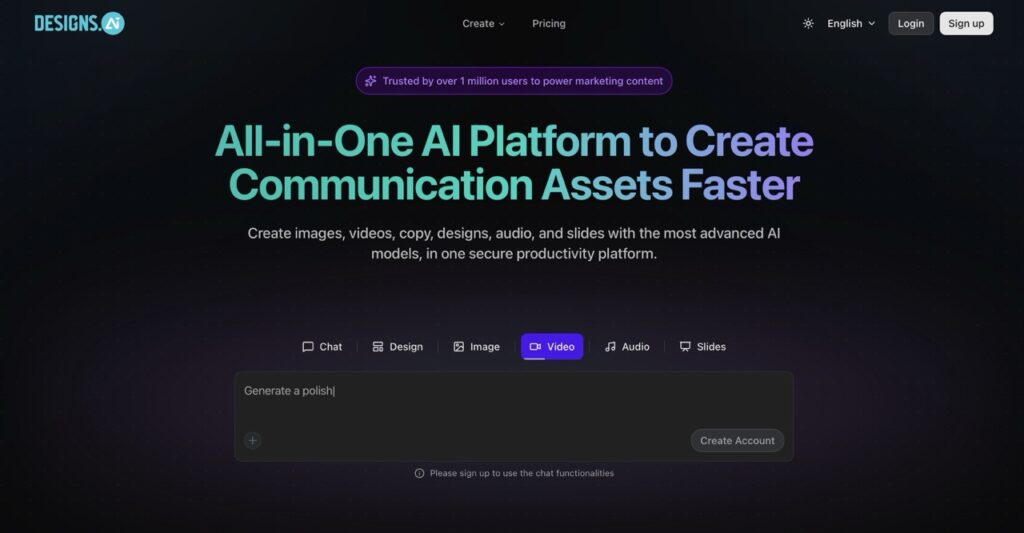
The all-in-one branding suite for entrepreneurs who need it all
Designs.ai is an all-in-one AI creative suite that generates logos, videos, voiceovers, and social graphics from a single dashboard. It has been around since 2019, so its template library and AI engine have had years to mature, and it now bundles a Design Maker, Video Maker, Speech Maker, and Colour Matcher into a single subscription.
Key Features
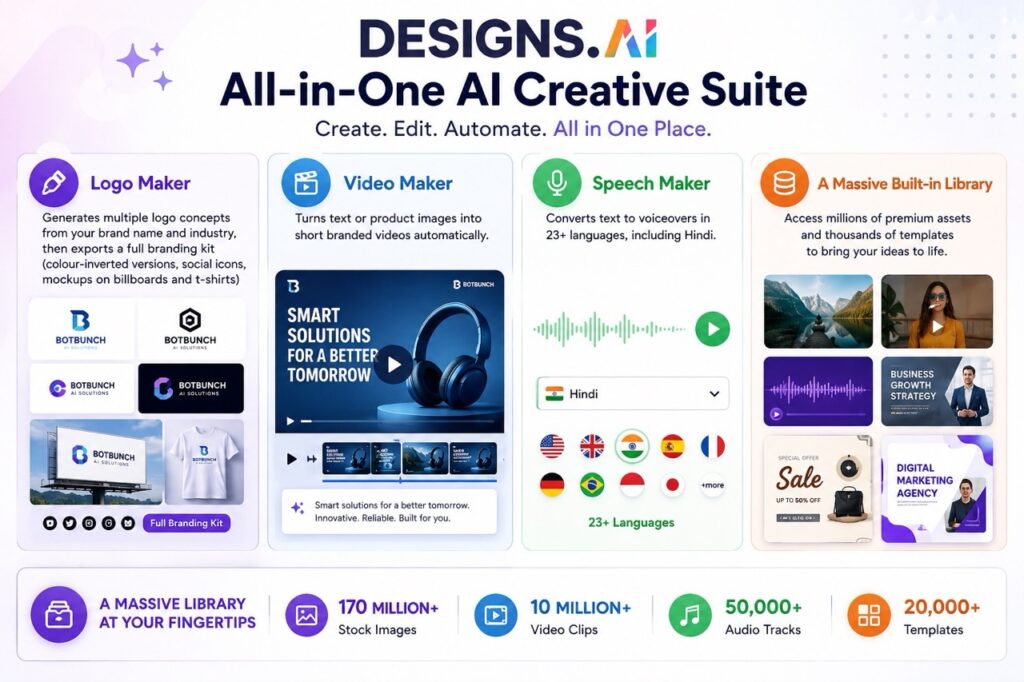
- Logo Maker generates multiple logo concepts from your brand name and industry, then exports a full branding kit (colour-inverted versions, social icons, mockups on billboards and t-shirts)
- Video Maker turns text or product images into short branded videos automatically
- Speech Maker converts text to voiceovers in 23+ languages, including Hindi
- A massive built-in library: 170 million+ stock images, 10 million+ video clips, 50,000+ audio tracks, and 20,000+ templates
Monthly Active Users
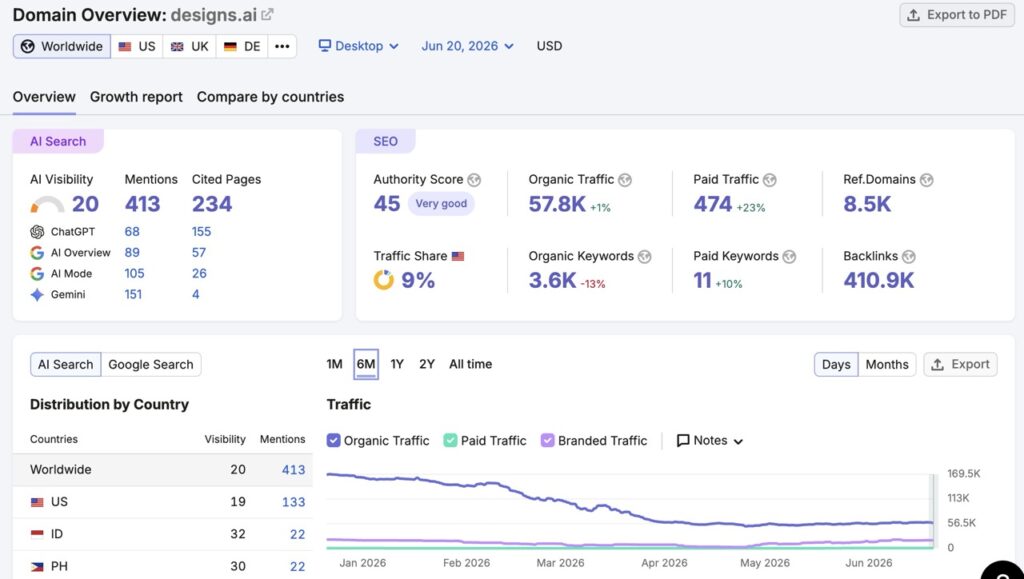
- According to the June 2026 report, Designs.ai received approximately 57.8K monthly active visitors from search engines.
- Organic traffic is showing positive growth (+1%).
- Maintains a strong authority score of 45.
- Supported by 8.5K referring domains and 410.9K backlinks.
- Has growing visibility across AI platforms such as Gemini, Google AI Overview, and ChatGPT.
Pricing
- A limited free trial is available (preview only on some tools, no downloads).
- Plus: $24.92-$39/month (2,500 AI credits, 2-person team collaboration)
- Pro: $58.25-$79/month for Pro (10,000 AI credits, 5-person team collaboration)
- Enterprises: $159.50-$188/month (25,000 AI credits, unlimited users)
Pros & Cons
| ✅ Pros | ❌ Cons |
| All assets — logo, video, and voice — in one subscription. Saves money compared to hiring multiple freelancers for each asset. Huge built-in stock and template library | Brand Kit cannot store a custom logo, which is an odd gap. Templates can feel generic without a heavy editing pass. Pricing jumps steeply between the Basic and Pro tiers |
| 💡 Our Verdict: Best for entrepreneurs who need a complete branding package — logo, promo video, and voiceover — without juggling three separate subscriptions. |
2. Uizard.io
Type a sentence, get a clickable app mockup
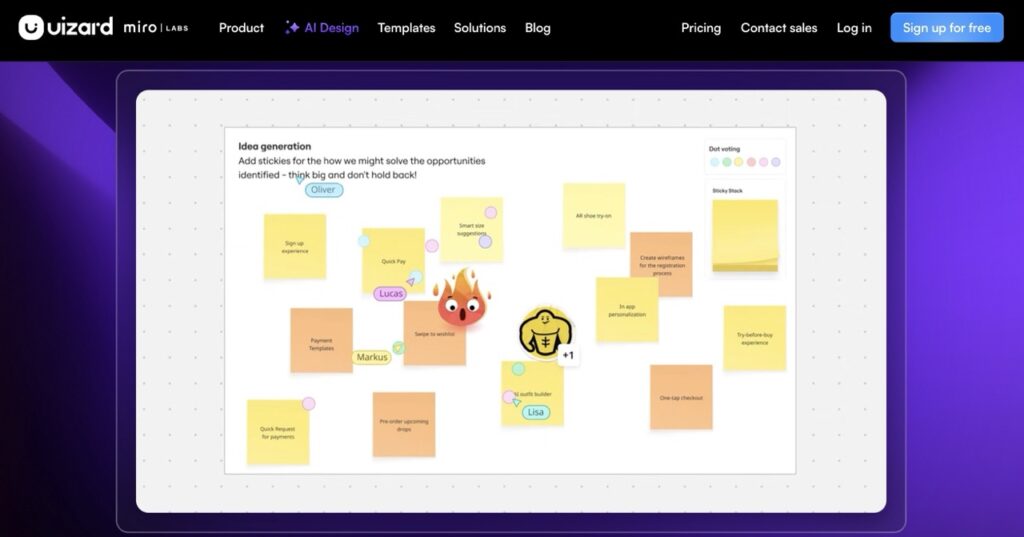
Uizard turns plain-English prompts, hand-drawn sketches, or screenshots into editable UI mockups and prototypes. Its Autodesigner 2.0 feature can generate a multi-screen app flow — a login screen, a dashboard, a settings page — from one description in well under a minute. Miro acquired Uizard in 2024, but it still runs as a separate, standalone product.
Key Features
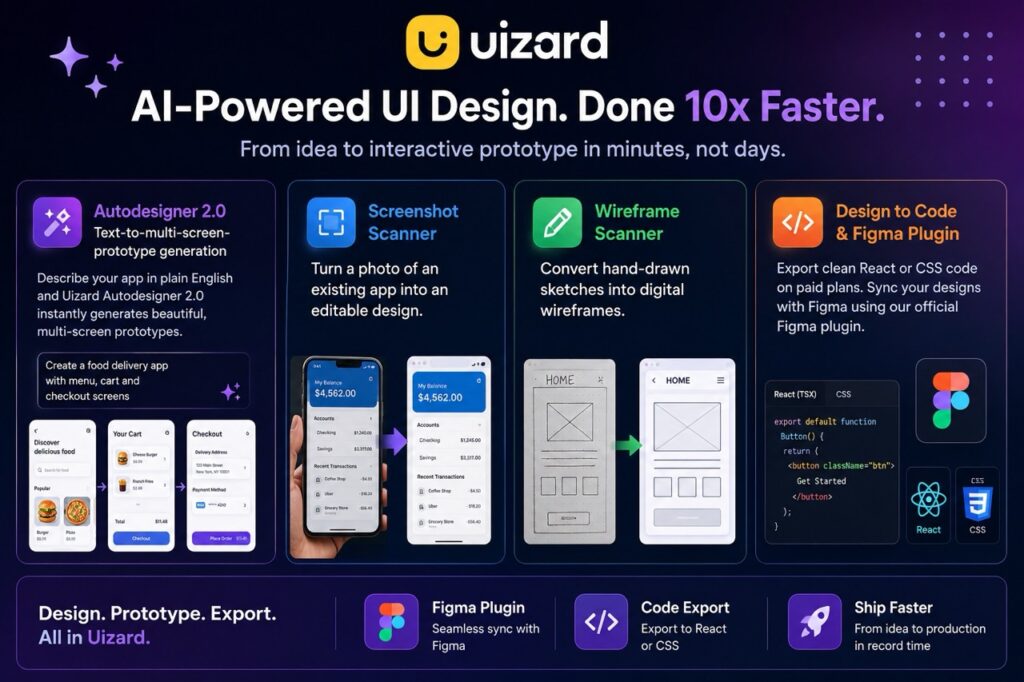
- Autodesigner 2.0: text-to-multi-screen-prototype generation
- Screenshot Scanner turns a photo of an existing app into an editable design
- Wireframe Scanner converts hand-drawn sketches into digital wireframes
- Figma plugin and React/CSS code export on paid plans
Monthly Active Users
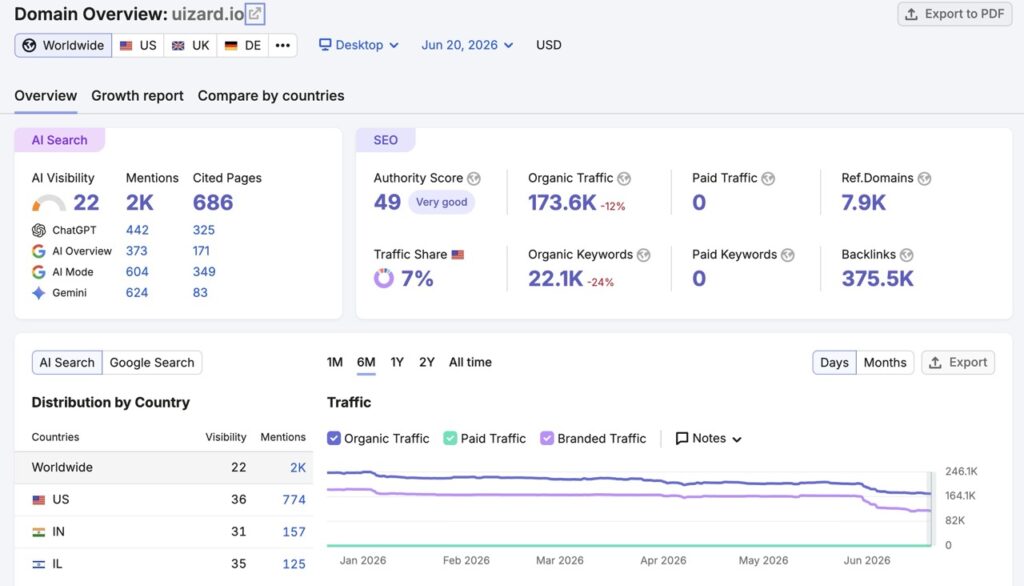
- According to June 2026 reports, it received approximately 173.6K monthly active visitors.
- Holds a strong Authority Score of 49.
- Supported by 7.9K referring domains and 375.5K backlinks.
- Organic traffic declined by 12%, while keyword rankings dropped by 24%.
Pricing
- Free: Plan includes 2 projects and 3 AI generations per month.
- Pro: $12/month – 500 AI generations per month
- Business: $39/month – 5000 AI generations per month, and adds code export plus private projects.
- Enterprise: Unlimited AI generations
Pros & Cons
| ✅ Pros | ❌ Cons |
| Genuinely fast first drafts — a 5-screen app flow in under a minute in our test. Very low learning curve for non-designers. One of the cheapest entry points on this list for serious prototyping | Output needs a designer’s polish pass before it ships. Component spacing and colour contrast often need manual fixing. The generation budget runs out fast if you iterate heavily |
| 💡 Our Verdict: Ideal for students, founders, and non-designers who need to show what an app idea looks like without learning Figma from scratch. |
3. Canva
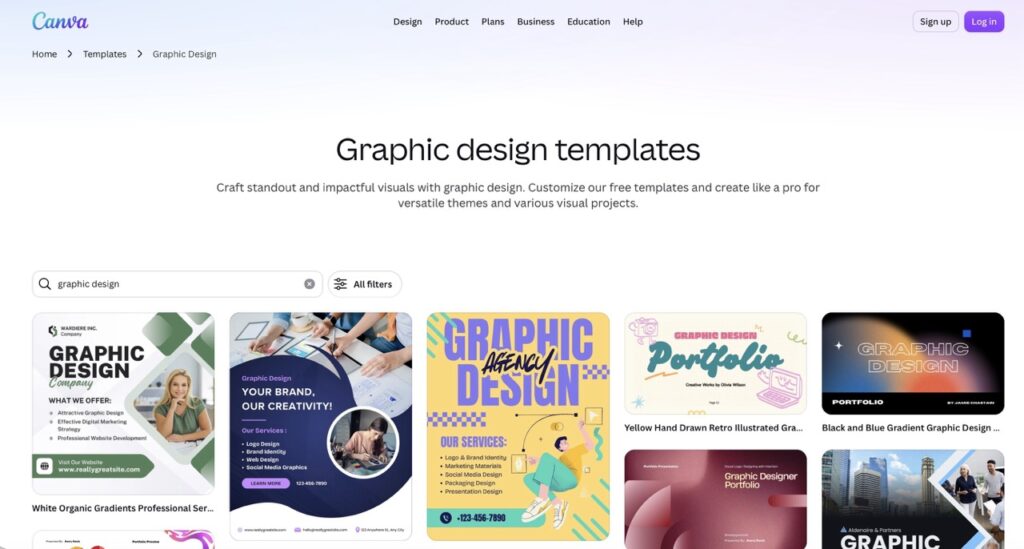
The tool that made “I’m not a designer” stop being an excuse
Canva remains the most widely used design platform in the world, and its Magic Studio AI suite has turned it from a template editor into a full creative assistant. Magic Design builds entire layouts from a prompt, Dream Lab generates original images, and Magic Write drafts the copy that goes inside your designs.
Key Features
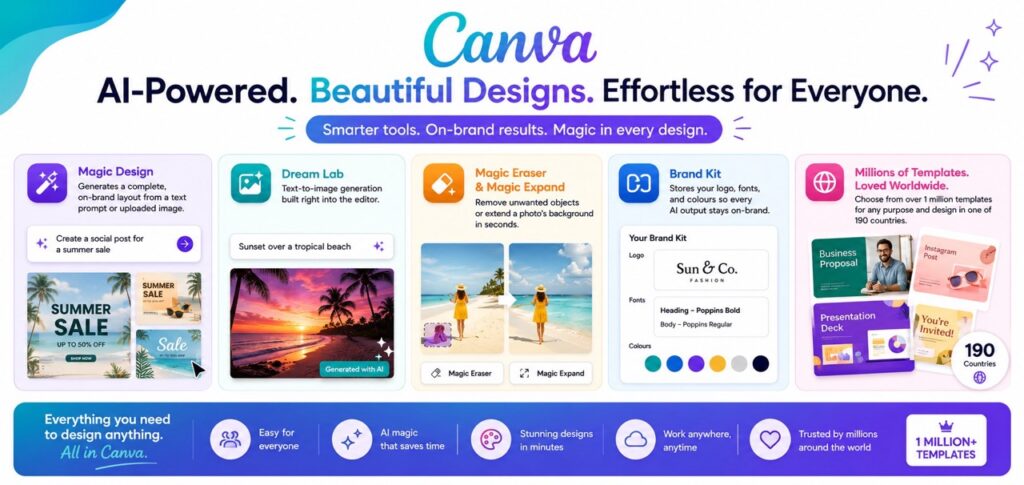
- Magic Design generates a complete, on-brand layout from a text prompt or uploaded image
- Dream Lab: text-to-image generation built right into the editor
- Magic Eraser and Magic Expand remove unwanted objects or extend a photo’s background
- Brand Kit stores your logo, fonts, and colours so every AI output stays on-brand
- Over 1 million templates and a presence in 190 countries
Monthly Active Users
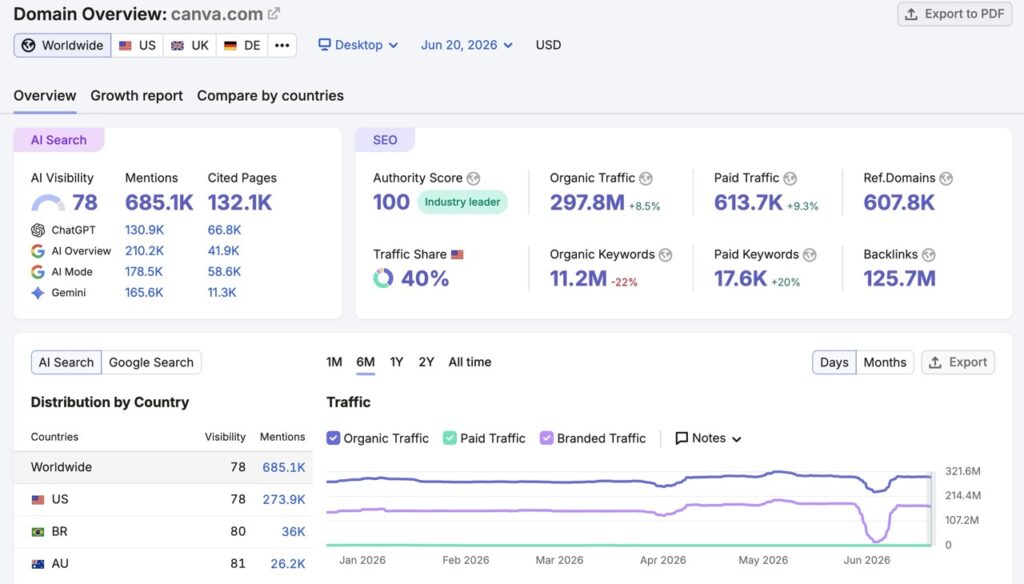
- Monthly Organic Traffic: 297.8M Monthly Active users visitors (June 2026)
- Organic traffic increased by 8.5%, showing strong growth.
- Domain Authority Score: 100/100
- Total Backlinks: 125.7M
Pricing
- Free: Zero (Limited) (1.6M+ templates to start fast)
- Pro: $42/year [Premium tools (resize, translate, remove background), 3.6M+ templates (including premium)]
- Business: $72/year [Collaboration and team admin tools, 3.6M+ templates (including premium)]
- Enterprise: Custom
Pros & Cons
| ✅ Pros | ❌ Cons |
| By far the easiest tool on this list for total beginners A genuinely generous free-tier Brand Kit keeps every AI output consistent with your branding | Heavy AI users burn through monthly credits faster than expected Professional designers may find it limiting for complex, pixel-level work |
| 💡 Our Verdict: The single best starting point for beginners, students, and small business owners who need professional-looking graphics today, not after a steep learning curve. |
4. Piktochart AI
Turns boring data into infographics people actually read
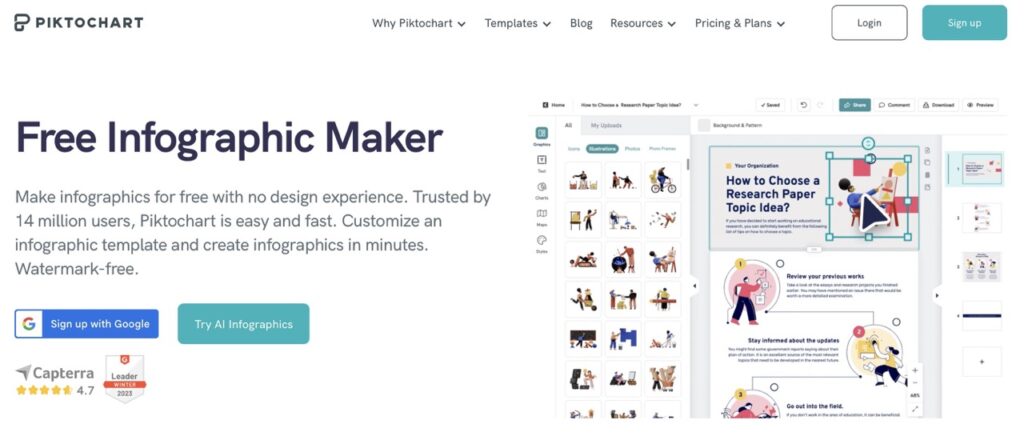
Piktochart specializes in something most general design tools handle poorly: making complex data look simple. Its AI tools convert documents and raw numbers directly into infographics, charts, and presentations, without you copy-pasting data point by point.
Key Features
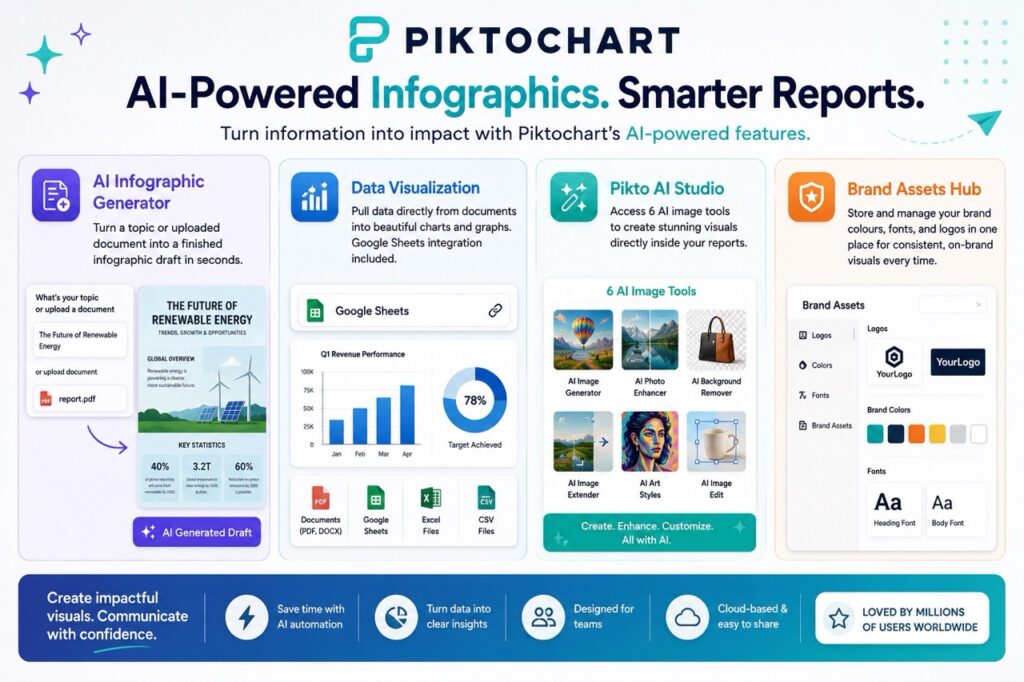
- AI Infographic Generator turns a topic or uploaded document into a finished infographic draft
- Data Visualization pulls directly from documents into charts and graphs, with Google Sheets integration
- Pikto AI Studio bundles 6 AI image tools for visuals inside reports
- A central Brand Assets hub for consistent colours, fonts, and logos
Monthly Active Users
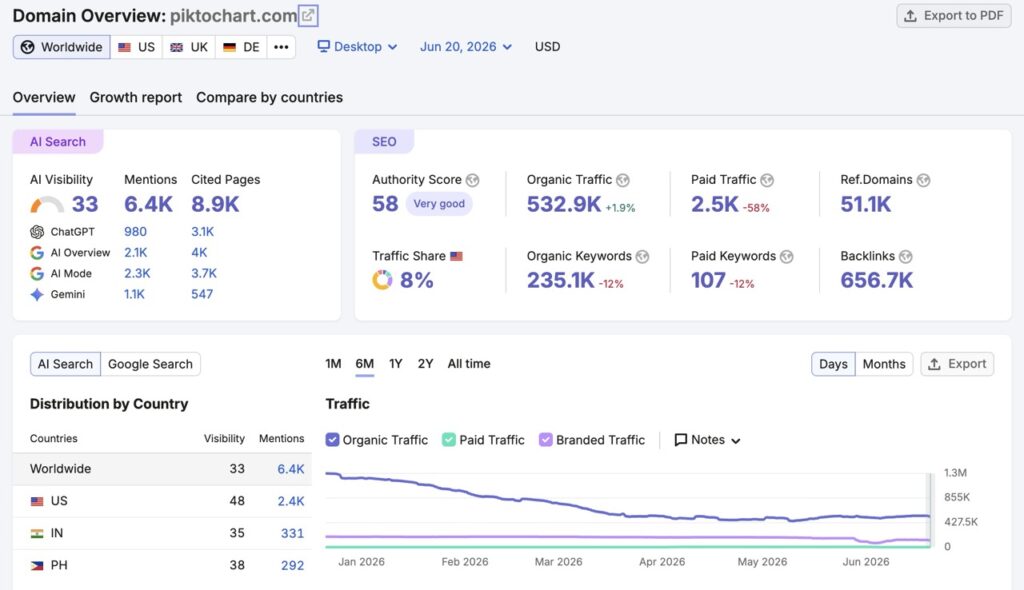
- Monthly Organic Traffic: 532.9K visitors. (June 2026)
- Organic traffic increased by 1.9%, showing steady growth.
- Domain Authority Score: 58/100
- Total Backlinks: 656.7K
Pricing
- Free: plan is available.
- Pro: $10/month billed annually (or $15/month billed monthly).
- Business: $17/month annually (or $20/month).
- Enterprise: Custom
- Education: $39/year.
Pros & Cons
| ✅ Pros | ❌ Cons |
| Nothing else on this list handles data-heavy content — reports, stats, surveys — as cleanly Genuinely useful Google Sheets integration | Weaker than Canva for general social media graphics and marketing visuals A smaller overall template library |
| 💡 Our Verdict: The right pick, specifically when your content is data, not just decoration — think annual reports, classroom infographics, or research summaries. |
5. ClickUp
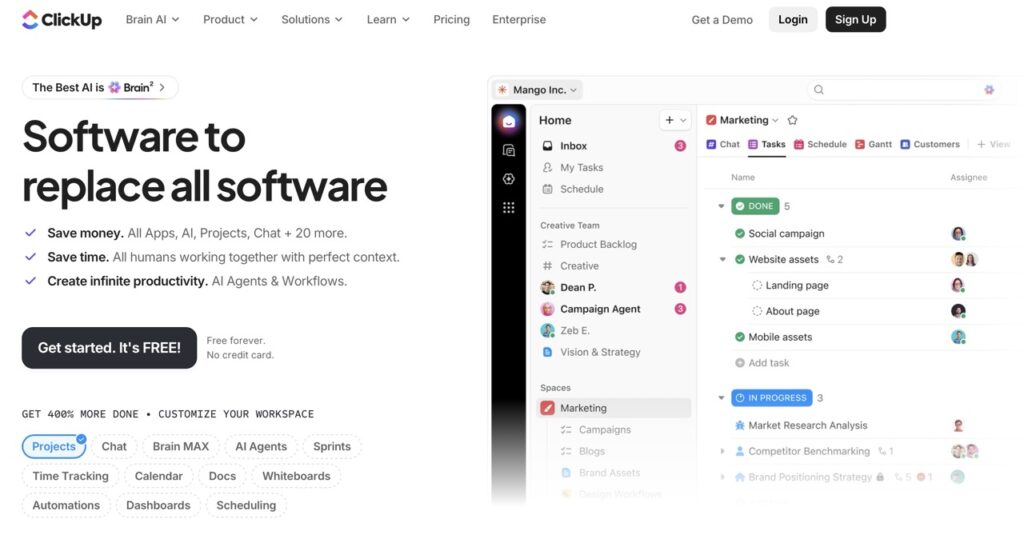
Not a design tool — but a smart addition to a design team’s workflow
| ⚠️ Reality Check: ClickUp is a project management and productivity platform, not a graphic design tool. It earns its place here because of its Whiteboards feature and ClickUp Brain AI add-on, which design teams use for brainstorming, mood boards, and turning messy feedback threads into organized tasks — work that happens around design, not instead of it. |
ClickUp is an all-in-one productivity platform covering tasks, docs, whiteboards, and AI in a single workspace. Design teams use it to manage briefs, client feedback, and approval workflows alongside whatever tool actually creates the visuals.
Key Features
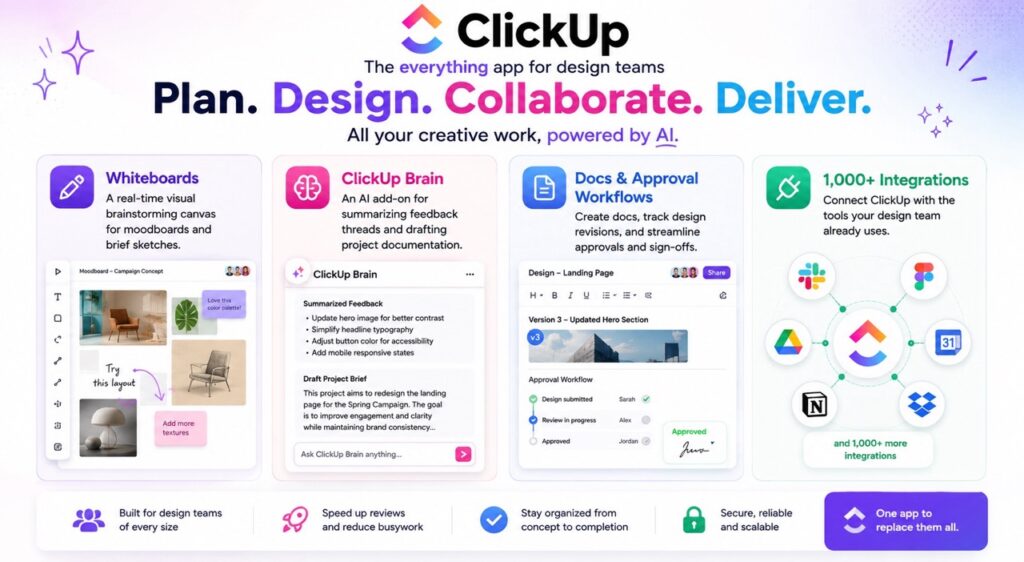
- Whiteboards: a real-time visual brainstorming canvas for moodboards and brief sketches
- ClickUp Brain: an AI add-on for summarizing feedback threads and drafting project documentation
- Docs and approval workflows to track design revisions and sign-offs
- 1,000+ integrations, including Slack, Figma, and Google Workspace
Monthly Active Users
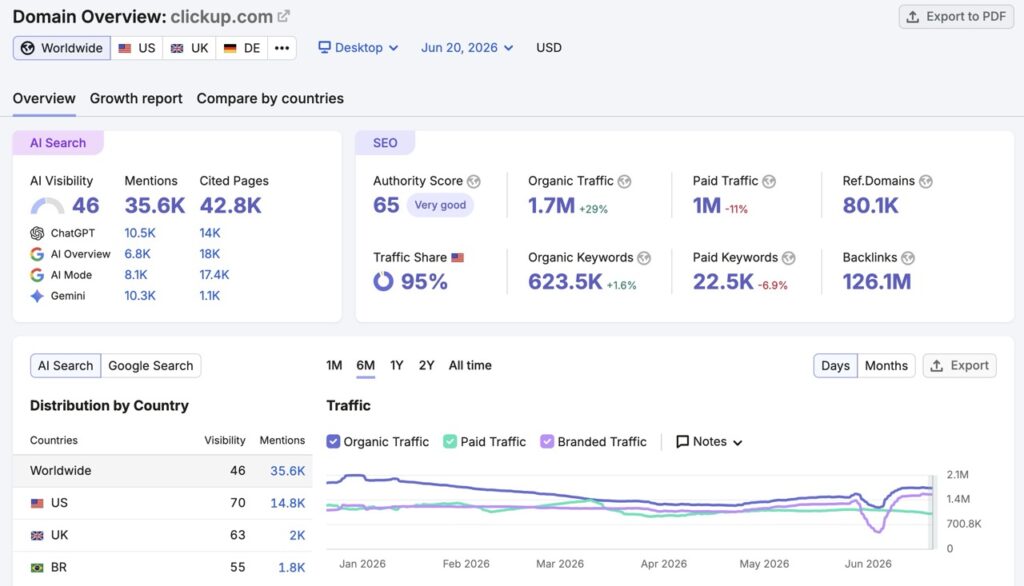
- Monthly Organic Traffic: 1.7M visitors (June 2026)
- Organic traffic increased by 29%, showing strong year-over-year growth.
- Authority Score: 65/100
- Total Backlinks: 126.1M
Pricing (verified 2026)
- Free Forever plan exists but is storage-limited.
- Unlimited: $7/user/month.
- Business: $12/user/month.
- Enterprise: Custom
- ClickUp Brain is a separate AI add-on, roughly $7 to $9/user/month on top of any paid plan.
Pros & Cons
| ✅ Pros | ❌ Cons |
| Genuinely useful for managing a design team’s chaos — briefs, approvals, feedback. A generous free tier for solo users | It will not generate a single graphic for you. AI add-on pricing stacks on top of the base plan and adds up fast for teams |
| 💡 Our Verdict: Add this to your stack if you are running a design team and drowning in feedback threads. Do not expect it to design anything for you. |
6. Framer
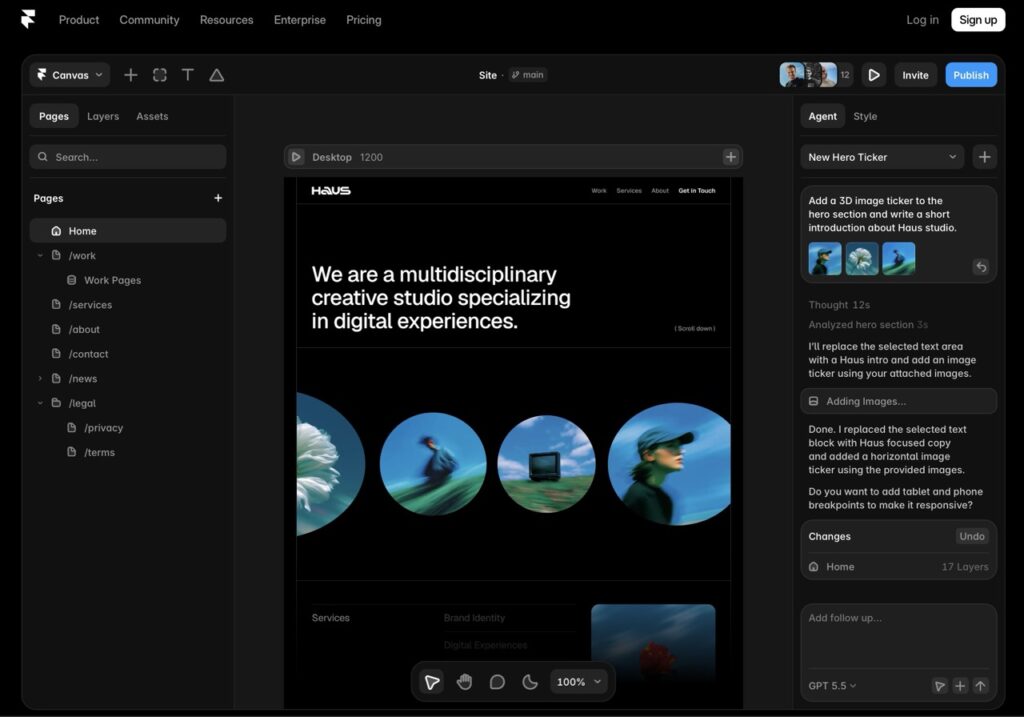
Describe a website, watch it build itself
Framer is a no-code website builder whose AI Wireframer feature can generate a complete, responsive, multi-section website from a single text prompt — including animations that most drag-and-drop builders cannot replicate.
Key Features
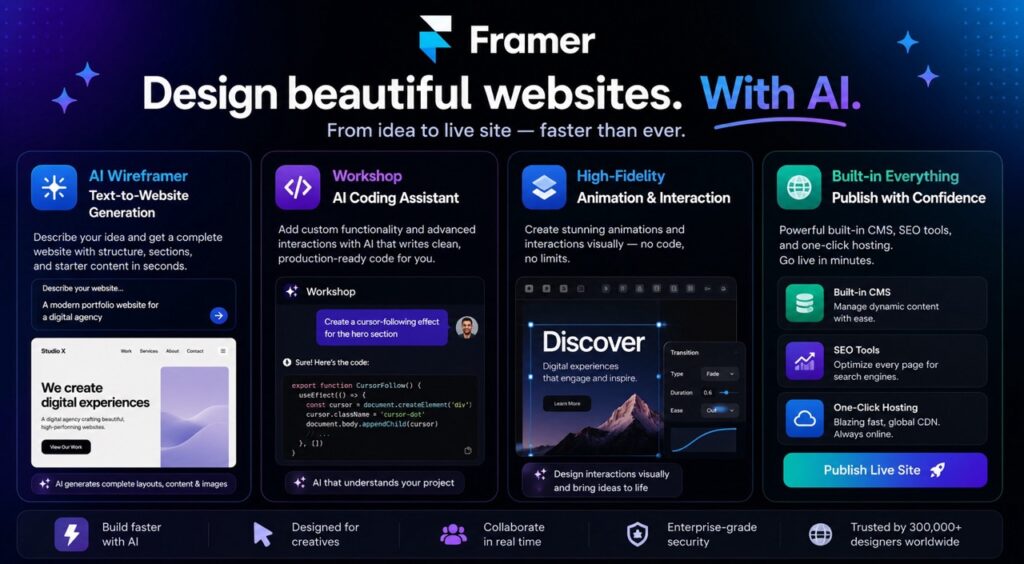
- AI Wireframer: text-to-website generation with structure, sections, and starter content
- Workshop: an AI coding assistant for custom interactions
- High-fidelity animation and interaction design without writing code
- Built-in CMS, SEO tools, and one-click hosting
Monthly Active Users
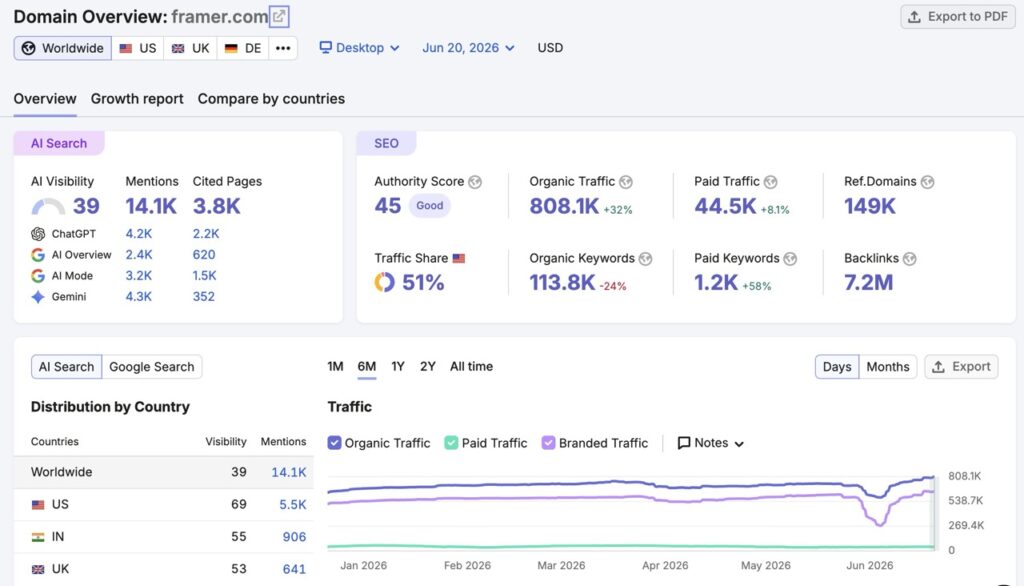
- Monthly Organic Traffic: 808.1K visitors (June 2026)
- Organic traffic increased by 32%, showing strong growth in search visibility.
- Domain Authority Score: 45/100
- Total Backlinks: 7.2M
Pricing (verified 2026)
- Free: Zero
- Basic: $4/month
- Pro: $11.49/month
- Enterprise: Custom
Pros & Cons
| ✅ Pros | ❌ Cons |
| Animation quality most no-code builders cannot match. A genuinely fast concept-to-live-site workflow | Built for marketing websites and portfolios, not app or product UI flows — Uizard is the better fit there. Seat-based pricing adds up quickly for agencies |
| 💡 Our Verdict: Excellent for designers and freelancers who need a fast, beautiful, animated website live today. The wrong tool if you are prototyping a mobile app screen. |
7. Plus AI for Google Slides
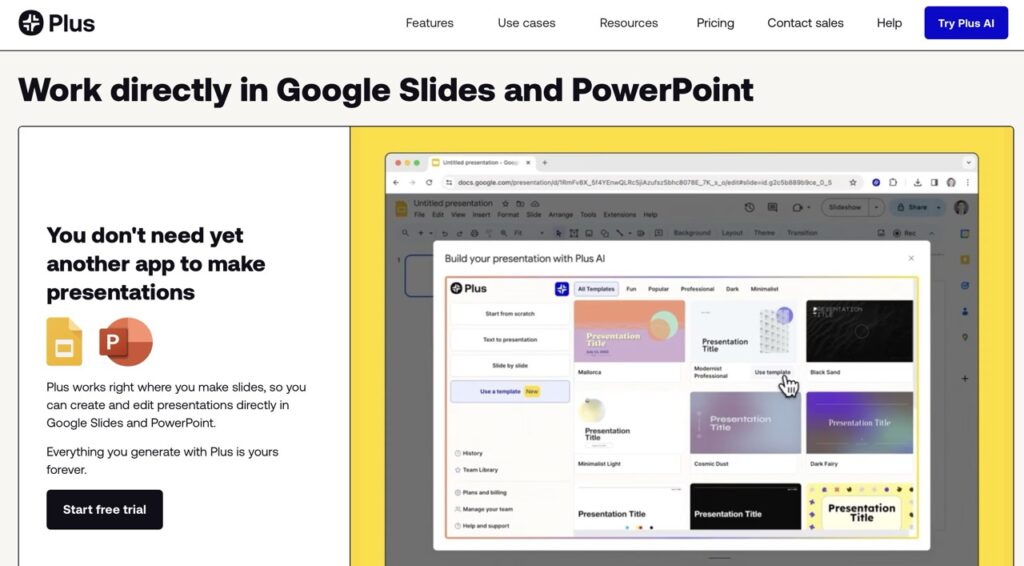
Turns a messy document into a board-ready deck
Plus AI lives directly inside Google Slides — and now PowerPoint too — generating complete presentations from a text prompt or by converting an existing document, PDF, or outline into structured slides, without ever leaving Google Drive.
Key Features
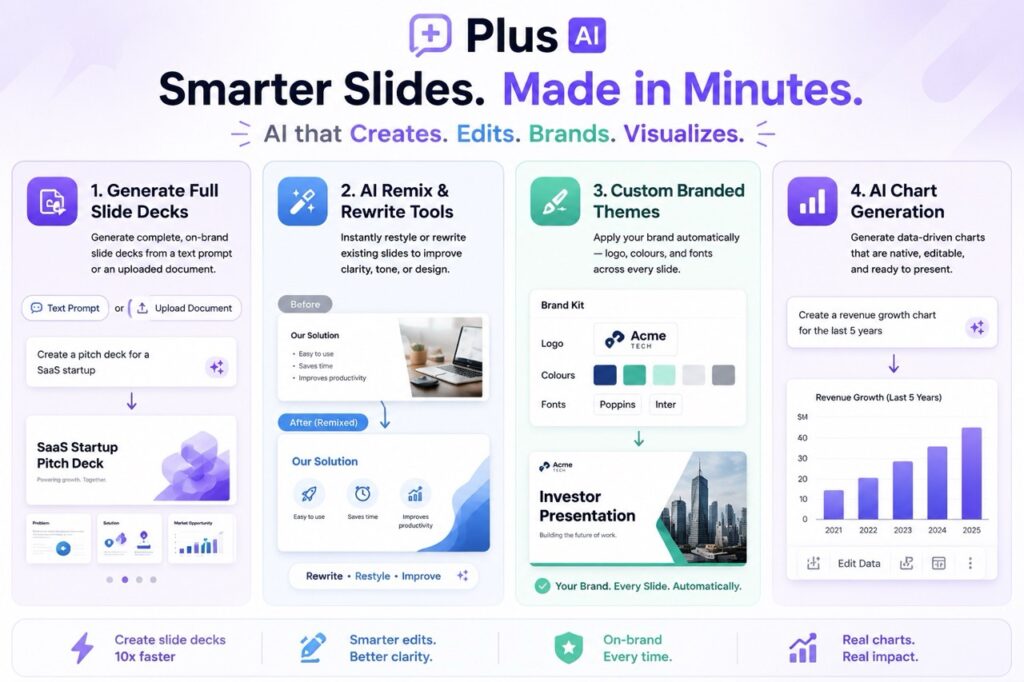
- Generates full slide decks from a prompt or an uploaded document
- AI Remix and Rewrite tools to restyle or rewrite existing slides
- Custom branded themes (logo, colours, fonts) applied automatically
- AI chart generation that produces native, editable charts, not flat images
Monthly Active Users
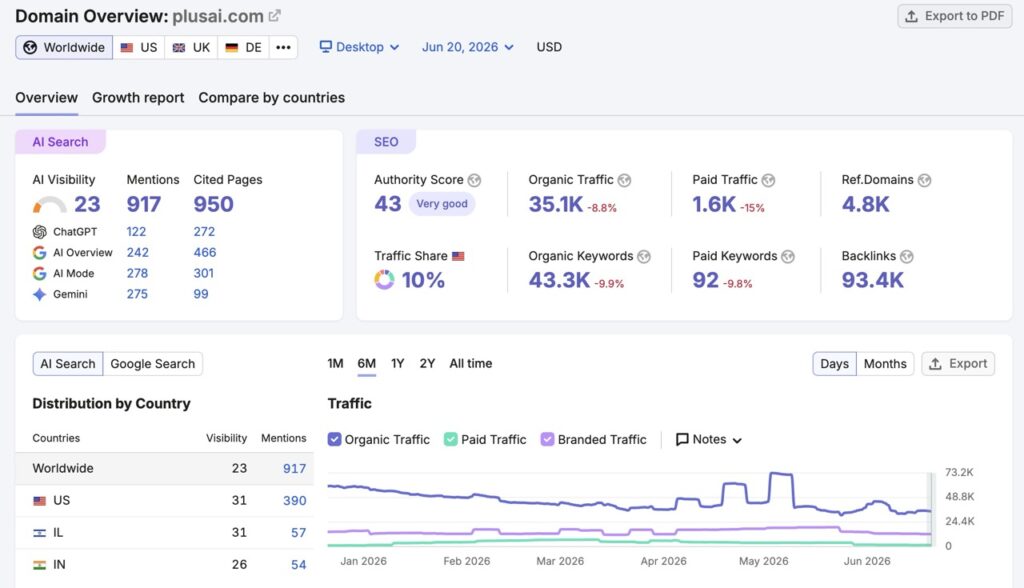
- Monthly Organic Traffic: 35.1K visitors (June 2026)
- Organic traffic decreased by 8.8% compared to the previous period.
- Domain Authority Score: 43/100
- Total Backlinks: 93.4K
Pricing
- Trial: 7-day trial
- Basic: $10/month
- Pro: $20/month
- Team: $30/month
- Max: $200/month
Pros & Cons
| ✅ Pros | ❌ Cons |
| Stays inside Google Slides, so sharing and collaboration work exactly as they always have. Genuinely saves hours on repetitive pitch decks | No real free plan to test long-term. Output quality depends heavily on how detailed your prompt or source document is |
| 💡 Our Verdict: A smart pick for entrepreneurs and students who build slide decks often and want to stay inside Google Workspace rather than learning a new presentation app. |
8. OpenArt
One subscription, 100+ AI art models
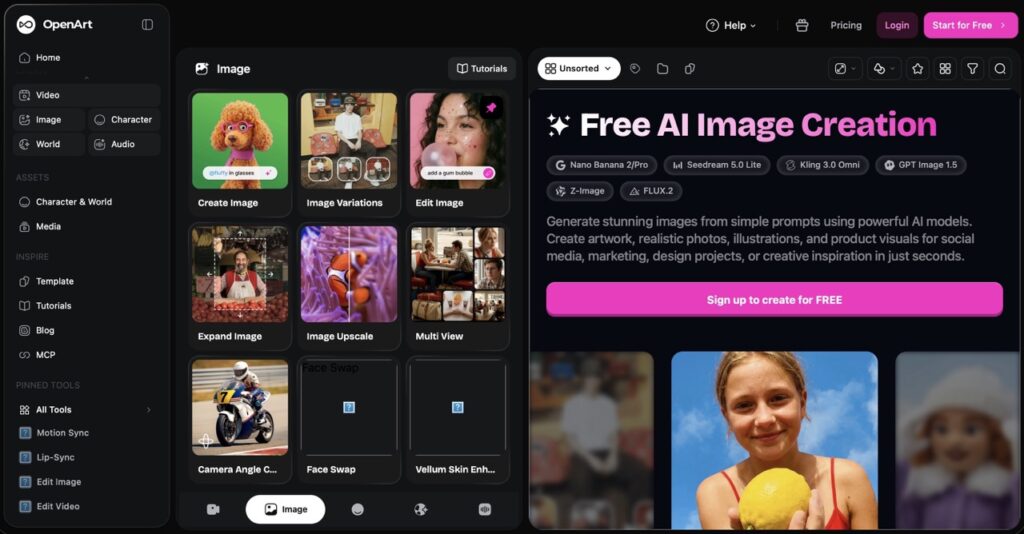
OpenArt is a browser-based AI image and video generator that bundles access to over 100 models, including Stable Diffusion XL, Flux, and Ideogram, under a single account, so you are not locked into one AI’s particular style.
Key Features
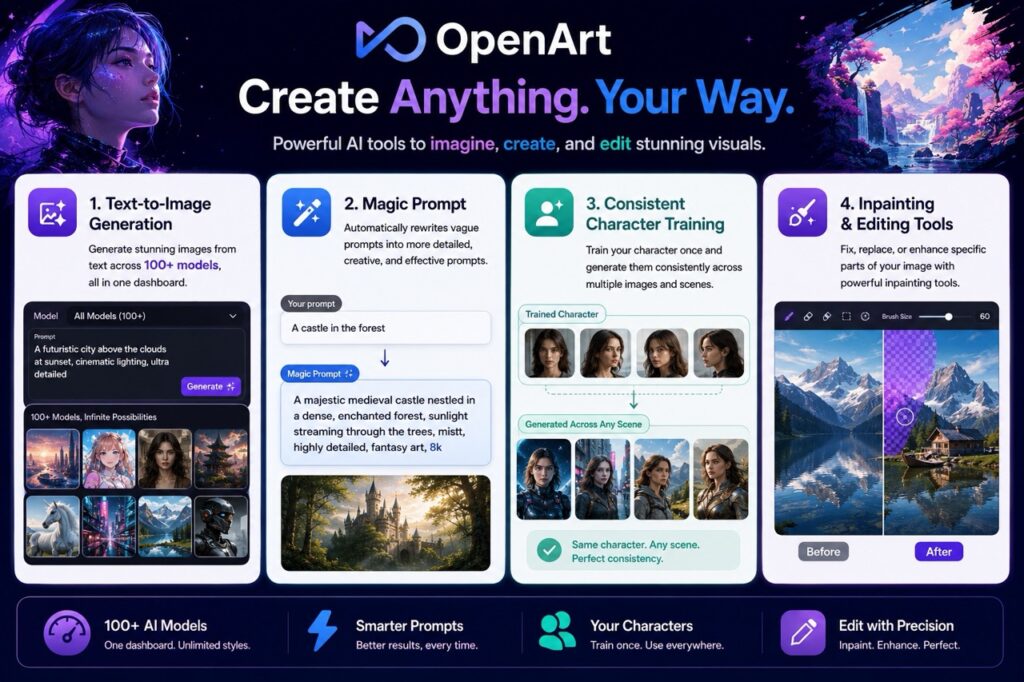
- Text-to-image generation across 100+ models in one dashboard
- Magic Prompt automatically rewrites vague prompts into more detailed ones
- Consistent character training, so the same character can appear across multiple images
- Inpainting and editing tools for fixing specific parts of a generated image
Monthly Active Users
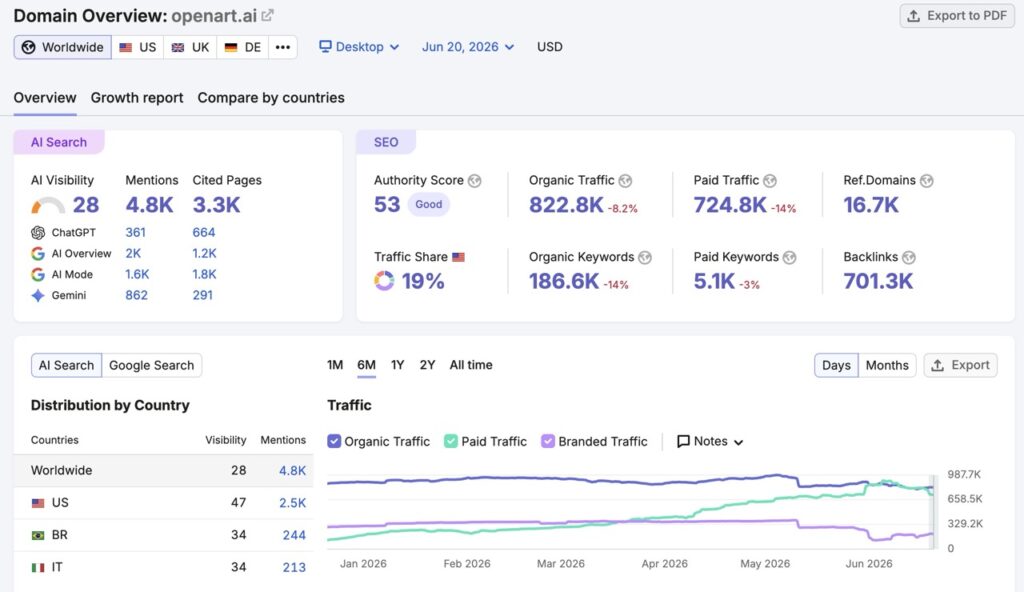
- Monthly Organic Traffic: 822.8K visitors (June 2026)
- Organic traffic decreased by 8.2% compared to the previous period.
- Domain Authority Score: 53/100
- Total Backlinks: 701.3K
Pricing
Get 50% off on an annual purchase.
- The free plan gives 40 one-time trial credits.
- Essential: $7/seat/month (billed annually)
- Advanced: $14.50/seat/month (billed annually)
- Infinite: $28/seat/month (billed annually)
- Wonder: $120/month for studio-level volume. (billed annually)
Pros & Cons
| ✅ Pros | ❌ Cons |
| One of the most affordable entry points for AI art, multi-model access means you are unlikely to outgrow it quickly | The credit system can be confusing, since premium models burn credits faster. |
| 💡 Our Verdict: A strong starting point for beginners and hobbyists who want to experiment with AI art without committing to one specific model or app. |
9. Mixboard by Google Labs
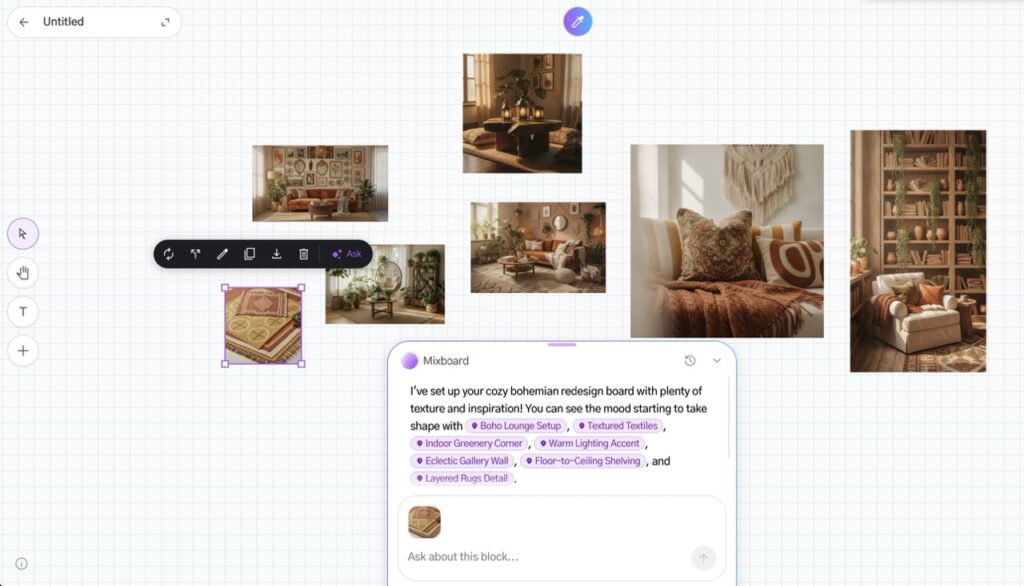
Google’s free answer to Pinterest and Miro, powered by AI
Mixboard is Google Labs’ experimental AI concepting board — an infinite digital whiteboard where you describe an idea in plain English (a living room redesign, a wedding theme, a product concept) and AI fills it with relevant images and text, all editable afterwards. It runs on Gemini and Google’s Nano Banana image-editing model.
Key Features
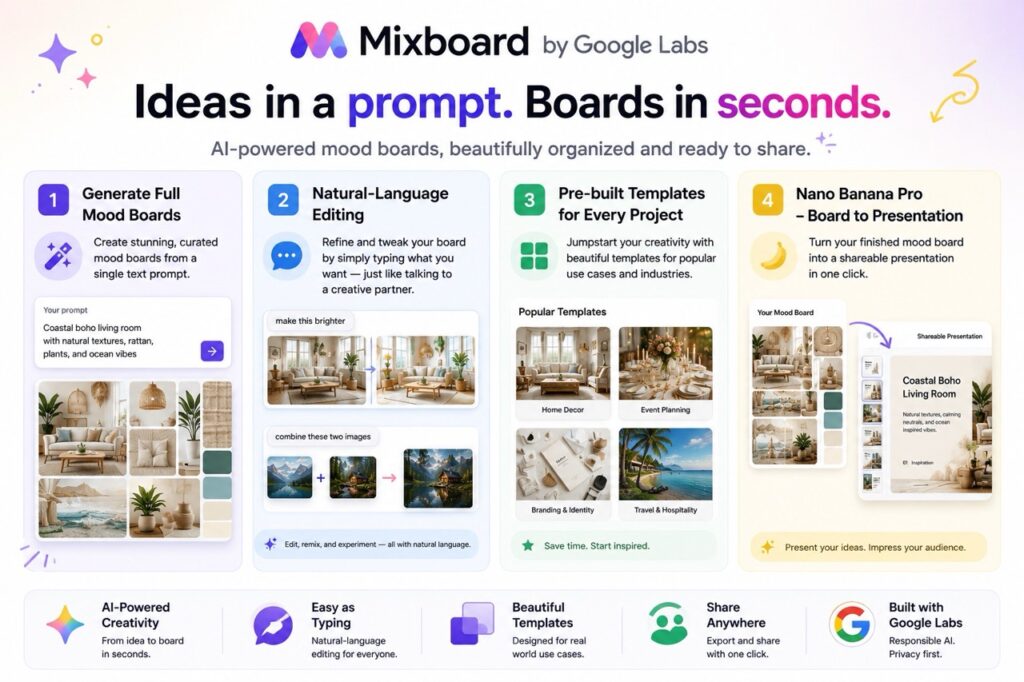
- Generates full mood boards from a single text prompt
- Natural-language editing — type “make this brighter” or “combine these two images” to refine results
- Pre-built templates for common use cases like home decor and event planning
- A Nano Banana Pro update can turn a finished board directly into a shareable presentation
Pricing
Completely free during its public beta, currently available in the US. No credit card is required, and no pricing has been announced for after the beta ends.
Pros & Cons
| ✅ Pros | ❌ Cons |
| Genuinely fast for visual brainstorming — minutes instead of hours of manual Pinterest hunting. Zero cost right now | Experimental status means features and availability could change without notice. US-only public beta at the time of writing. Not meant for production-ready final designs |
| 💡 Our Verdict: A fun, free way to brainstorm visual concepts fast. Treat it as an idea-generation tool, not your final design output. |
Which Tool Should You Actually Pick?
With 9 Best AI Graphic Design tools on this list, the honest answer is: it depends on who you are and what you’re making. Here’s our breakdown by audience.
🎓 Beginners & Students
- Canva — the easiest starting point, with the most generous free tier on this list
- Mixboard by Google Labs — completely free for brainstorming and mood boards
- OpenArt — the most affordable way to start experimenting with AI art ($7/month)
💼 Entrepreneurs & Small Business Owners
- Designs.ai — the most complete branding package (logo, video, voice) in one subscription
- Piktochart AI — best for reports, pitch visuals, and data-driven content
- Plus AI for Google Slides — fastest way to turn notes into a board-ready deck
👩💻 Web & Product Builders
- Framer — best for fast, animated marketing websites
- Uizard — best for app and product UI prototypes
🏢 Teams & Agencies
- Canva Teams — shared Brand Kits and approval workflows for design output
- ClickUp — manages the briefs, feedback, and approvals around your design work (not the design itself)
🅰️ Already Inside the Adobe Ecosystem
- Adobe Sensei — you’re already using it through Photoshop, Lightroom, or Experience Cloud; no separate signup needed
When AI Graphic Design Tools Aren’t the Right Choice?
Being honest about limitations is part of giving genuinely useful advice, so here is where we think these tools fall short — including the three reality checks built into the reviews above.
- Adobe Sensei is not something you can sign up for on its own — it only comes bundled with Adobe Creative Cloud or Experience Cloud.
- ClickUp manages design workflows — briefs, feedback, approvals — but does not generate a single graphic itself.
- AI tools are fast at producing drafts, not final brand strategy. A logo generated by any tool on this list still benefits from a human designer’s review before it goes on a billboard or gets trademarked.
- “Free” and “unlimited” usually refer to unlimited projects, not unlimited AI generations — credits run out faster than most people expect, especially on image and video generation.
- AI-generated image copyright status is still evolving in many countries. Check each tool’s specific commercial-use terms before using outputs in paid client work or trademark filings.
In short: use these tools to move fast on first drafts, social content, prototypes, and brainstorming. For trademarkable brand identities, legally sensitive visuals, or work for clients who explicitly require human-made art, loop in a professional designer.
FAQs
Q: What is the best free AI tool for graphic design in 2026?
For general graphic design, Canva’s free plan is the strongest starting point thanks to its huge template library and built-in AI credits. If you specifically need mood boards or early brainstorming visuals, Mixboard by Google Labs is currently completely free during its public beta.
Q: Can AI graphic design tools replace a professional graphic designer?
Not for complex branding work. These tools are excellent for fast drafts, social posts, and prototypes, but trademarkable logos, full brand identity systems, and high-stakes client campaigns still benefit from a human designer’s review.
Q: Which AI Graphic design tool is best for Indian students and freelancers on a tight budget?
Canva’s free plan and education pricing are hard to beat for students. Uizard ($12/month) and OpenArt (about $7/month) are also budget-friendly options for freelancers who specifically need prototyping or AI art.
Q: Can I use AI-generated designs for commercial projects?
Most tools on this list — Canva, Designs.ai, Piktochart AI, and OpenArt — allow commercial use on paid plans. Always check each tool’s specific license terms, since free-tier commercial rights are often more limited than paid-tier rights.
Q: Which AI tool is best for making infographics, reports, or data visuals?
Piktochart AI is purpose-built for this. Its AI tools convert documents and raw data directly into charts and infographics, something general design tools like Canva handle less smoothly.

About Naseeb Akhter
The founder of BotBunch, where he researches, tests, and reviews the latest AI tools, automation software, and SaaS platforms. Along with the BotBunch editorial team, he helps creators, students, professionals, and businesses discover the best AI solutions through hands-on testing, honest reviews, detailed comparisons, and easy-to-follow guides.
Join us via email and social channels to get the latest updates straight to your inbox.